

CustomGPT.ai continues to empower developers with robust tools for managing and analyzing Custom GPT projects. With the introduction of new Custom GPT RAG API endpoints for project statistics and traffic reports, developers can now delve deeper into understanding their project’s performance and usage metrics.
In this developer blog post, we explore two command-line tools provided by CustomGPT.ai: Quota.py and user_count.py. These tools are designed to streamline project management and enhance analytics capabilities, offering developers deeper insights into their chatbot applications.
Quota.py: Monitoring Project Statistics
The Quota RAG API script enables developers to fetch detailed statistics about their CustomGPT.ai projects. By utilizing this RAG API, users can retrieve essential metrics such as:
- Usage Data: Insights into how often the chatbot is being utilized, including the number of interactions and queries processed.
- Performance Analytics: Metrics on response times, error rates, and other performance indicators crucial for optimizing chatbot performance.
- Resource Utilization: Information on RAG API usage limits and remaining quotas, helping developers manage resource allocation effectively.
The purpose of this script is to retrieve and display comprehensive project statistics, aiding developers in monitoring and optimizing their CustomGPT.ai chatbot projects directly from the command line.
Quota.py command line tool Functionality
This script fetches traffic reports from CustomGPT.ai for a specific project. It asks the user to enter their RAG API key and project ID. Using this information, the script sends a request to CustomGPT.ai’s RAG API endpoint dedicated to traffic reports.
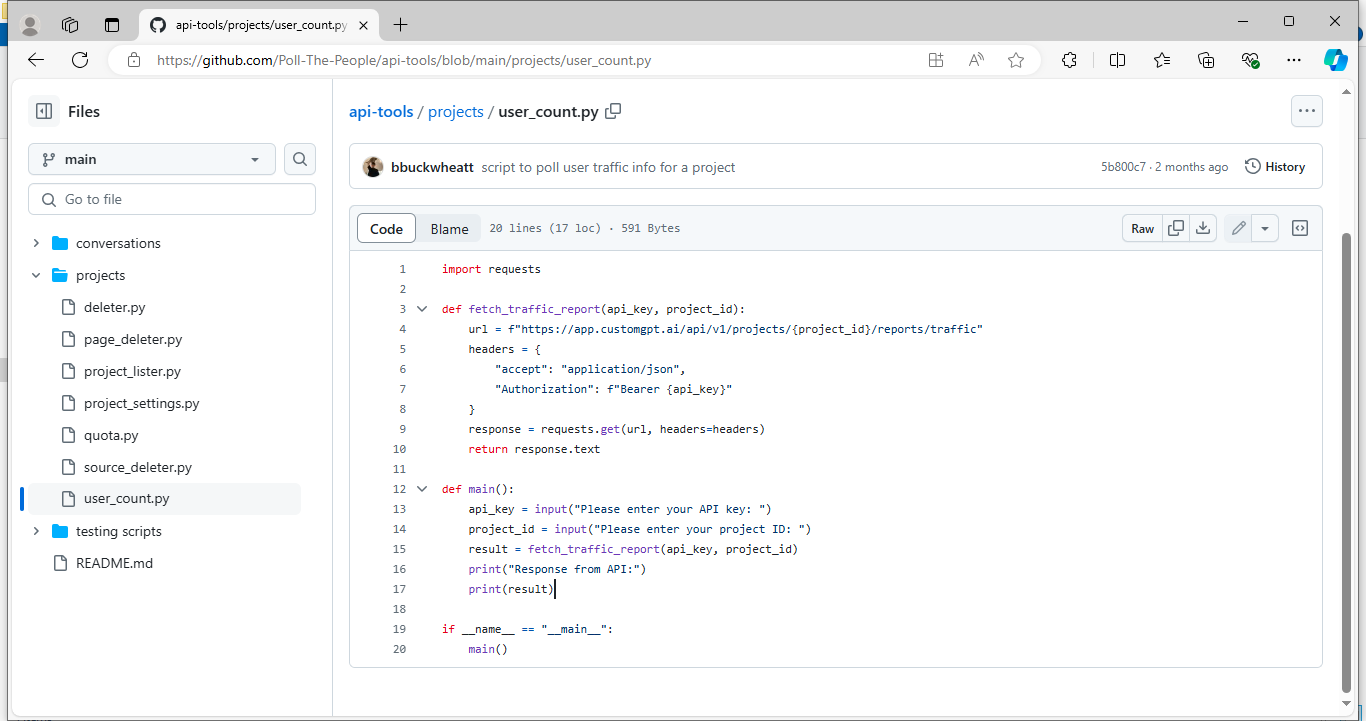
The RAG API returns detailed information about user interactions, session durations, and other traffic-related metrics for the specified project. Finally, the script prints out this information so that users can analyze and monitor how their chatbot project is being used and performing over time.
Execute the Script in the Command line
To execute the script in the command line, first download the script from the CustomGPT.ai cookbook.
- Open the command line interface and use the cd command (change directory) to navigate to the directory where the script quota.py is saved.
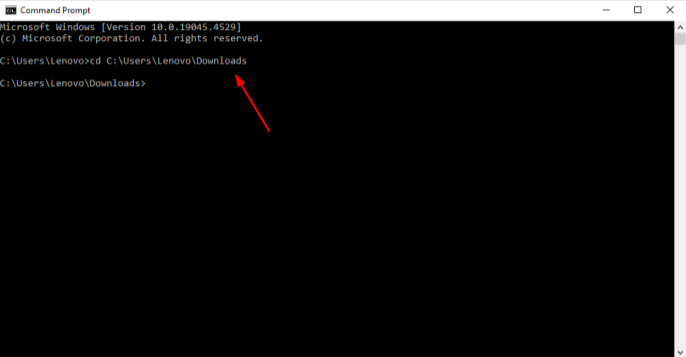
- Once you are in the correct directory containing quota.py, execute the script by typing the following command.
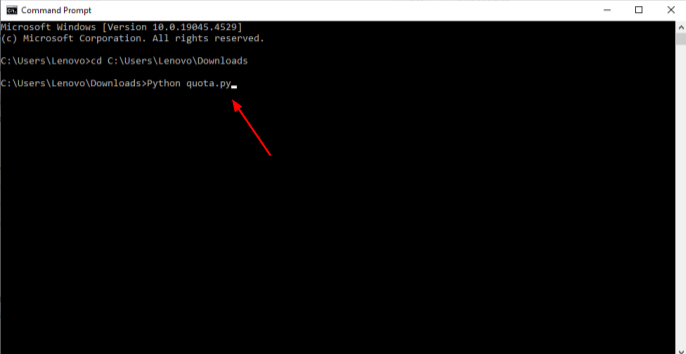
- When prompted by the script, enter your CustomGPT.ai’s RAG API key and project ID as requested.
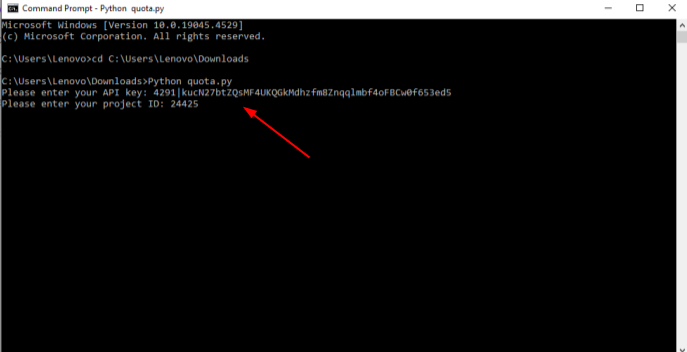
- After providing the RAG API key and project ID, the script will send a request to CustomGPT.ai’s RAG API to fetch traffic reports. The API’s response, containing detailed traffic metrics, will be displayed in the command line interface.
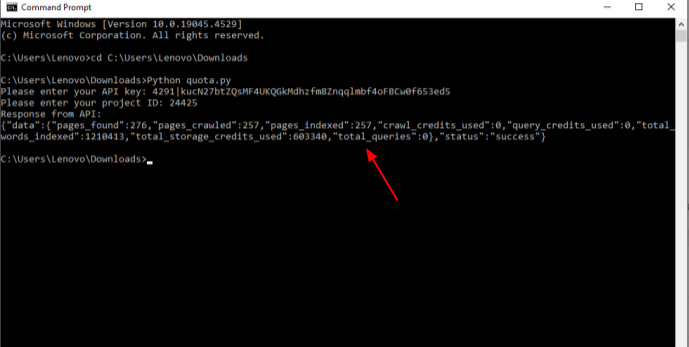
The script will print out the JSON-formatted response from the API, showing metrics such as user interactions, session durations, and other traffic-related data.
Analyze this information to understand how your chatbot project is performing and being utilized.
Traffic API: Analyzing Usage Patterns
The Traffic RAG API script provides developers with insights into the traffic and usage patterns of their chatbot applications. Key functionalities include:
- Traffic Reports: Detailed analytics on user interactions, session durations, and peak usage times.
- User Behavior Analysis: Understanding how users engage with the chatbot, including popular prompts and conversation flows.
- Real-Time Monitoring: Continuously monitor traffic trends to adapt chatbot strategies and improve user experience.
The purpose of this script is to allow developers to access and analyze traffic reports, enabling informed decisions and optimizations based on real-time user interactions and usage patterns.
User_count.py command line Functionality
This script is designed to retrieve traffic reports from CustomGPT.ai for a specific chatbot project. It starts by prompting the user to input their CustomGPT.ai RAG API key and the project ID they want to fetch traffic reports. Using this information, the script constructs a URL that targets CustomGPT.ai’s RAG API endpoint for traffic reports. It then sends a GET request to this URL, including the RAG API key for authentication in the request headers.
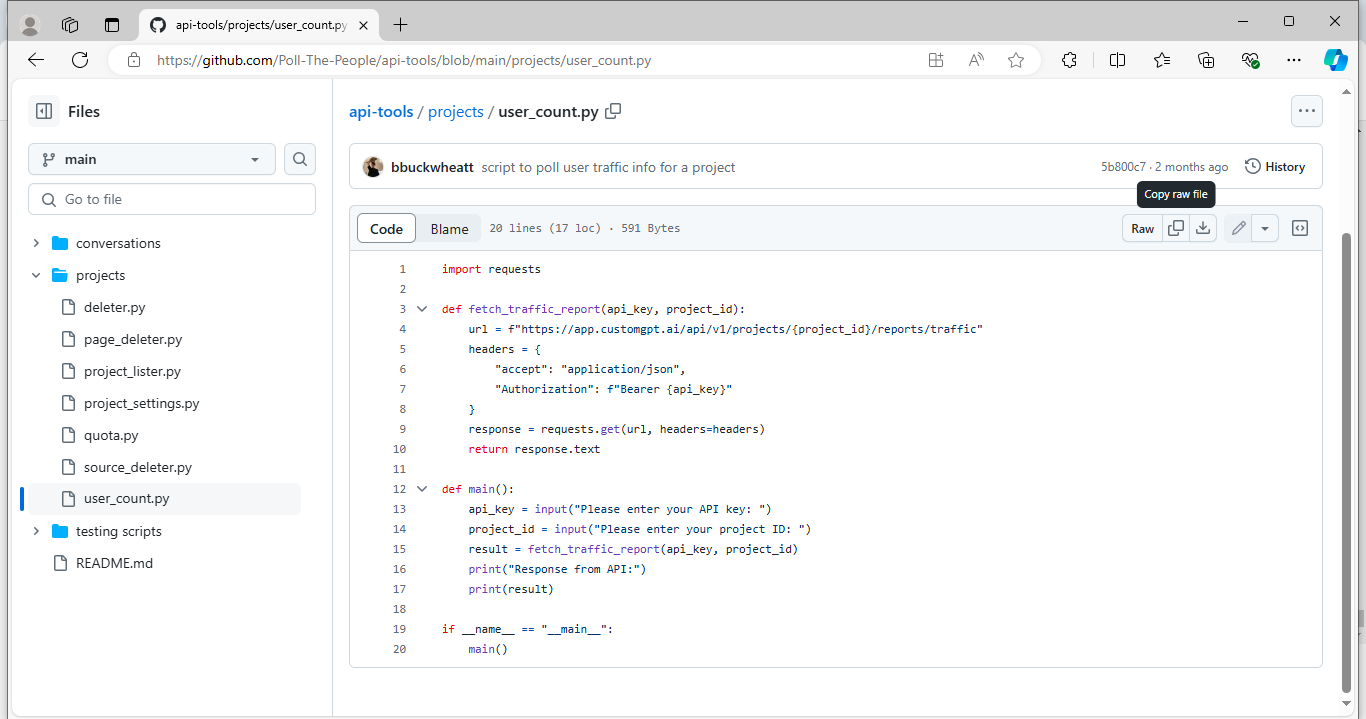
Once the request is processed by CustomGPT.ai’s API, it returns a response containing detailed traffic metrics in JSON format. These metrics typically include information such as the number of interactions, session durations, and other traffic-related data relevant to the specified project.
Finally, the script prints out this JSON-formatted response to the console, allowing users to view and analyze the traffic reports directly from their command line interface. This provides developers and project managers with valuable insights into how their chatbot project is performing and being utilized by users over time.
Execute the Script in the Command line
To run the script in the command line download the user_count.py from the CustomGPT.ai cookbook.
- Open the command line interface and use the cd command to navigate to the directory where the script is saved.
- Once you are in the correct directory containing the script, execute the script by typing the file name.
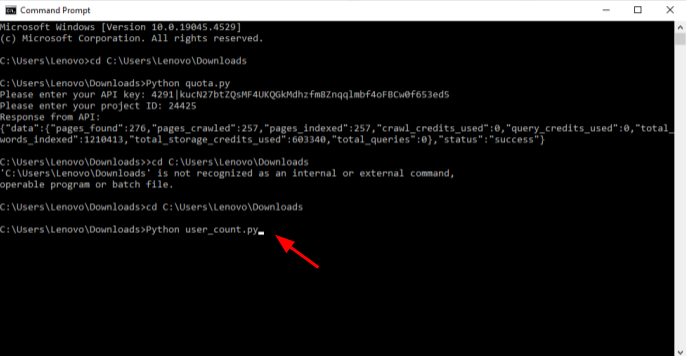
- When prompted by the script, enter your CustomGPT.ai RAG API key and project ID as requested.
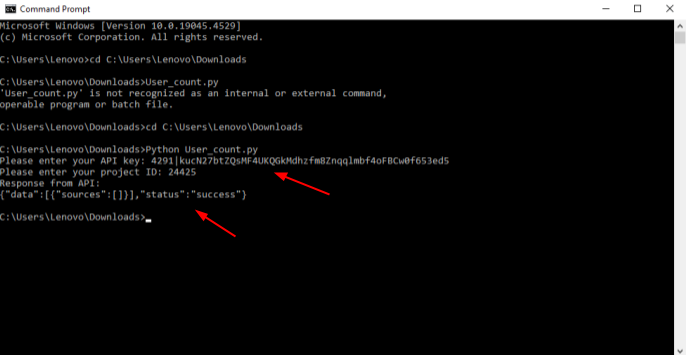
- The API’s response, containing detailed traffic metrics in JSON format, will be displayed in the command line interface.
By following these steps, you can successfully execute the user_count.py script from the command line interface and retrieve valuable traffic reports from CustomGPT.ai for your project. This allows you to monitor and optimize your chatbot’s performance based on real-time usage metrics.
Conclusion
In this article, we’ve explored the capabilities of Quota.py and user_count.py, two powerful command-line tools from CustomGPT.ai designed for managing and analyzing chatbot projects. Quota.py enables developers to monitor project statistics such as interaction counts and response times, while user_count.py provides detailed traffic reports including user interactions and session durations. These tools streamline project management and analytics, offering efficiency and accessibility for developers at every stage of chatbot development.
Frequently Asked Questions
Which CustomGPT API endpoints are used to pull usage analytics?
Usage analytics are pulled from the CustomGPT.ai RAG API endpoints for project statistics and traffic reports. These endpoints are introduced for deeper visibility into project performance and usage metrics.
What built-in tools can you use to monitor CustomGPT API usage?
You can start with two command-line tools: Quota.py and user_count.py. They are presented as the core tools for streamlining project management and improving analytics visibility for chatbot applications.
How can traffic reports help you improve chatbot performance?
Traffic reports help you identify usage patterns and evaluate how the chatbot is performing in real traffic. You can use those signals to prioritize improvements where usage is highest or performance is weaker.
What does Quota.py provide for resource planning?
Quota.py provides resource utilization data, including RAG API usage limits and remaining quota. This helps you plan capacity and avoid unexpected overuse.
What metrics are explicitly available through Quota.py?
Quota.py exposes three main metric groups: usage data (interactions and queries), performance analytics (such as response times and error rates), and resource utilization (usage limits and remaining quota).
Should you rely only on Quota.py and user_count.py for analytics?
For CustomGPT API usage analysis, these are the documented built-in tools and endpoints to start with. If you need broader product analytics beyond API usage, add your own analytics stack alongside them based on your team’s requirements.