

In this blog post, we will explore using automated test scripts for testing access to RAG API endpoints related to projects, conversations, and message sending. By running these tests, developers can ensure that the RAG API functions as expected and can identify any issues or errors in the API responses.
The primary purpose of this testing script is to validate the core functionalities of the CustomGPT.ai platform, ensuring that each endpoint behaves correctly and consistently.
Automated testing not only saves time but also enhances the reliability of the RAG API, allowing developers to focus on building more advanced features with confidence. Let’s dive into how this script works and how it can be utilized to streamline your development workflow.
Purpose of the Testing Script
The primary purpose of this testing script is to automate the verification of various RAG API endpoints for the CustomGPT.ai platform. This ensures that the RAG API functions correctly and meets the expected standards.
Here are the specific purposes and benefits:
Automated Testing
The script automates testing the RAG API endpoints, reducing the need for manual testing and minimizing human error.
Validation of RAG API Endpoints
It validates the GET and POST endpoints for projects, conversations, and sending messages to ensure they return the correct status codes and response data.
Consistency and Reliability
By running these tests, developers can ensure that the RAG API consistently behaves as expected, providing reliable performance across different use cases.
Early Detection of Issues
Automated tests help in identifying issues or bugs early in the development process, allowing developers to fix them before they impact end-users.
Continuous Integration
It can be integrated into continuous integration (CI) pipelines, ensuring that the RAG API is tested automatically with every code change or deployment.
Quality Assurance
Ensuring that the RAG API endpoints meet the defined specifications and perform correctly is crucial for maintaining high-quality software.
By using this script, developers and QA teams can streamline the testing process, improve the RAG API’s reliability, and ensure a seamless experience for users interacting with the CustomGPT.ai platform.
Automating RAG API Endpoint Testing with CustomGPT.ai: A Comprehensive Guide on its Functionality
The script is a set of automated tests written in Python using the pytest framework to test various endpoints of the CustomGPT.ai RAG API. It includes tests for GET and POST endpoints related to projects, conversations, and sending messages.
The functionality of each test is as follows:
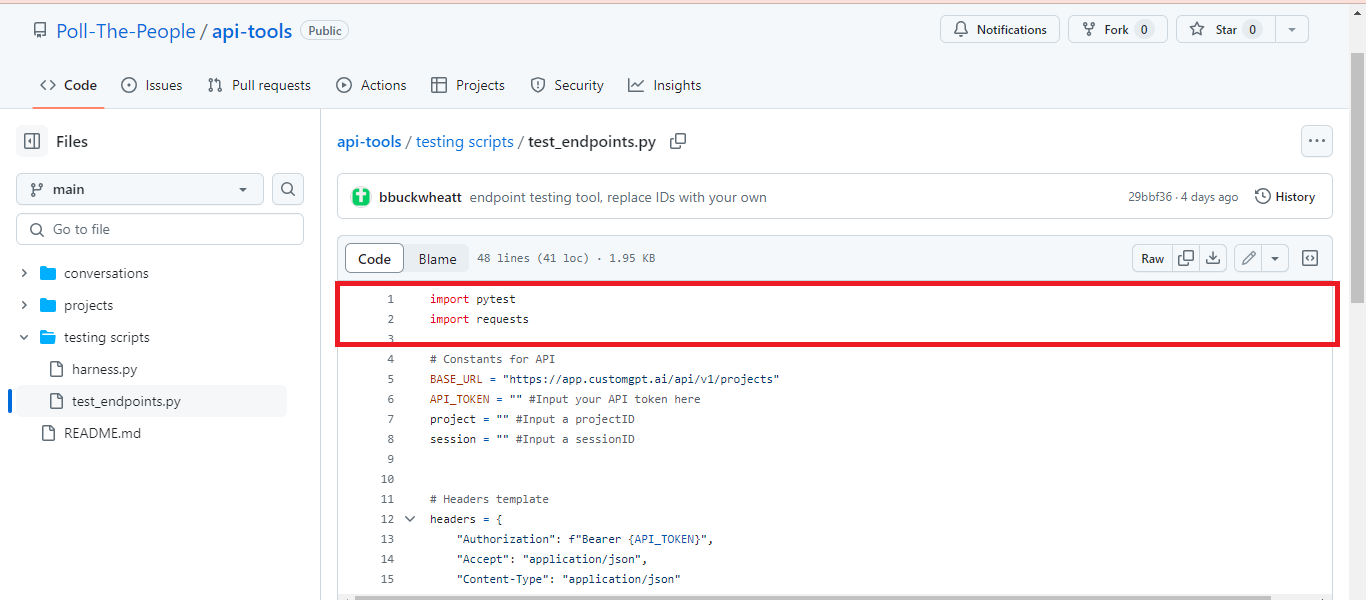
Importing Required Libraries
Imports the pytest framework for writing and running test cases. Then Imports the requests library to handle HTTP requests and responses for interacting with the CustomGPT.ai RAG API.
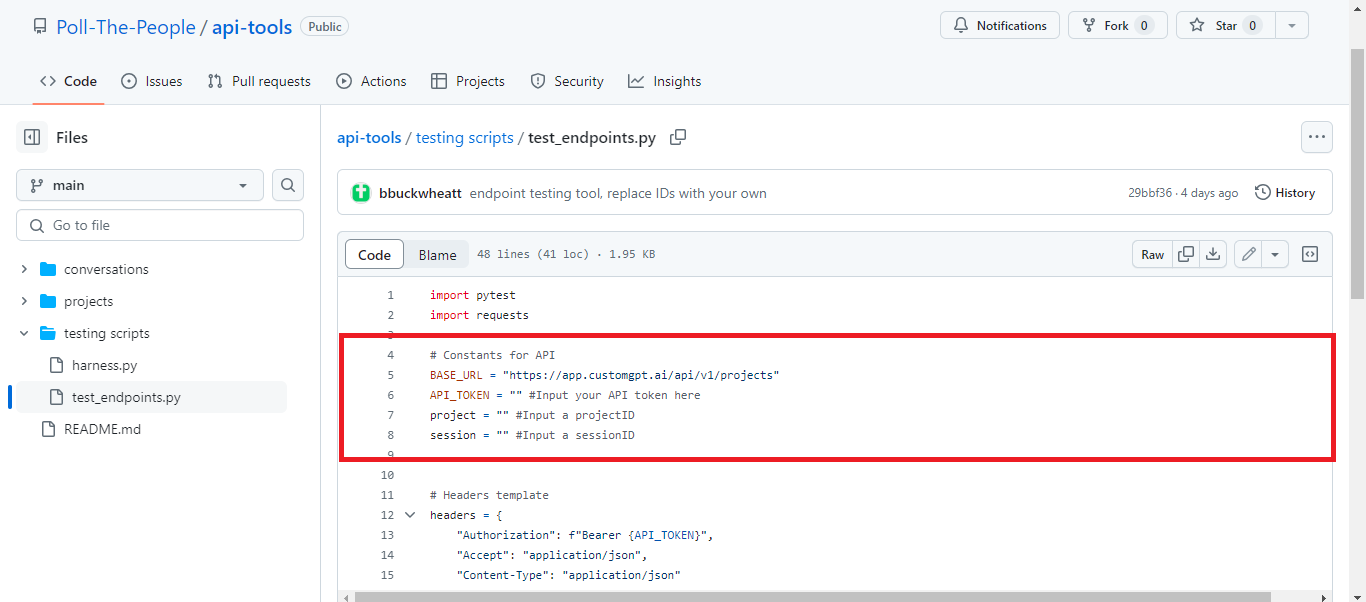
Setting Up RAG API Constants
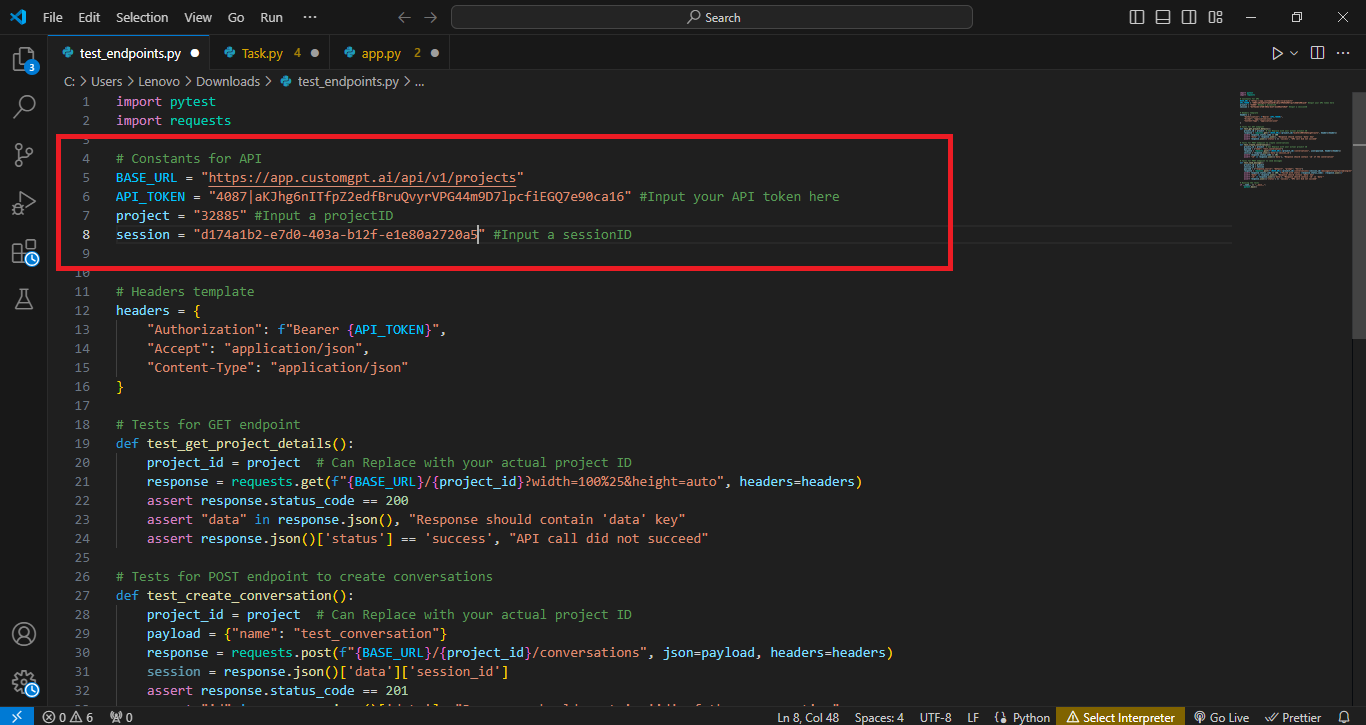
The script sets up key constants needed for interacting with the CustomGPT.ai RAG API. BASE_URL defines the root endpoint for project-related RAG API calls, while RAG_API_TOKEN is a placeholder for the user’s RAG API token needed for authorization. project and session are placeholders for the project ID and session ID, which will be used in subsequent RAG API requests to target specific projects and conversations.
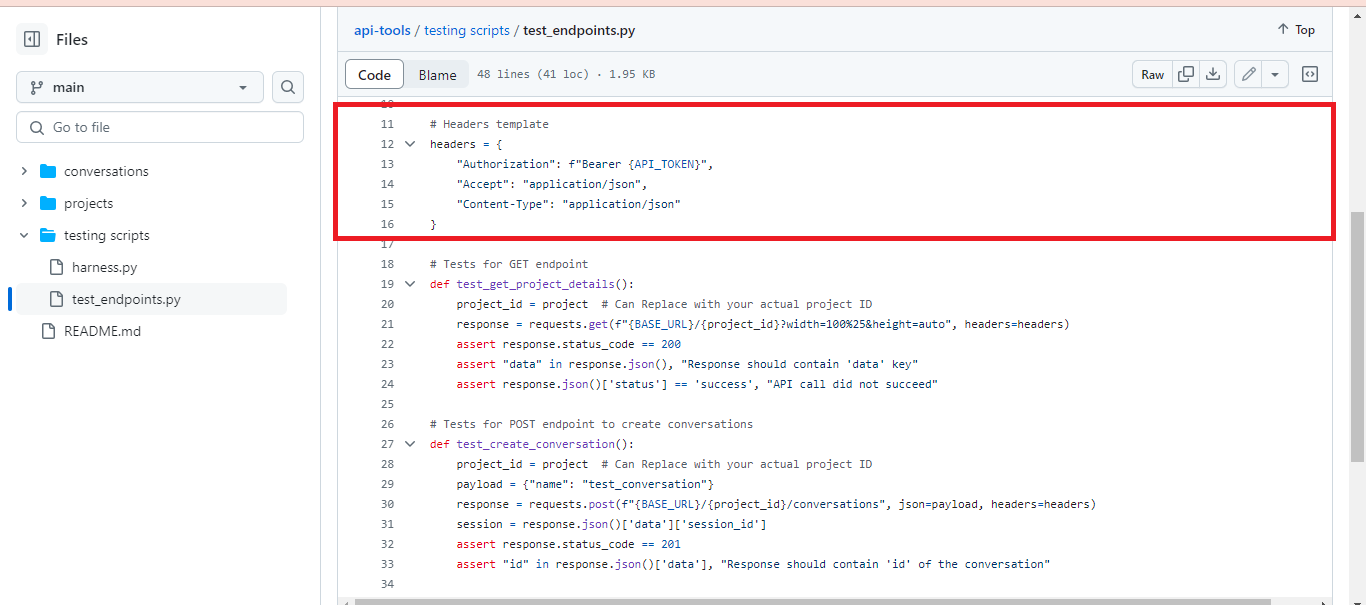
Configuring Request Headers
The script defines a headers template for making RAG API requests to the CustomGPT.ai endpoint. This includes the Authorization header, which uses the RAG API token for authentication, and headers for Accept and Content-Type set to application/json to specify that the RAG API requests and responses will be in JSON format.
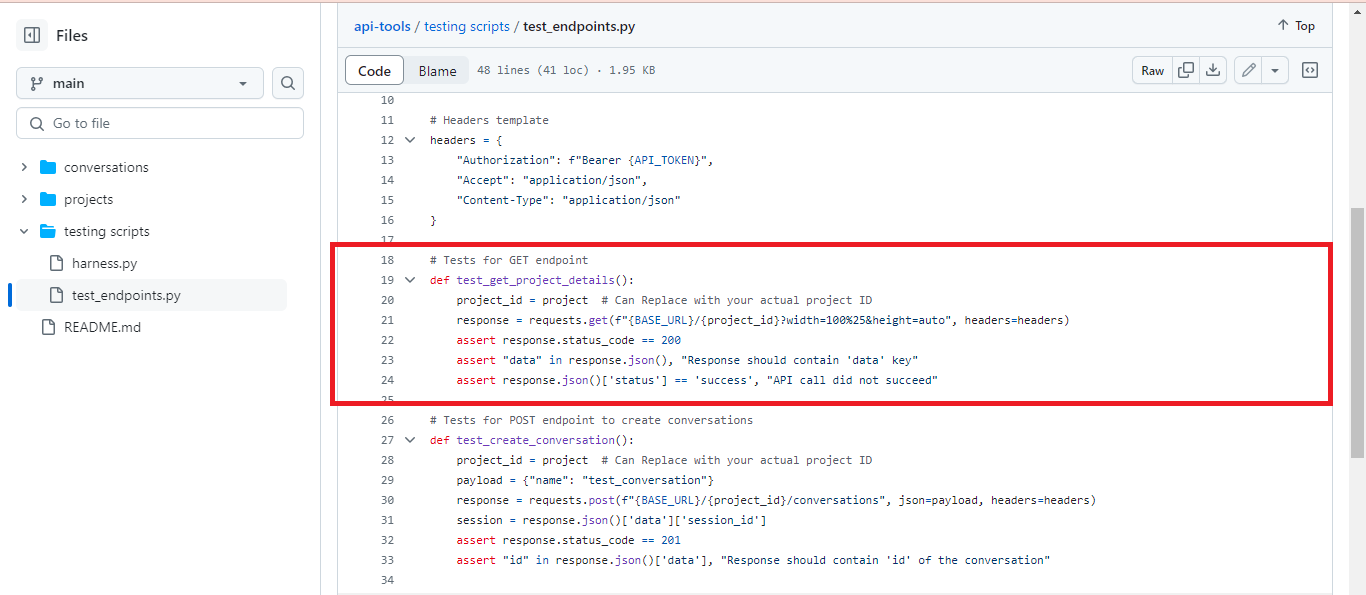
Testing GET Endpoint
This function test_get_project_details() tests the GET endpoint for retrieving project details from the CustomGPT.ai RAG API. It sends a request to the specified project URL, verifies if the response status code is 200, checks if the response contains the ‘data’ key, and ensures that the RAG API call is successful.
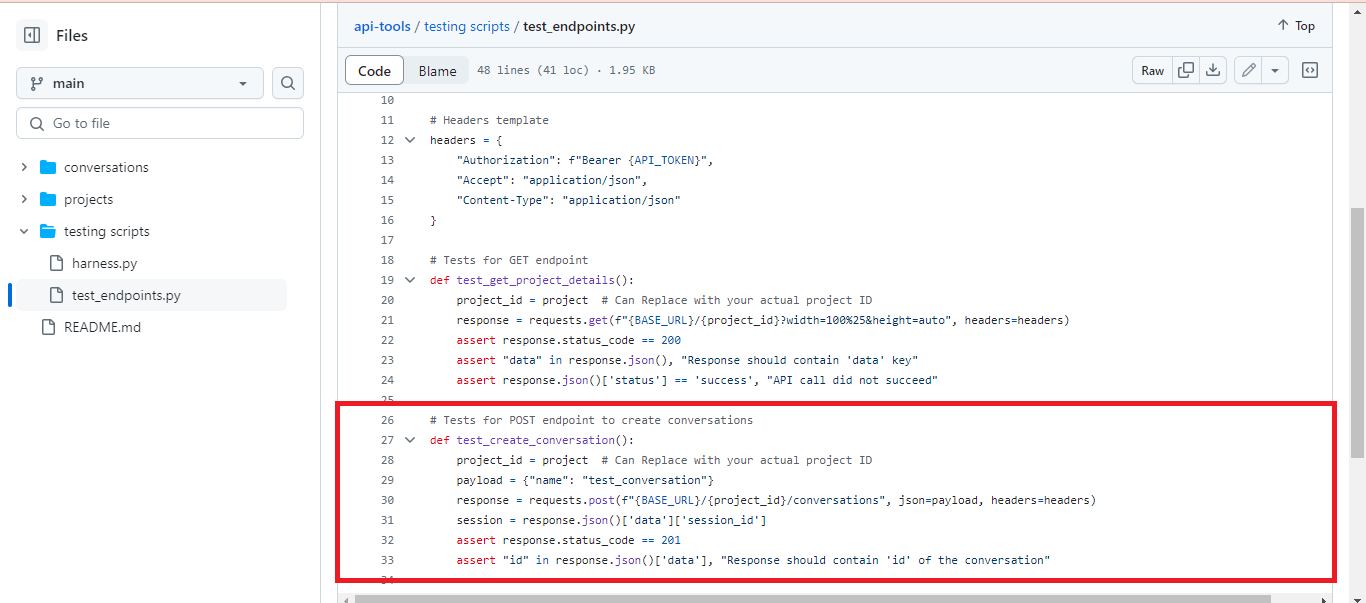
Testing POST Endpoint for Conversation Creation
In the function test_create_conversation(), a POST request is sent to the CustomGPT.ai RAG API endpoint to create a conversation with a specified name. It verifies if the response status code is 201, indicating a successful creation, and checks if the response contains the ‘id’ of the created conversation.
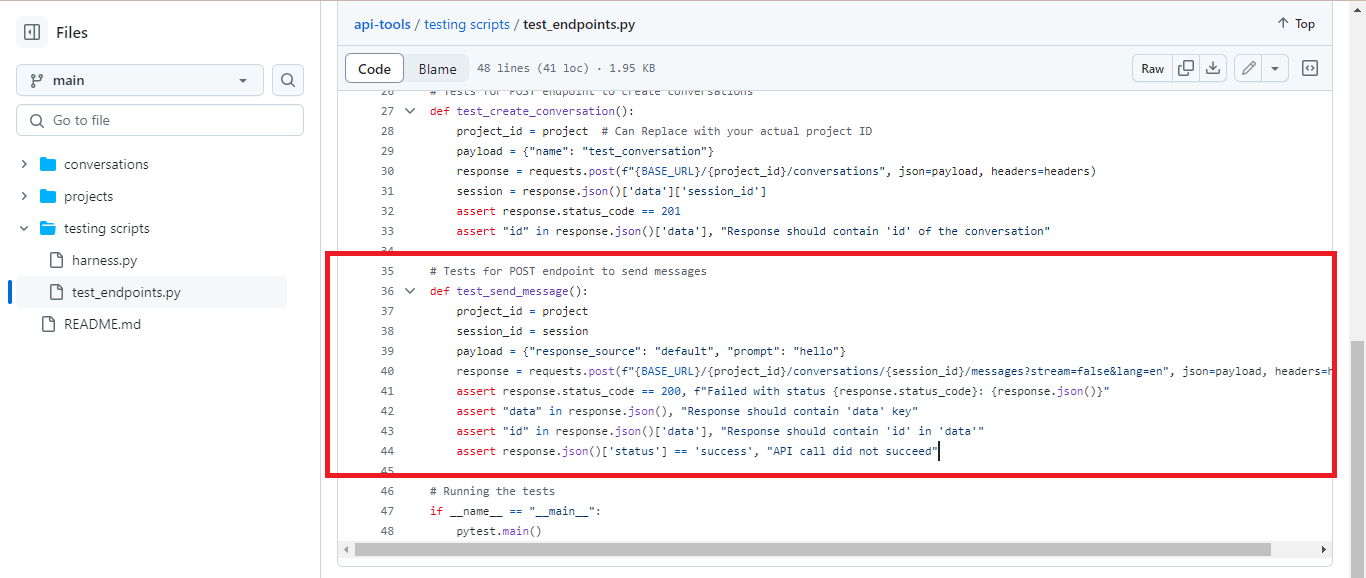
Testing POST Endpoint for Sending Messages
In the test_send_message() function, a POST request is made to the CustomGPT.ai RAG API endpoint to send a message within a conversation session. It verifies if the response status code is 200 if the response contains the ‘data’ key, if the ‘id’ is present in the response data, and if the RAG API call succeeds.
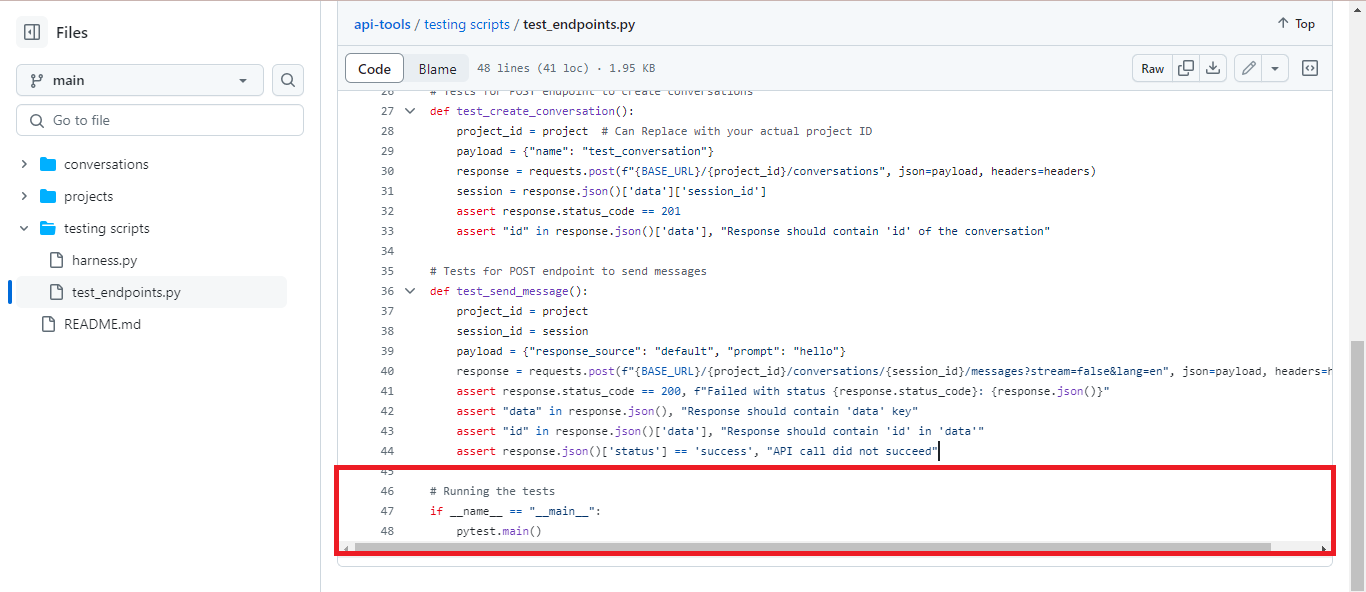
Running the Tests
The conditional statement if __name__ == “__main__”: ensures that the tests are run when the script is executed directly. The pytestmain() function is called to execute all the test functions defined in the script using the pytest framework. This allows developers to conveniently run the tests and verify the functionality of the CustomGPT.ai RAG API endpoints.
Run and Test the Script
To run the test_endpoints script, follow these steps:
- Download the file from the CustomGPT.ai cookbook.
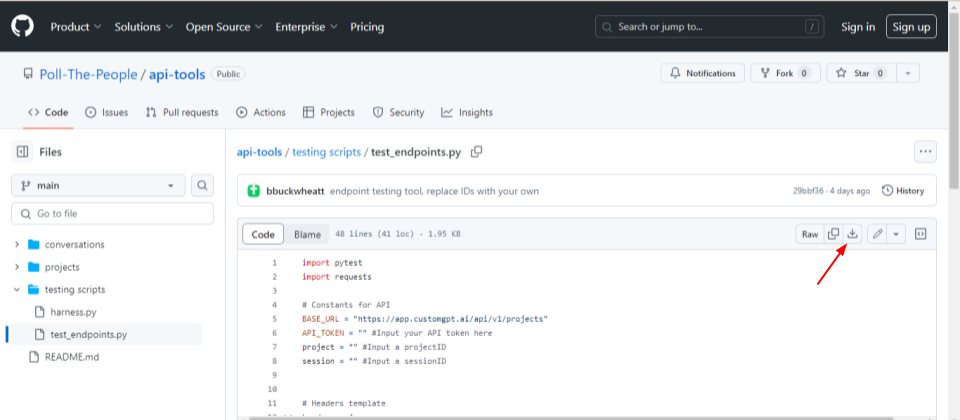
- Open the downloaded Python file and replace the following parameters with the actual RAG API key, Project ID, and session ID. You can find these values from your CustomGPT.ai Project.
- Open your command line interface (CLI).
- Navigate to the directory where the test_endpoints.py script is located using the ‘cd’ command.
- Once in the correct directory, execute the script by typing ‘python test_endpoints.py’ and pressing Enter.
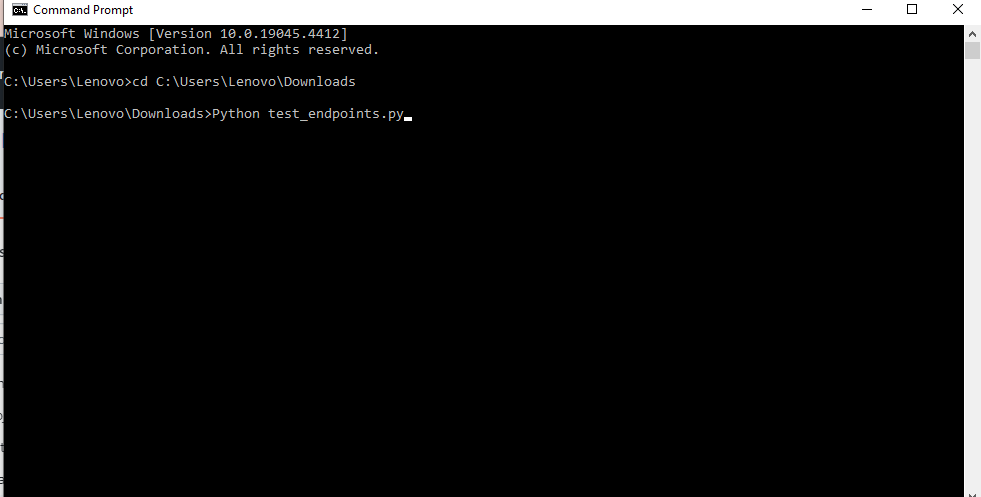
- The script will start running the defined tests for the CustomGPT.ai RAG API endpoints.
- After the script execution completes, review the output in the CLI to see the results of each test.
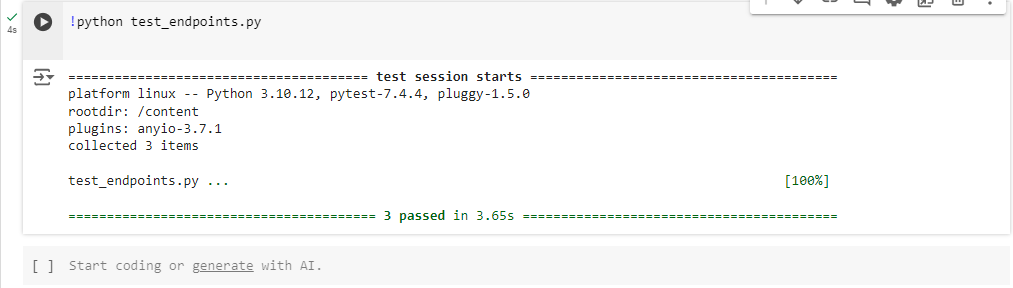
- If any tests fail, carefully examine the error messages provided to identify the issues encountered.
- Make any necessary adjustments to the script or the RAG API configuration to address any failures.
Once the issues are resolved, rerun the script to verify that all tests pass successfully.
In summary, running the test_endpoints script involves navigating to the script’s directory in the command line and executing it using Python. After execution, review the test results to ensure the proper functioning of the CustomGPT.ai RAG API endpoints.
Conclusion
In conclusion, this post has provided an overview of the test_endpoints script, which serves as a valuable tool for automating the testing process of CustomGPT.ai RAG API endpoints. By running these tests, developers can ensure the reliability and functionality of their RAG API integrations, identifying and addressing any issues efficiently. Through comprehensive testing, developers can enhance the performance and usability of their chatbot applications, ultimately delivering a more seamless user experience.
To elevate your chatbot’s performance and streamline your development process, sign up for CustomGPT.ai today.