Optimize Your Custom GPT Workflow: Automating Document Management with CustomGPT.ai RAG API

While CustomGPT.ai may be known for its no-code AI development platform, as its platform overview shows across its white-label AI chatbot offering, it also features an incredibly robust, developer friendly, modern RAG API and SDK, including its enterprise RAG API.
This blog post introduces example code for a command line utility that searches a CustomGPT.ai project for all documents or items containing a specific string and then deletes them. This functionality is critical for maintaining an organized and relevant knowledge base within your chatbot project.
This post will guide you through the capabilities of the CustomGPT.ai RAG API, particularly focusing on creating, deleting items, deleting all items, deleting based on a filter, and updating items within a project.
The Source Deleter Command Line Tool
The source_deleter tool is a powerful command line utility designed to streamline document management within a CustomGPT.ai project. The full source code is available on GitHub. Take a look!
Here’s its functionality to perform different tasks:
Get all files (Custom data) Function
The code snippet begins by importing the requests library and defining a function called get_files. This function is designed to retrieve a list of all uploaded files for a specific project using the CustomGPT.ai RAG API, which is often the first step before deleting a project via API.
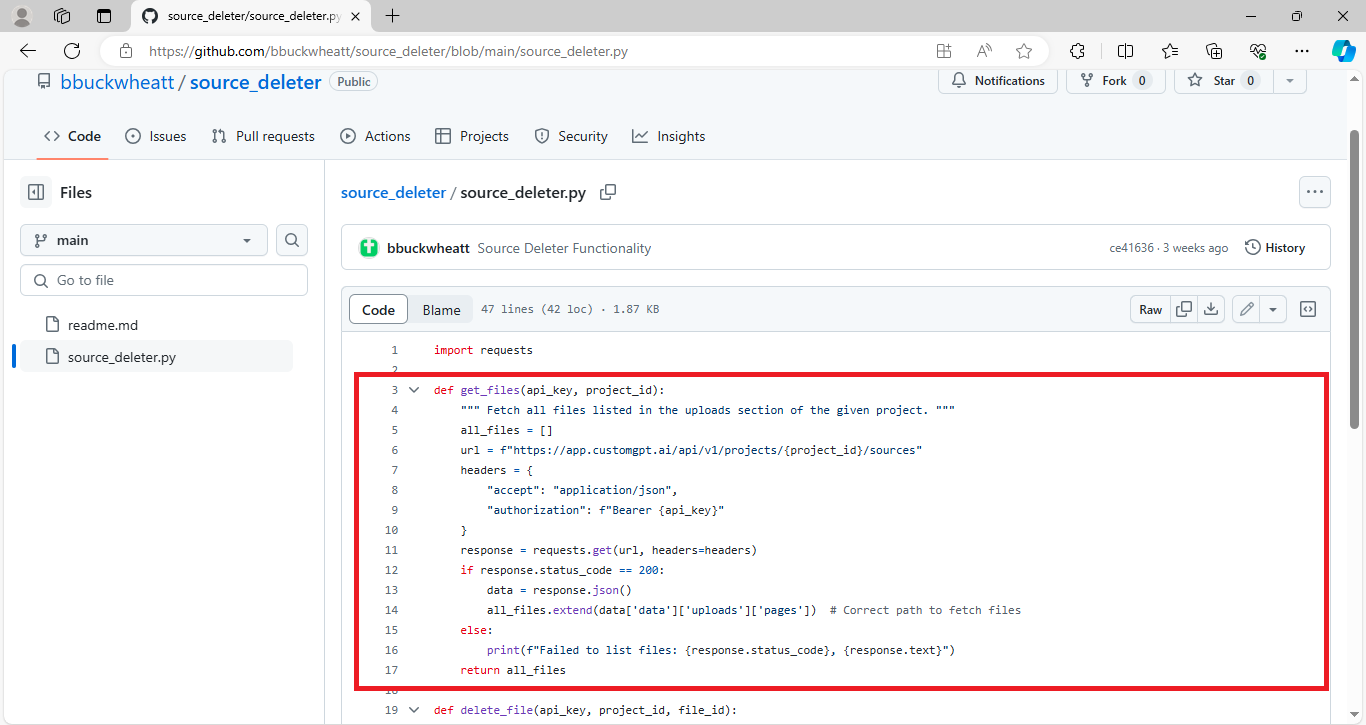
- It starts by initializing an empty list called all_files to store the file information. It then constructs the appropriate URL using the provided project_id to access the correct RAG API endpoint.
- The function sets up the necessary headers, including the RAG API key for authorization. It sends a GET request to the URL with these headers. If the RAG API responds successfully (status code 200), it parses the JSON response to extract the list of files and adds them to the all_files list.
- If the request fails, it prints an error message with the status code and response text. Finally, the function returns the list of files, making it straightforward to manage and retrieve files uploaded to a CustomGPT.ai project.
Delete File Function
This code snippet defines a function called delete_file that deletes a specific file from a CustomGPT.ai project, including one built for helpdesk Q&A, using its file ID.
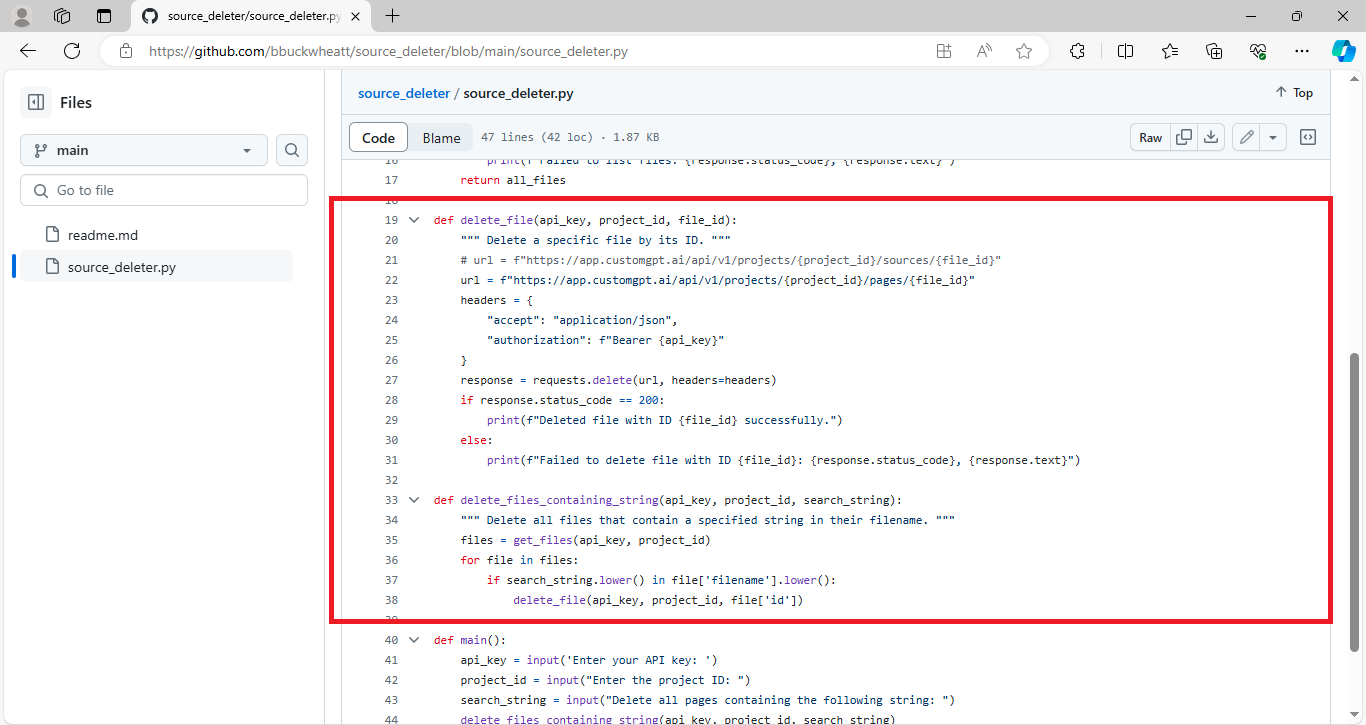
- The function takes three arguments: api_key, project_id, and file_id. It constructs a URL to the appropriate RAG API endpoint using the project_id and file_id.
- The necessary headers, including the RAG API key for authorization, are set up. The function sends a DELETE request to the URL with these headers.
- If the request is successful (status code 200), it prints a success message indicating that the file with the specified ID has been deleted. If the request fails, it prints an error message with the status code and response text, providing details about the failure.
This function simplifies the process of removing specific files from a CustomGPT.ai project.
Function to delete the file containing a specific string
This code snippet defines a function named delete_files_containing_string.
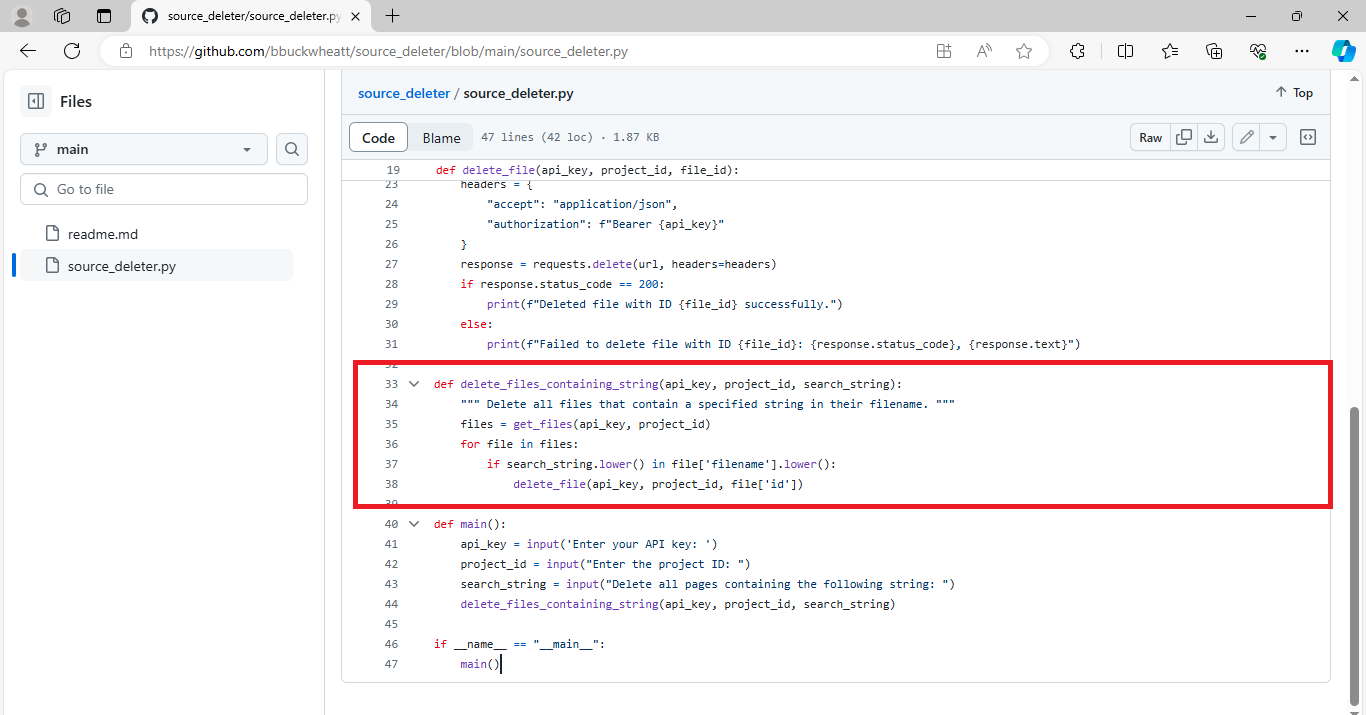
- The function takes three arguments: api_key, project_id, and search_string. It aims to delete all files within a CustomGPT.ai project that contain a specified string in their filename.
- First, it calls the get_files function to fetch all files from the project specified by project_id. Then, it iterates over each file in the fetched list. For each file, it checks if the search_string (case-insensitive) is present in the filename. If the string is found, it calls the delete_file function to delete that file from the project using its file_id.
In summary, this function facilitates the deletion of files containing a specified string in their filename from a CustomGPT.ai project.
Main Function
This portion of the code serves as the entry point for the script. The main function prompts the user to input their CustomGPT.ai RAG API key, project ID, and the string they wish to search for in filenames. It then calls the delete_files_containing_string function with these inputs to initiate the process of deleting files containing the specified string from the CustomGPT project.
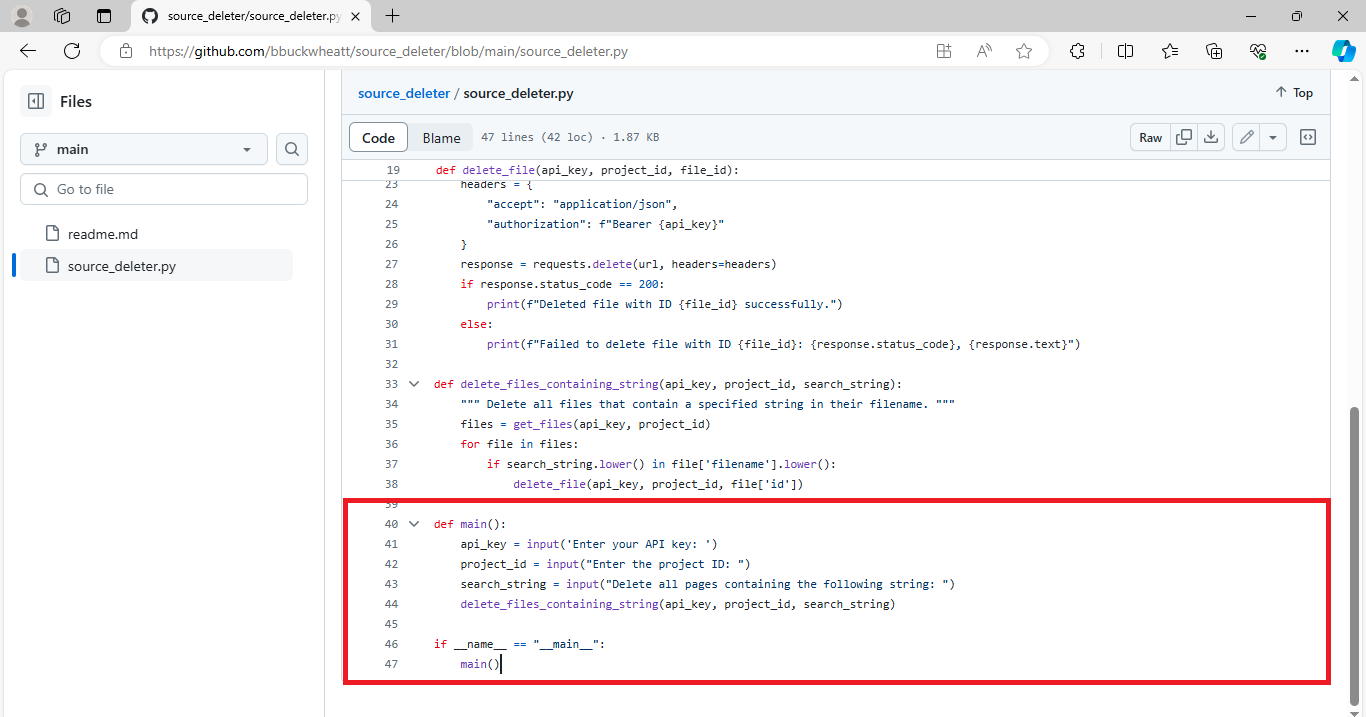
The if __name__ == “__main__”: block ensures that the main function is executed only when the script is run directly, not when it’s imported as a module in another script. This ensures that the script behaves as intended when executed from the command line.
Execute the script of the Source_deleter tool
To run the source_deleter tool from the command line download the source_deleter.py file and follow the given instructions:
- Open the command line interface on your computer.
- Navigate to the directory where the source_deleter.py file is located using the cd command. Define the path.
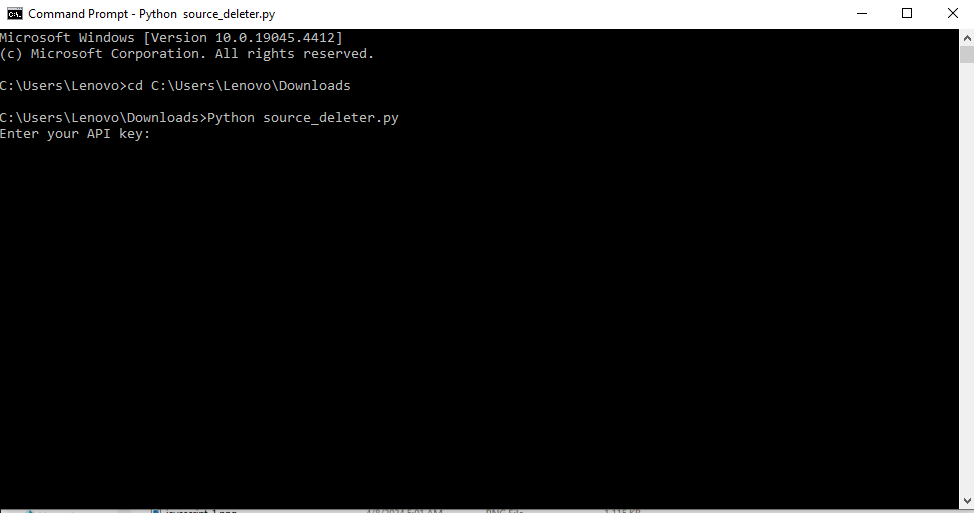
- Once you’re in the directory containing the source_deleter.py file, type python source_deleter.py and press Enter to execute the script.
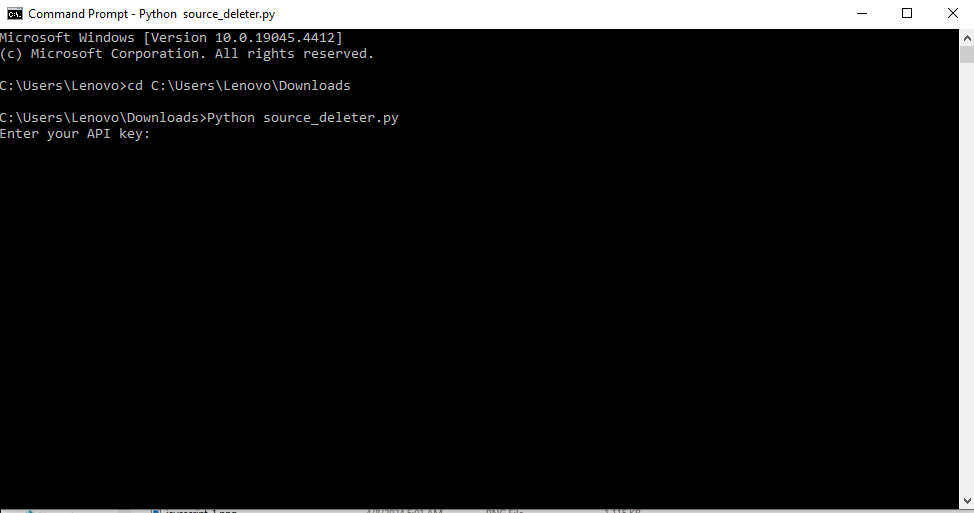
- You will be prompted to enter your CustomGPT RAG API key. Copy your RAG API key from the CustomGPT.ai platform and paste it into the command line, then press Enter.
Read the full blog on how to get your RAG API key and Project ID..
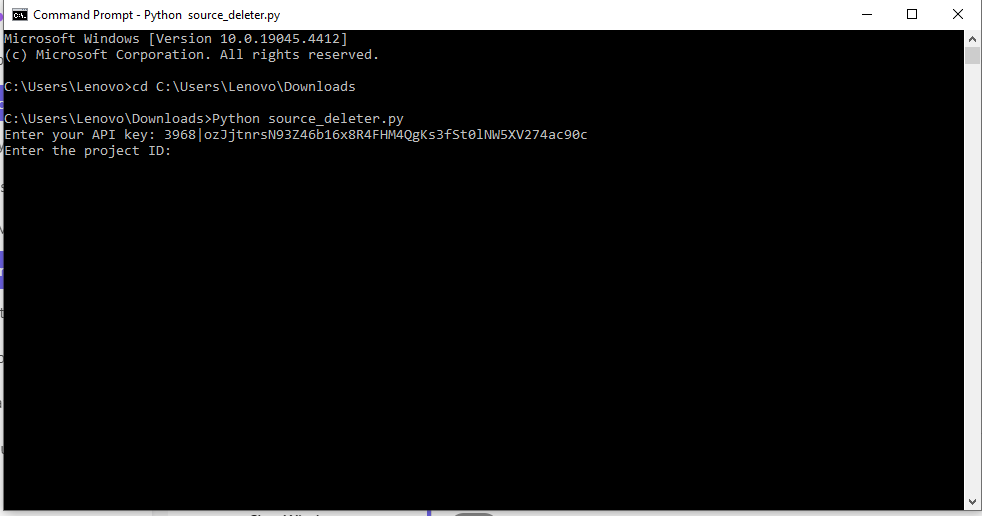
- Next, you’ll need to enter the project ID for the CustomGPT project you wish to manage. You can find this ID in the settings of your chatbot project on the CustomGPT.ai platform. Paste the project ID into the command line and press Enter.
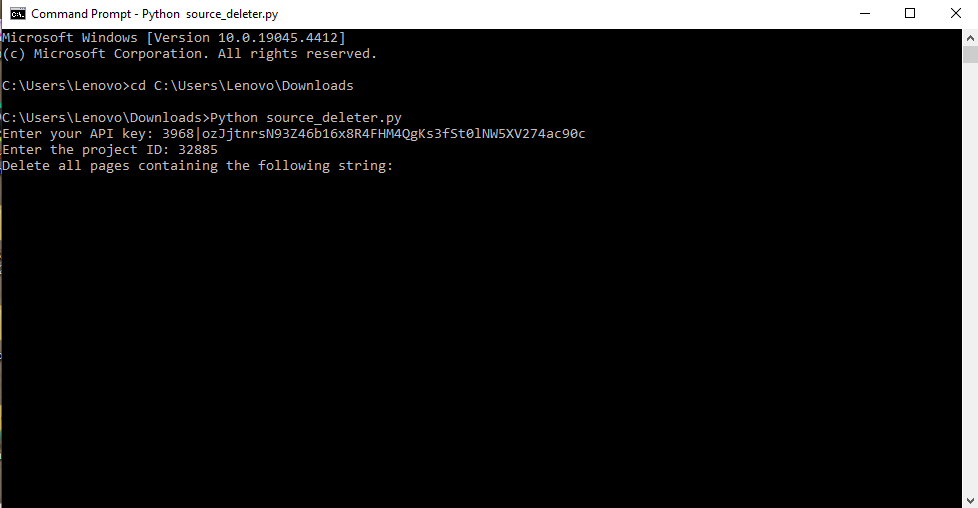
- Finally, the script will ask you to enter a string that it will use to identify files for deletion. For example, if you enter .pdf, the script will delete all files with a .pdf extension within the specified project.
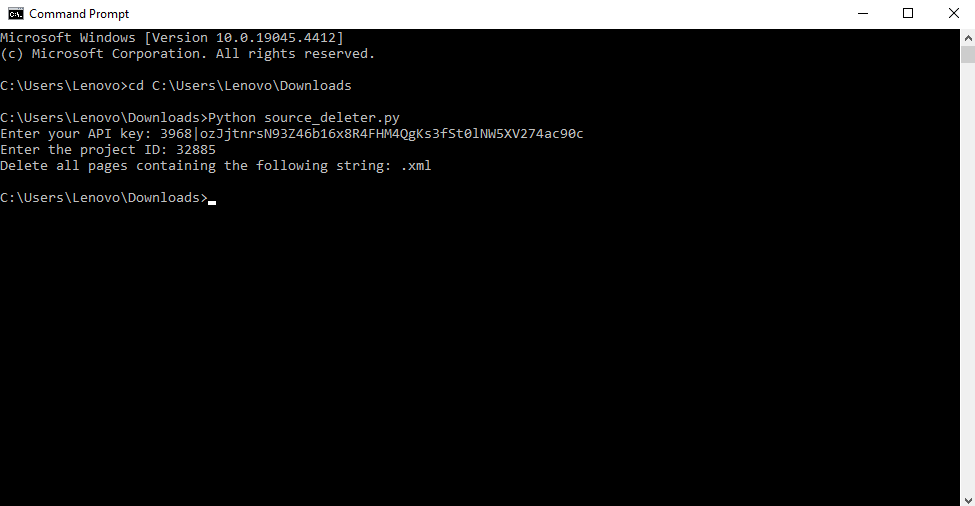
- Type the string you want to search for and press Enter.
The script will then search for and delete any documents within the specified project that contain the provided string in their filenames. So, now you can use this command line tool and manage the documents within your chatbot project efficiently.
Conclusion
In conclusion, this blog post has explored the functionality of the source_deleter tool, demonstrating how it can be used to manage documents within a CustomGPT.ai project efficiently. By leveraging the CustomGPT.ai RAG API, developers can automate the process of deleting files based on specific criteria, saving time and streamlining their workflow. From fetching files to deleting them based on a given string, this tool offers a practical solution for document management within chatbot projects and for managing CustomGPT.ai projects.
With its simple command-line interface and integration with the CustomGPT.ai platform, developers can easily incorporate this tool into their workflow to enhance project management, including custom knowledge management, and efficiency. Overall, the source_deleter tool serves as a valuable resource for developers working with CustomGPT.ai, helping them manage their chatbot projects effectively.
Frequently Asked Questions
How can I delete outdated uploaded documents in bulk from my chatbot knowledge base?
You can bulk-delete outdated uploads by listing all files in a project, filtering that list for the string or rule you care about, and then sending a delete request for each matching file ID. Joe Aldeguer, IT Director at the Society of American Florists, said, “CustomGPT.ai knowledge source API is specific enough that nothing off-the-shelf comes close. So I built it myself. Kudos to the CustomGPT.ai team for building a platform with the API depth to make this integration possible.” That kind of API depth is what makes batch cleanup practical when a knowledge base keeps changing.
Does the RAG API delete only uploaded files, or website data too?
The documented file-management workflow targets uploaded files returned by the project file list and deletes them by file ID. Website content is supported as a separate ingestion source, but the supplied delete example is not described as removing website-crawled data with the same call. If your project mixes uploads and website content, treat uploaded-file cleanup and website-source cleanup as separate tasks unless you have a confirmed web-source removal method.
How do I stop duplicate files from piling up when I re-upload new versions?
Stephanie Warlick said, “Check out CustomGPT.ai where you can dump all your knowledge to automate proposals, customer inquiries and the knowledge base that exists in your head so your team can execute without you.” When that knowledge base keeps growing, the safest way to prevent duplicates is to use a consistent filename or version pattern, list existing files before each upload, and delete or update the older match so only the latest version remains in the project.
Can I delete documents by filename, keyword, or upload date instead of file ID?
You can use a filename or keyword as the filter, but the delete request still has to target file IDs. The example utility searches for documents or items containing a specific string, retrieves the matches, and then deletes those matching records. Upload-date filtering is not documented in the supplied materials, so use date-based deletion only if your own metadata layer exposes that field.
What is the fastest way to add automatic document cleanup to an existing app or admin tool?
Dr. Michael Levin said, “Omg finally, I can retire! A high-school student made this chat-bot trained on our papers and presentations.” For an existing app or admin tool, the fastest cleanup pattern is usually a small background job or button action: authenticate with an API key, list project files, apply your stale-file rule, and send delete requests for the matching IDs. With API key-based access and SDK support for Python, Node.js, .NET, Java, Go, PHP, Ruby, and Swift, you can add that workflow to a cron job, server function, or internal admin panel without rebuilding the assistant.
Will deleted files still appear in answers or be used for model training?
Customer data is not used for model training, and the platform is GDPR compliant. For retrieval, deleting a file is meant to remove it from the knowledge base going forward, but the safest operational step is to run a follow-up query after deletion to confirm the outdated content no longer appears in answers.
Related Resources
If you’re building on this workflow, these next reads cover implementation patterns and broader search use cases.
- CustomGPT.ai RAG in Go — Learn how to integrate the CustomGPT.ai API with Go for retrieval-augmented applications and backend workflows.
- CustomGPT.ai RAG in Swift — Explore how to connect the CustomGPT.ai API to Swift-based apps for document-aware AI experiences on Apple platforms.
- AI Enterprise Search — See how enterprise knowledge search with CustomGPT.ai helps teams surface accurate answers across large internal document sets.
- CustomGPT.ai upload and storage limits: Use the limits guide to size batches, documents per agent, and word storage before automating uploads.