
Claude Code is 4.2x faster & 3.2x cheaper with CustomGPT.ai plugin. See the report →
Upload image and text files and ask your AI Agent to analyze them against its entire knowledge base. Compress hours of research into seconds.
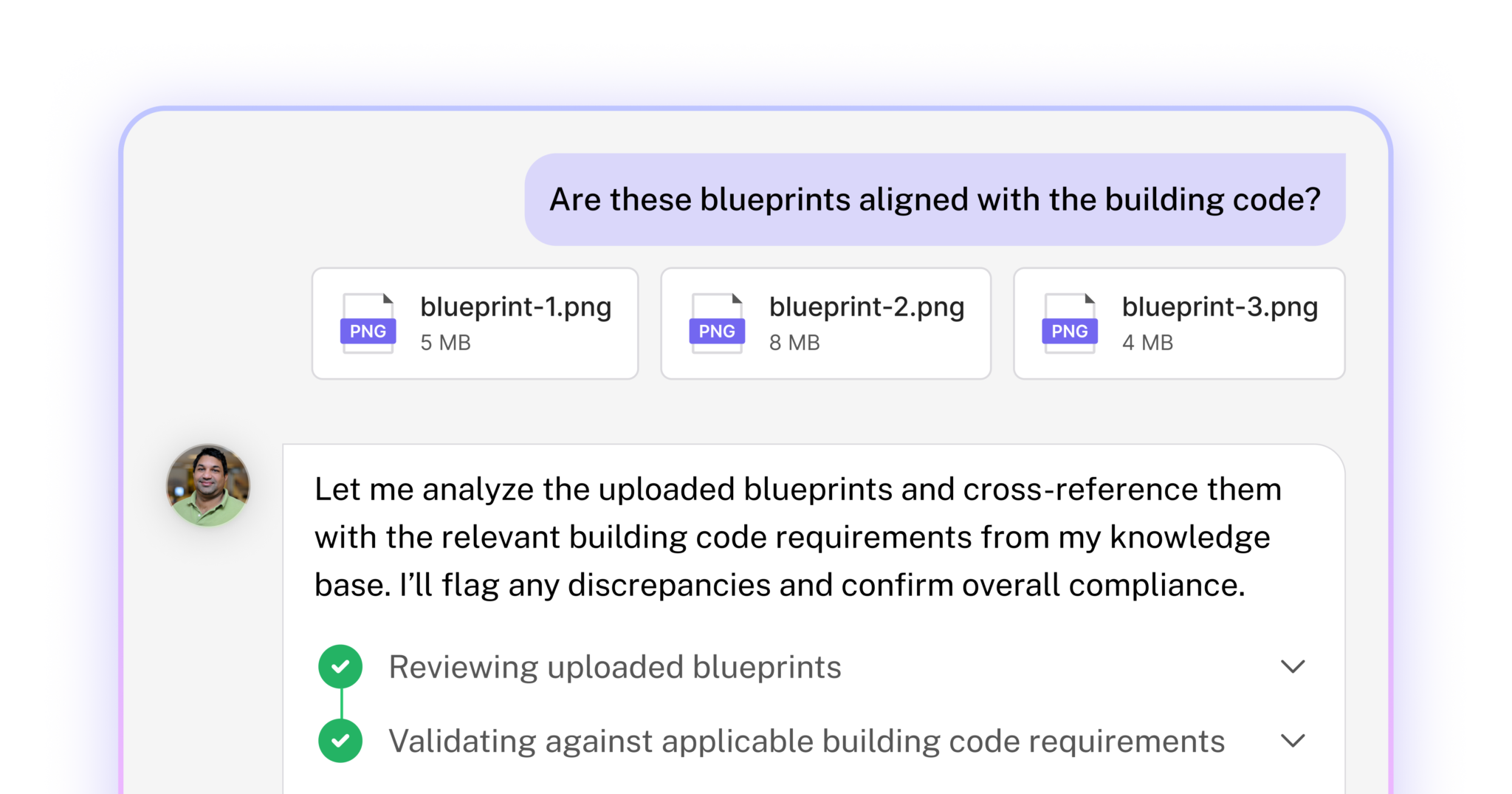



With Document Analyst, users can upload files and search across their Agent’s knowledge base in seconds. Instead of spending hours shifting through documentation, users can prompt the agent to evaluate their document against their database and comprehensive, relevant analysis in seconds.
Analyze uploaded text and image files instantly
Ground every answer in your knowledge base
Get clickable citations for verification and trust
Make faster, more informed decisions across teams
Transform document review from 3+ hours of manual research to instant analysis.
Automatically track sources used throughout analysis and include them as citations in the final response
Upload contracts, resumes, pitch decks, photos, blueprints, and schematics.
No technical skills or prompt engineering required, simply toggle on, upload, and ask.
Analyze images, diagrams, and visual documents with the same depth as text.
“Document review used to take hours. Now we get answers in seconds, straight from our data.”


Document Analyst is available on Premium and Enterprise plans.
Upload 1 file per prompt, up to 5MB and 3,000 words total.
Starts at $449/mo
Upload up to 10 files per prompt with extended file size and word count limits.
Learn more about Document Analyst in our docs.
The Document Analyst is a powerful agentic feature that allows end-users to upload files directly into a conversation with your CustomGPT.ai agent. The agent then analyzes the document against its private knowledge base – your data, your guidelines, your standards – to deliver contextual insights that generic AI tools simply cannot provide.
Generic AI tools analyze your document in isolation – they don’t know your business context. Document Analyst evaluates every file against your CustomGPT.ai agent’s private knowledge base, giving you analysis grounded in YOUR regulations, YOUR standards, and YOUR institutional knowledge. Generic AI gives generic answers. Your AI agent gives YOUR answers.
Document Analyst is designed for businesses that want to save time on document review tasks and/or monetize intelligent document analysis for their customers. Ideal use cases include compliance verification, contract review, resume screening, competitive analysis, quality inspection, and any workflow where documents need to be evaluated against established.
Document Analyst supports PDF (.pdf), Word documents (.docx, .doc), OpenDocument (.odt), plain text (.txt), and image formats including JPG, JPEG, PNG, and WebP.
Premium plan users can upload files up to 5MB. Enterprise customers can request extended file size limits through their account manager.
Yes. Document Analyst processes up to 3,000 words per document on Premium plans. Content beyond this limit is automatically truncated. Enterprise customers can request extended word limits.
Yes. Premium plans support uploading 1 file per prompt by default. Enterprise customers can enable multi-file uploads – up to 3 files per prompt by default, with a maximum of 10 files available upon request. Note that the word/token limit applies to all files combined, not per file. Files are processed in the order uploaded until the limit is reached.
The 3,000-word limit (or your custom enterprise limit) applies to all uploaded files combined, not per file. Files are processed in the order they’re uploaded. If your combined content exceeds the limit, later files may be partially or fully truncated.
Document Analyst features Advanced Vision Intelligence. When you upload an image, the AI uses your specific question to deeply understand the visual content – far beyond generic image description. This enables precise analysis of complex visuals like technical schematics, architectural blueprints, and product photos.
Supported use cases include analyzing architectural plans and blueprints against building codes, comparing product photos against catalog specifications, interpreting charts and graphs from reports, reviewing screenshots of software or error messages against troubleshooting guides, understanding scientific and technical diagrams, and matching real estate or product images against your visual knowledge base.
Yes. If your knowledge base includes vision-processed images, Document Analyst can compare uploaded photos against them – enabling powerful use cases like finding similar real estate properties, matching products across catalogs, or identifying visual patterns.
Go to your agent settings, click Actions, find Document Analyst, and toggle it On. That’s it – your users will immediately see an attachment icon in the chat interface.
Users click the attachment icon next to the chat input field, select their file, and send their question. The agent analyzes the document and responds with contextual insights.
Yes. Document Analyst provides chain-of-thought reasoning, showing you how it reached its conclusions and which sources from your knowledge base informed its analysis.
No. Files are only stored temporarily during processing. They are not added to your agent’s knowledge base and are not retained after the session.
Document Analyst is available on Premium and Enterprise plans. Standard plan users do not have access to this feature.
Document Analyst uses advanced multi-step reasoning, which requires more computational resources. Each document analysis counts as 10 queries (1 base query + 9 agentic action cost). Enterprise customers can negotiate custom pricing based on volume.
Yes. Document Analyst is fully supported through the CustomGPT.ai API, enabling seamless integration into your existing applications and workflows.
Yes. Document Analyst works everywhere your CustomGPT.ai agent is deployed – web, mobile, embedded widgets, Slack, and API integrations.
Yes. Enterprise customers can request extended limits for file size, document word count, and image resolution. Contact your account manager to discuss custom configurations.
Yes. Enterprise plans offer volume-based pricing with custom agentic action modifiers. High-volume users can achieve significantly lower per-analysis costs.
Security is a top priority. Uploaded files are processed in a secure environment and stored only temporarily during analysis. Files are never added to the agent’s permanent knowledge base or shared with other users.
Only you. Uploaded files are accessible only within your conversation session. Neither the agent’s owner nor CustomGPT.ai administrators can view files uploaded by end-users.
The system will display an error message and prompt you to upload a supported file format (PDF, Word, ODT, TXT, or image files).
Content beyond 3,000 words is automatically truncated. The agent analyzes only the first 3,000 words. For longer documents, consider splitting them into sections or contact your account manager about extended limits.
Files exceeding 5MB will be rejected with a “File too large” message. Compress your file or split it into smaller sections. Enterprise customers can request higher limits.
Get instant, cited analysis from any uploaded document across your entire knowledge base.


