
An AI chatbot is a smart virtual assistant that uses artificial intelligence to understand and respond to human language. Unlike scripted bots, it can carry on conversations, learn from context, and provide dynamic answers.
TL;DR
AI chatbots use NLP and machine learning to understand and respond like a human.
- The process involves input parsing, intent detection, and real-time response generation.
- RAG allows bots to pull data from trusted content sources for more accurate answers.
- They’re faster, scalable, and available 24/7—perfect for support and engagement.
- AI chatbots can be built from scratch or powered by platforms using your internal knowledge.
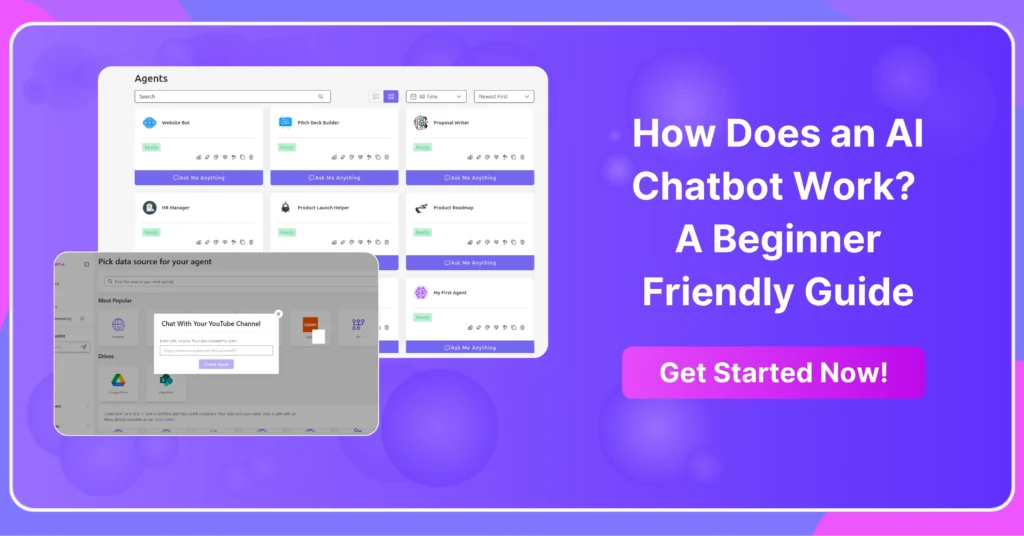
How Does AI Chatbot Work?
AI chatbots process natural language input, analyze it, and generate human-like responses, often in real time. Here’s a simplified step-by-step breakdown of how it all comes together:
- Input Processing: When you type or say something, the chatbot breaks it down into tokens (small bits of language). This helps it understand what you’re really asking.
- Intent Recognition: Using machine learning and NLP (Natural Language Processing), the bot figures out the user’s intent—like asking a question, making a request, or seeking help.
- Data Retrieval or Generation: If it’s a basic bot, it fetches answers from a database. If it’s AI-powered (like GPT), it generates a response using a large language model.
- Context Management: The bot keeps track of the conversation so it can reference earlier parts of the chat, improving flow and accuracy.
- Response Delivery: The final step is sending a clear, friendly, and accurate reply—instantly and often conversationally.
What Are the Benefits of an AI Chatbot?
AI chatbots aren’t just cool—they’re practical business tools. They save time, improve service, and scale conversations effortlessly.
- 24/7 Support: Bots never sleep, meaning your customers can get help anytime without waiting for human agents.
- Faster Response Times: AI answers instantly, reducing queue times and improving satisfaction.
- Scalability: A single chatbot can handle thousands of conversations at once without any drop in quality.
- Cost Efficiency: By automating common inquiries, businesses reduce support costs without sacrificing quality.
AI Chatbots vs. Chatbots vs. Virtual Agents
The terms are often used interchangeably, but they have distinct differences depending on technology and purpose.
- AI Chatbots: Use machine learning and NLP to generate or retrieve responses dynamically. These bots learn from data and improve over time.
- Traditional Chatbots: Rely on pre-written scripts or rule-based flows. They can’t understand beyond specific keywords or predefined options.
- Virtual Agents: A broader term that can include AI chatbots but also refers to human-like avatars, phone-based assistants, or multimodal interfaces.
Understanding the difference helps you choose the right solution for your needs.
What Are Common AI Chatbot Uses?
AI chatbots are highly versatile and can be deployed across teams, industries, and customer touchpoints.
- Customer Service: Instantly resolve FAQs, track orders, or handle returns without human help.
- Internal Support: Employees can ask HR or IT bots about company policies, benefits, or troubleshooting tips.
- E-Commerce Sales: Guide users through product discovery, compare options, or suggest bestsellers in real time.
- Lead Qualification: Chatbots can collect user info, assess intent, and route hot leads to sales—automatically.
These use cases can all be powered securely and effectively using AI trained on your organization’s data.
Retrieval‑Augmented Generation (RAG) in AI Chatbots
RAG is a cutting-edge approach that combines search and generation for smarter, more accurate responses.
- Retrieval: When a user asks something, the chatbot searches a custom knowledge base (documents, websites, etc.) for relevant content.
- Augmentation: The bot selects the most relevant content and uses it as context for its response.
- Generation: The AI then crafts a response based on both the user query and the retrieved information—ensuring accuracy and brand alignment.
This approach is widely used in enterprise chatbots trained on internal data—like what platforms such as CustomGPT.ai offer.
Pro Tip: Start small with your most common customer questions. Training a bot on just 10–20 FAQs can yield huge improvements in support efficiency.
Quick FAQs
What is the full form of GPT?
GPT stands for Generative Pre-trained Transformer. It’s a type of AI model that generates human-like language by predicting text based on prior training data. GPT models power tools like ChatGPT and other advanced AI chatbots.
Is making an AI chatbot easy?
Yes, especially with no-code platforms like CustomGPT.ai. You simply upload your data, configure settings, and the chatbot is ready to use, no programming needed.
Is coding a chatbot hard?
Yes, it can be if you’re building from scratch using frameworks like Rasa or Python NLP libraries. But using hosted platforms like CustomGPT.ai removes the complexity and makes chatbot creation accessible for non-developers.
What language are chatbots written in?
Most chatbot frameworks are written in Python, JavaScript, or Node.js. However, with modern no-code solutions, you don’t need to worry about programming languages at all.
Final Thoughts
AI chatbots have moved from novelty to necessity. They help teams work smarter, improve customer experience, and scale communication without added overhead.
If you’re ready to build a chatbot that understands your data, our secure, centralized AI knowledge platform makes it easy, no engineering required, full control guaranteed.
Ready to Build Your Own AI Chatbot?
If you’re looking for a secure, no-code way to train and deploy an AI chatbot using your own business data, CustomGPT.ai makes it easy.
You bring the content—we’ll handle the AI. Start building now!
Ready to Build Your Own AI Chatbot in Minutes?
Transform your support experience with AI that save time and elevate customer satisfaction.
Trusted by thousands of organizations worldwide


