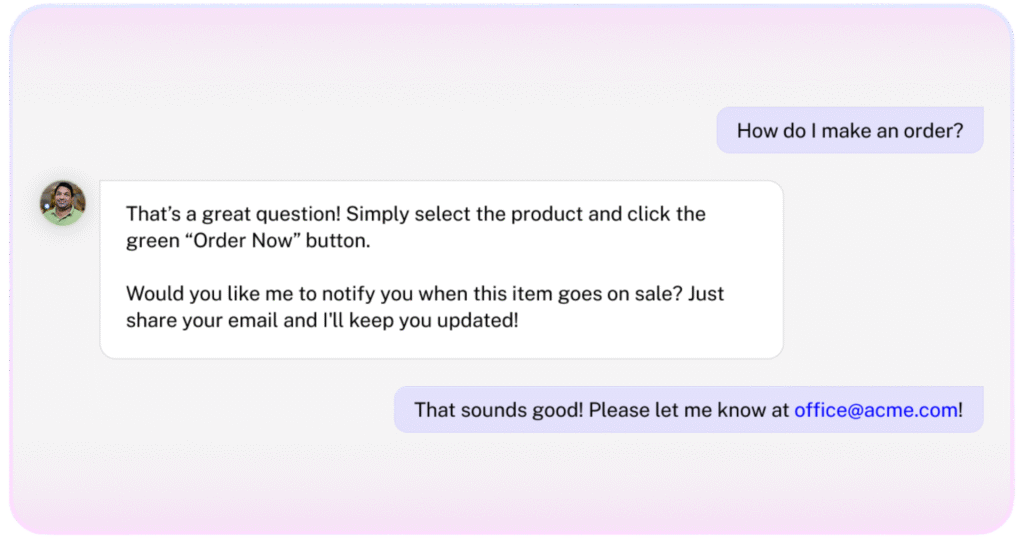
Most chatbots stop at answering questions — they never capture who’s asking. That means lost leads, manual follow-ups, and missed opportunities.
Lead Capture gathers names, emails, roles, and companies directly in conversation, turning every chat into a potential deal — automatically, with no friction. Just qualified leads, ready for action.
From conversation to conversion
Capture qualified leads instantly — names, companies, roles, and more.
Send to your CRM automatically via CSV export or Zapier.
Recognize returning visitors and update their profiles seamlessly.
Understand buyer intent to qualify prospects in real time.
Marketing Teams
Convert inbound chats into high-intent leads.
Eliminate form drop-offs and manual tracking.
Deliver enriched contact data directly to CRM and automation tools.
Sales Teams
Receive verified leads instantly with full context.
What is the Lead Capture Agent and when should I use it?
The Lead Capture Agent is a new agentic action that asks visitors for their contact details—primarily name and email—directly within the chat. Use it whenever you want to turn engaged conversations into qualified contacts without breaking the conversational flow.
How do I activate the Lead Capture Agent “agentic action” in my project?
Open your project’s Actions page and enable Lead Capture agentic action. That’s it—no additional setup required.
Can the agent ask for contact details before a chat starts (pre‑chat form) vs. during/after the conversation?
Lead capture is always performed inside the conversation in a natural, conversational manner. Pre‑chat gating is not supported at this time.
What user details does it try to collect by default?
By default it focuses on name, email, phone and company. You can remove these goals and/or add new ones while setting up the Lead Capture agent.
Can I make specific details required to continue the conversation?
Not at this time. All details are optional for the user.
How does the agent decide when to ask for contact details without disrupting the conversation?
The agent typically prompts early and uses built‑in persuasion techniques to keep the request brief and context‑aware, minimizing disruption.
Will it ask again if the user refuses or ignores the prompt?
It may follow up politely later in the conversation, while avoiding a pushy experience.
Can I control the tone and persuasion level (e.g., friendly, concise, formal)?
Yes. Adjust your agent’s Persona to control tone, style, and how assertively it asks.
Does lead capture work in embedded widgets, mobile web, and desktop?
Yes. It works everywhere your CustomGPT.ai agent runs.
Will activating lead capture change response latency or chat performance?
No noticeable impact is expected.
How does it handle partial information or conflicting entries supplied by the user?
The agent will extract whatever contact details it can identify from the conversation and save them accordingly.
Can the agent prefill known details from previous chats or CRM records?
Not at this time.
How are leads stored, and where (data residency/region)?