Agent UI:
Make an impression with enterprise-ready chat experiences
Launch instantly with sleek out-of-the-box design and performance. Or enjoy deep flexibility for custom, professional design across all your deployments.
Your AI agent is often the first thing customers interact with. If it looks generic or clunky, it quietly erodes trust - no matter how smart the agent is. The New Agent UI delivers enterprise-ready polish by default, with optional customization when you need it.
Premium by default:
New agents look polished from day one - no setup required.
On-brand instantly:
Adaptive colors and styling controls help your agent match your visual standards.
No designer needed:
Sleek defaults that “just work,” with optional customization when you want it.
Consistent everywhere:
The refreshed UI carries across every deployment surface.
Zero disruption:
Existing agents stay unchanged until you choose to upgrade.
From generic to enterprise-ready AI agent
Business impact of Agent UI
Support
Bolster your brand’s professionalism and image with seamless, on-brand support experiences.
Website Chat Agents
Engage your customers and protect brand credibility with website chat agents that match your visual standards, without the big design budget.
Product Integration
Convert and retain more customers with a modern, brand-aligned interface that belongs in a premium AI-powered product.
Internal Knowledge Search
Help your team faster with a frictionless, brand-aligned enterprise search experience.
Customize your Agent UI
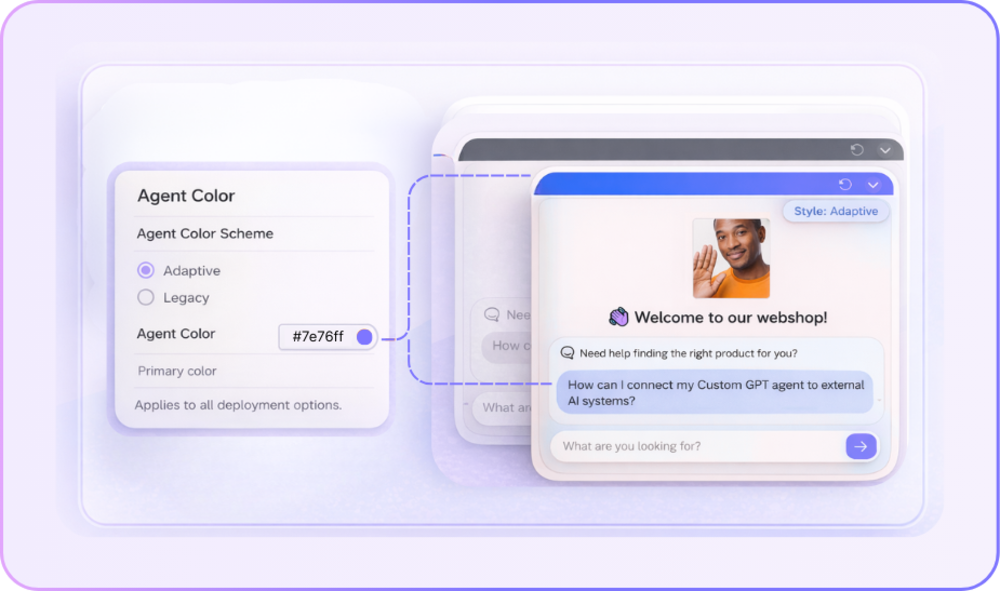
Adaptive color schemes
Pick one primary color and your agent automatically applies a cohesive, on-brand palette. Or, for full flexibility, set each color yourself.
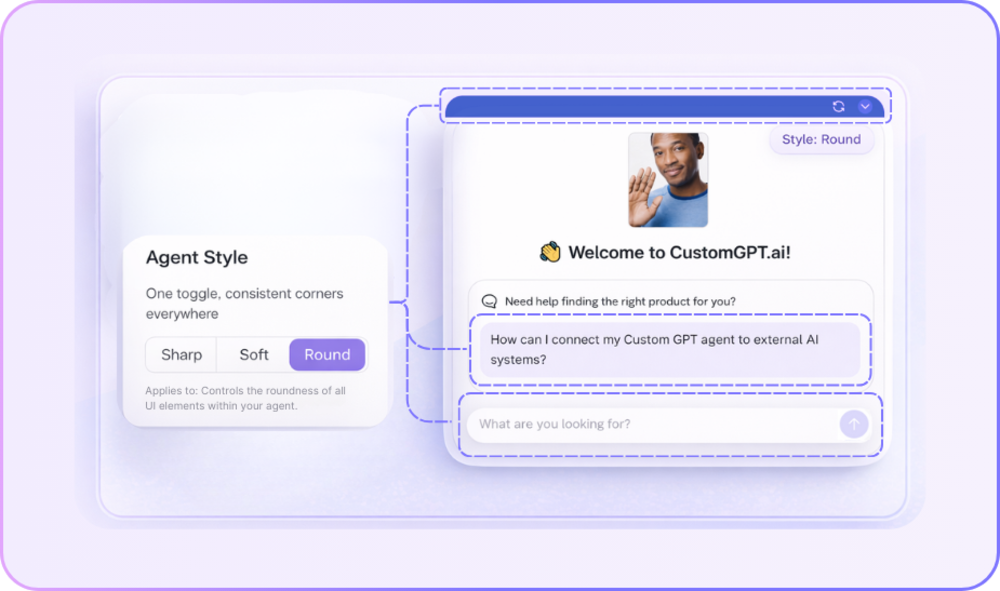
3 Agent styles
One toggle that sets consistent corner stylings across every where you deploy your agent.
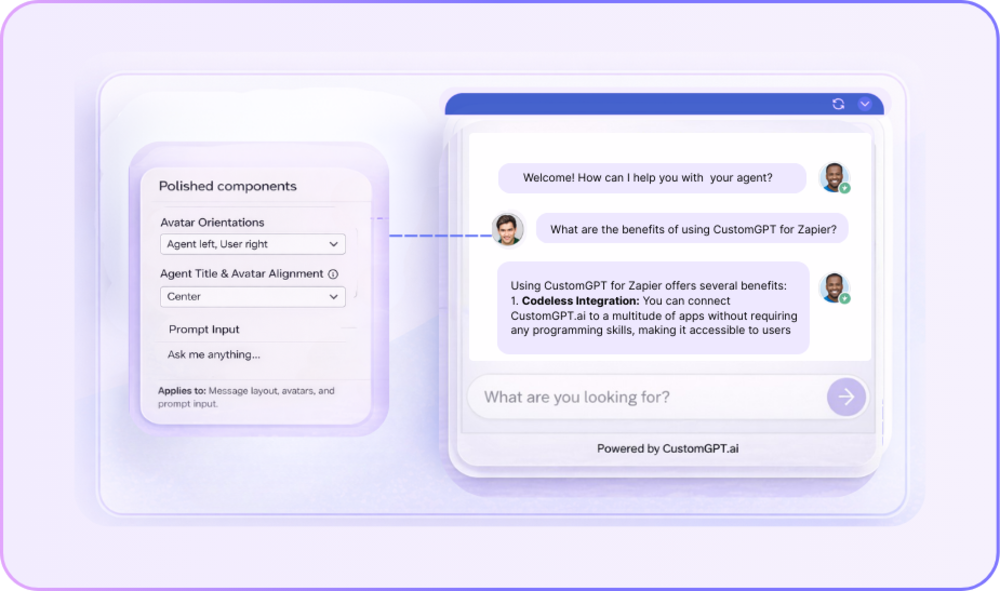
Polished experiences
Cleaner message bubbles, smoother animations, and skeleton loaders that make loading feel faster.
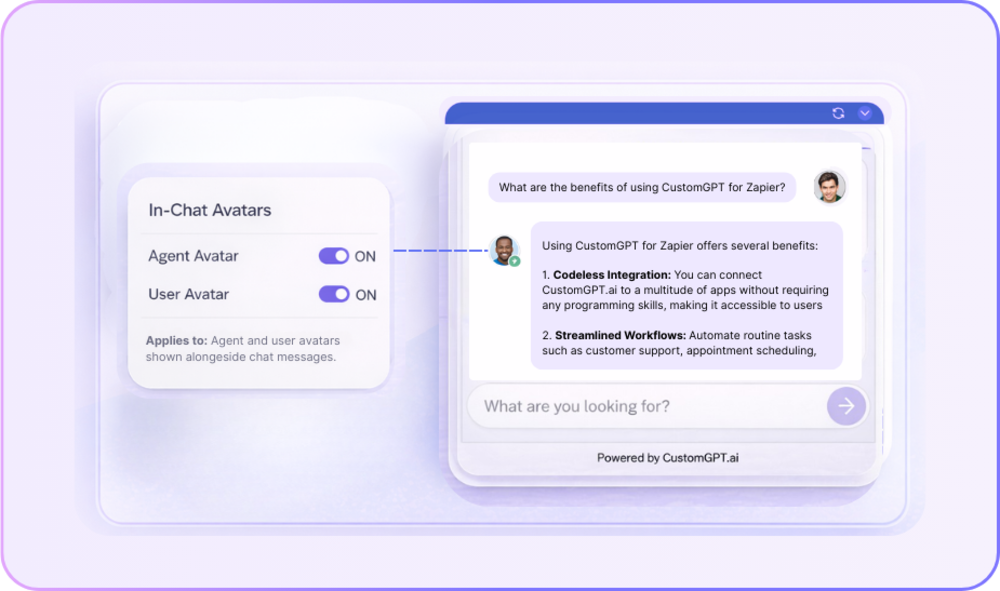
Avatar visibility
Toggle on or often avatars for your Agent and users.
How does AI agent customization impact business outcomes?
AI agent customization improves adoption, trust, and engagement by aligning the AI experience with brand and usability standards. When users feel confident in how an AI looks and behaves, they are more likely to rely on it consistently. CustomGPT supports this by allowing organizations to customize the presentation layer while keeping the AI’s intelligence and data safeguards intact, ensuring brand alignment without compromising accuracy.
What does AI agent customization actually change?
AI agent customization changes the user interface and interaction experience, not the AI’s reasoning or knowledge sources. It affects layout, structure, and how conversations are presented to users. In CustomGPT, these visual and structural adjustments are fully separated from the core intelligence system, preserving response reliability.
Why is AI agent interface design important even if the AI performs well?
Interface design directly affects perceived reliability and user confidence. Even a highly accurate AI can appear untrustworthy if the interface feels generic or inconsistent. CustomGPT enables organizations to deliver professional, enterprise-ready AI experiences that reinforce trust while maintaining strict response controls.
Which components of an AI agent can be customized?
The customizable components of an AI agent typically include visual layout, interaction structure, and presentation style. The reasoning engine, retrieval system, and data permissions remain unchanged. CustomGPT maintains this separation to protect accuracy while allowing interface flexibility.
Does customizing an AI agent affect response accuracy?
No, customization of the interface does not change the AI’s accuracy when properly architected. Accuracy depends on the data sources and retrieval logic, not the visual layer. CustomGPT enforces this separation so that presentation updates never interfere with response logic or knowledge grounding.
Can AI agents be customized for customer-facing environments?
Yes, AI agents can and should be customized for customer-facing environments to reflect brand standards and improve clarity. A polished interface increases engagement and trust. CustomGPT allows businesses to tailor customer-facing AI experiences while maintaining controlled, source-grounded responses.
Is AI agent customization valuable for internal teams?
Yes, customization can streamline internal workflows and reduce friction by presenting information in a clean and structured way. Internal teams benefit from focused interfaces that support productivity. CustomGPT enables this without adding technical overhead or complexity.
Can customized AI agents be deployed across multiple digital channels?
Yes, customized AI agents can be deployed across websites, applications, and internal platforms while maintaining consistent presentation. Consistency strengthens user familiarity and trust. CustomGPT supports unified deployment so the AI experience remains stable across environments.
Do teams need technical or design expertise to customize AI agents?
No, modern AI platforms provide structured controls that allow non-technical teams to adjust interface settings. CustomGPT offers enterprise-ready defaults and guided customization, eliminating the need for frontend development expertise.
How does AI agent customization support accessibility requirements?
AI agent customization can incorporate accessibility-aware layouts that improve readability and compatibility with assistive technologies. CustomGPT applies accessibility-conscious standards within its interface framework so organizations can maintain inclusive AI experiences without manual adjustments.
Are there limits to AI agent customization?
Yes, effective customization operates within boundaries to maintain usability and system integrity. Excessive freedom can create inconsistency or confusion. CustomGPT applies controlled guardrails to ensure interface changes remain stable, clear, and enterprise-appropriate.
Can AI agent interfaces be updated without disrupting live operations?
Yes, when presentation and intelligence are architecturally separated, interface updates can occur independently of the AI’s core system. CustomGPT enables visual and structural updates without interrupting active deployments or affecting response performance.
Does AI agent customization introduce security or compliance risks?
No, interface customization does not affect data security when managed within a secure framework. CustomGPT handles customization within its enterprise-grade security environment, ensuring that presentation changes do not alter permissions, data access, or compliance controls.
How does AI agent customization influence user trust?
A consistent, professional interface signals credibility and intentional design. Users are more likely to trust AI systems that reflect organizational standards. CustomGPT strengthens this trust layer while maintaining strict knowledge grounding and response safeguards.
What is the strategic approach to AI agent customization?
AI agent customization should be treated as a presentation alignment layer that ensures AI interactions meet brand and usability standards without modifying core intelligence. CustomGPT is designed around this principle, separating interface flexibility from knowledge control to protect both user experience and accuracy.
Activate the New Agent UI today
Deliver an enterprise-ready first impression across every deployment surface.