What Is an MCP Server? (Advanced Guide)
Quick vibe‑check: If you’re still googling “What is JSON?” this article will hurt your feelings. We’re talking to the folks who bliss‑edit YAML in Vim and dream in HTTP status codes. Ready? Cool, let’s nerd‑out … with a smile.
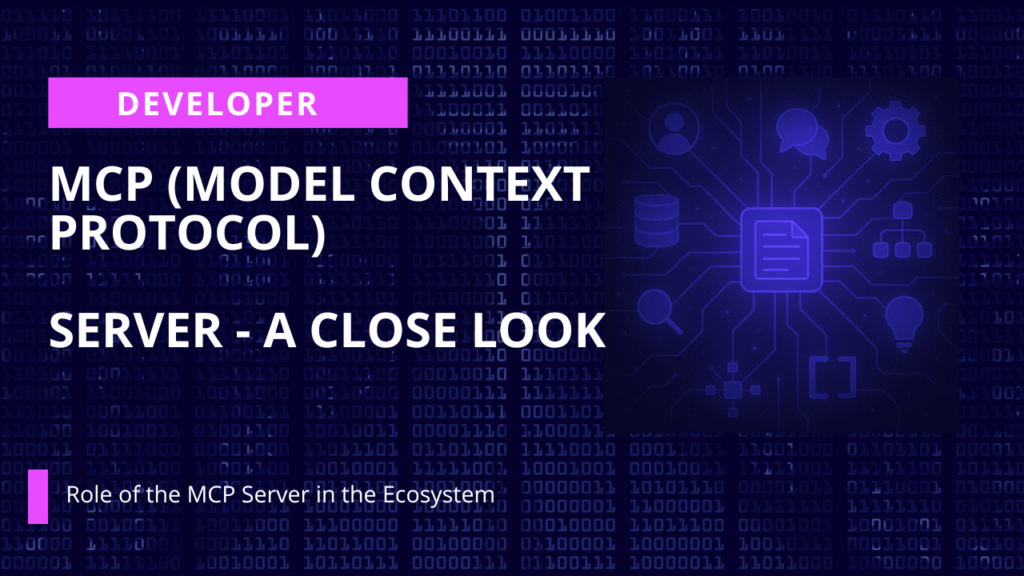
Role of the MCP Server in the Ecosystem
An MCP server is the authoritative endpoint that hosts and exposes a catalog of tools, data connectors, and retrieval pipelines over the Model Context Protocol. Where the MCP spec defines the wire format, the server provides the control plane, surfacing JSON‑Schema‑described actions, including custom actions, enforcing security, and orchestrating executions so any compliant LLM client can invoke capabilities without bespoke glue code.
Human take: Picture the MCP server as the polyglot maître d’ at a Michelin‑starred “AI tapas bar.” Every new language model waltzes in, asks for today’s specials, and is handed a perfectly formatted menu through key MCP features, no awk scripts or duct‑tape SDKs in sight.
Core Responsibilities & Surfaces
| Surface | Verb | Purpose |
| /schema | GET | Returns the full JSON schema describing available tools, parameters, auth requirements, and result shapes. |
| /invoke | POST | Executes a tool call and returns synchronous output or a stream locator. |
| /stream/{id} | GET (SSE) | Streams incremental chunks for long‑running calls. |
| /healthz | GET | Lightweight probe for orchestration and autoscaling. |
Behind these endpoints the server typically manages:
- Tool Registry – dynamic registration, versioning, and tagging (stable/canary) of tools.
- Session‑Scoped Context – per‑conversation state such as auth tokens, memory, or RAG searches.
- Concurrency Guardrails – debouncing identical calls, rate‑limiting costly queries.
- Security & Trust – mTLS, OAuth 2 client creds, row‑level ACLs, signed manifests.
- Observability – OpenTelemetry traces linking LLM prompts → tool invocations → downstream latencies.
💡 Pro‑tip: Stick /healthz behind your load‑balancer’s readiness probe and watch Kubernetes turn into a self‑healing puppy.
Reference Implementations
| Project | Language | Highlights |
| modelcontextprotocol/servers | Rust (+Axum) | Canonical reference; pluggable back‑ends; ~59 k ⭐ |
| FastMCP | Python + FastAPI | 2‑line decorator to expose Python funcs as MCP tools |
| customgpt‑mcp | Python | Adds RAG vector search + auth middleware |
| chatgpt‑mcp‑server | Node.js | Docker orchestration via ChatGPT plugin |
| MCP C# SDK | .NET 8 | HostBuilder extensions & strongly‑typed clients |
| Hosted MCP Server | SaaS | SOC‑2, autoscaling, hot‑RAG indexes |
🧑🍳 Chef’s note: Prefer Rust if you need warp‑speed and fearless concurrency; choose Python when you value DX and want to ship yesterday.
Clients & Tooling That Speak MCP
- ChatGPT MCP plugin – enables gpt‑4o to call remote tools via schema introspection.
- Claude Desktop – auto‑discovers /schema and renders a visual tool palette.
- LangChain McpAgent – maps agent tool calls → /invoke with streaming.
- Zapier MCP integration – trigger workflows from LLM requests.
- n8n MCP node – drag‑and‑drop flows that terminate in /invoke.
- VS Code “MCP Workbench” – live test harness & schema diff viewer.
Real talk: If your toolchain doesn’t speak MCP yet, it’s basically handing out paper menus while everyone else is on QR codes.
Deployment Patterns & Best Practices
- Stateless Horizontal Scale – externalise long‑running jobs to a queue and stream results back.
- Zero‑Trust Networking – mandate OAuth mTLS tokens and per‑tenant key encryption.
- Versioned Schemas – pin clients to /schema?v=2025‑07‑01 to prevent breaking changes.
- Hot‑Swap Tool Images – ship tools as OCI images; use sidecar model for sandboxing.
- Structured Telemetry – export tool_name, latency_ms, token_cost to Prometheus + Grafana.
☝️ Heads‑up: “Stateless” doesn’t mean “state‑ignorant.” Keep session pointers in Redis or you’ll reinvent sticky sessions by accident.
Other Use Cases
- Central Tool Hub for Multi‑Agent Systems – multiple LLM agents discover a shared catalog while the server arbitrates conflicting resource locks.
- Data‑Plane Isolation – attach separate RAG indices per tenant, enforce at server layer.
- Self‑Mutating APIs – server emits new tools after successful code‑generation pipelines.
- Real‑Time Decision Loops – /invoke triggers sensor pulls → evaluation → actuation, e.g., Kubernetes rollouts.
Fun fact: Self‑mutating APIs are basically DevOps meets Inception,an API that dreams a bigger API inside itself.
Quick‑Start Snippet (Python + FastMCP)
from fastmcp import MCPServer, tool
@tool(spec={
    "name": "search_docs",
    "description": "Vector search across indexed PDF corpus",
    "parameters": {
        "query": {"type": "string"}
    }
})
async def search_docs(query: str):
    return rag_vector_store.search(query)
server = MCPServer(
    host="0.0.0.0",
    port=8000,
    tools=[search_docs],
    auth_mode="oauth2"
)
server.run()
# docker‑compose.yaml
# docker‑compose.yaml
services:
  mcp:
    image: fastmcp/python:1.2
    volumes:
      - ./rag_index:/data/index
    environment:
      - MCP_AUTH_MODE=oauth2
      - MCP_RATE_LIMIT=50r/s
    ports:
      - "8000:8000"
🔍 Why this works?: Two files, one docker compose up, and your laptop is suddenly the API sommelier for any LLM on the planet.
Next Steps
- Review the full MCP Spec.
- Refer to our MCP docs for more. (CustomGPT.ai Hosted MCP Server)
- Spin up a local instance with FastMCP or pull the Reference Server Docker image.
- Point ChatGPT or LangChain at your /schema and watch tools auto‑populate.
Related Resources
If you’re exploring MCP servers, these next reads add practical context and useful examples.
- Top MCP Servers — A curated roundup of leading MCP servers, clients, and tools to help you compare the ecosystem more quickly.
- MCP Client Guide — A deeper look at what an MCP client does, how it connects to servers, and where it fits in the overall workflow.
- CustomGPT.ai Integrations — An overview of how CustomGPT.ai connects with external platforms, tools, and systems to extend AI agent capabilities.
- MCP AMA Guide — A practical community-driven Q&A resource covering common MCP questions, implementation details, and real-world considerations.
Related video: Developer Office Hours
Related video: MCP Server-Side Capabilities by Santiago (@underfitted)
Frequently Asked Questions
Why use an MCP server instead of connecting each AI assistant directly to my tools?
The Kendall Project described the value of a shared AI layer this way: u0022We love CustomGPT.ai. It’s a fantastic Chat GPT tool kit that has allowed us to create a ‘lab’ for testing AI models. The results? High accuracy and efficiency leave people asking, ‘How did you do it?’ We’ve tested over 30 models with hundreds of iterations using CustomGPT.ai.u0022 In MCP terms, that shared layer is the server: it exposes one catalog of tools through /schema and one execution path through /invoke, so multiple MCP-speaking clients can reuse the same integrations. That usually reduces duplicate connector work and keeps security, versioning, and observability centralized instead of rebuilding them for each assistant.
How can I use a docs MCP server with Gemini?
You can use a docs MCP server with Gemini only if your Gemini-based client or middleware implements MCP. An MCP server exposes standard surfaces like /schema and /invoke for any compliant LLM client, so compatibility depends on the client layer rather than on the documents themselves. Claude Desktop is one documented MCP-speaking client because it auto-discovers /schema; if your Gemini app does not speak MCP natively, you need a bridge that maps Gemini tool calls to the server’s MCP endpoints.
What do MCP server permissions allow in Claude?
In Claude Desktop, an MCP connection lets the client discover tool definitions from /schema and call approved actions through /invoke. The server, not Claude alone, enforces the real boundaries: auth requirements, mTLS or OAuth 2 client credentials, row-level ACLs, and signed manifests. That means Claude should receive only the tool metadata and results your server allows, not blanket access to your network or every record in a connected system.
How do I protect proprietary data when an MCP server connects internal tools to an LLM?
Stephanie Warlick puts the opportunity this way: u0022Check out CustomGPT.ai where you can dump all your knowledge to automate proposals, customer inquiries and the knowledge base that exists in your head so your team can execute without you.u0022 If you expose internal knowledge or tools through MCP, protect that data by limiting each tool to the smallest approved action and result set. The source material specifically calls out mTLS, OAuth 2 client credentials, row-level ACLs, and signed manifests as core controls. If you choose a hosted option with SOC 2 Type 2 certification, GDPR compliance, and no training on your data, that adds another trust layer, but tight tool scoping is still the first line of defense.
Does an MCP server support the same file formats as my RAG chatbot?
Not by itself. MCP is the protocol layer that exposes tools and retrieval pipelines; file-format support comes from your ingestion stack. If your RAG system can already parse sources such as PDF, DOCX, TXT, CSV, HTML, XML, JSON, audio, video, and URLs, an MCP server can expose search or retrieval over that indexed content. That separation matters because protocol compatibility and ingestion compatibility are different jobs. In one published benchmark, CustomGPT.ai outperformed OpenAI in RAG accuracy, which underscores that good retrieval depends on strong ingestion and indexing before MCP enters the picture.
How do I set up an MCP server on Azure for an Azure-only chatbot?
Bill French, Technology Strategist, said, u0022They’ve officially cracked the sub-second barrier, a breakthrough that fundamentally changes the user experience from merely ‘interactive’ to ‘instantaneous’.u0022 For Azure, the MCP pattern is still the same: run the server as an HTTPS service, expose /schema, /invoke, optional /stream/{id}, and /healthz, and let your chatbot call it over a secured endpoint. The source material recommends using /healthz for orchestration and autoscaling, plus mTLS or OAuth 2 client credentials for trust and OpenTelemetry traces for end-to-end observability. In practice, Azure is the hosting layer; the MCP contract and security model stay the same.