
CustomGPT has been known as the easiest no-code platform for building ChatGPT chatbots using your own data and business content. It ensures accurate responses without fabricating facts, all within a secure, privacy-first, business-grade platform.
Now, we’re excited to elevate that experience further. Introducing the CustomGPT RAG API – our latest feature designed to revolutionize how you interact with ChatGPT using your own data.
Whether you’re a startup or an established enterprise, our RAG API empowers you to create dynamic, intelligent, and precise chatbots with your own data, ensuring responses free from hallucinations. Experience seamless access to the power of the ChatGPT API and explore diverse use cases with ease.
It’s as simple as:
pip install customgpt-client

What Is CustomGPT?
As a trailblazer in chatbots for businesses, CustomGPT has empowered organizations to seamlessly incorporate custom AI chatbots into their operations using their own knowledge bases and data. Our platform, equipped with robust multi-source data integration, offers a simplified, no-code solution to craft chatbots with unique data. This innovation has revolutionized customer service, knowledge management, and data-driven decision-making.
The core of our platform is the CustomGPT RAG API, designed to provide businesses with RAG API access to ChatGPT, enabling the creation of powerful chatbots tailored to specific needs. Using ChatGPT API, businesses can achieve contextual accuracy, security, and privacy, ensuring that the responses provided by the ChatGPT API are precise, reliable, and secure.
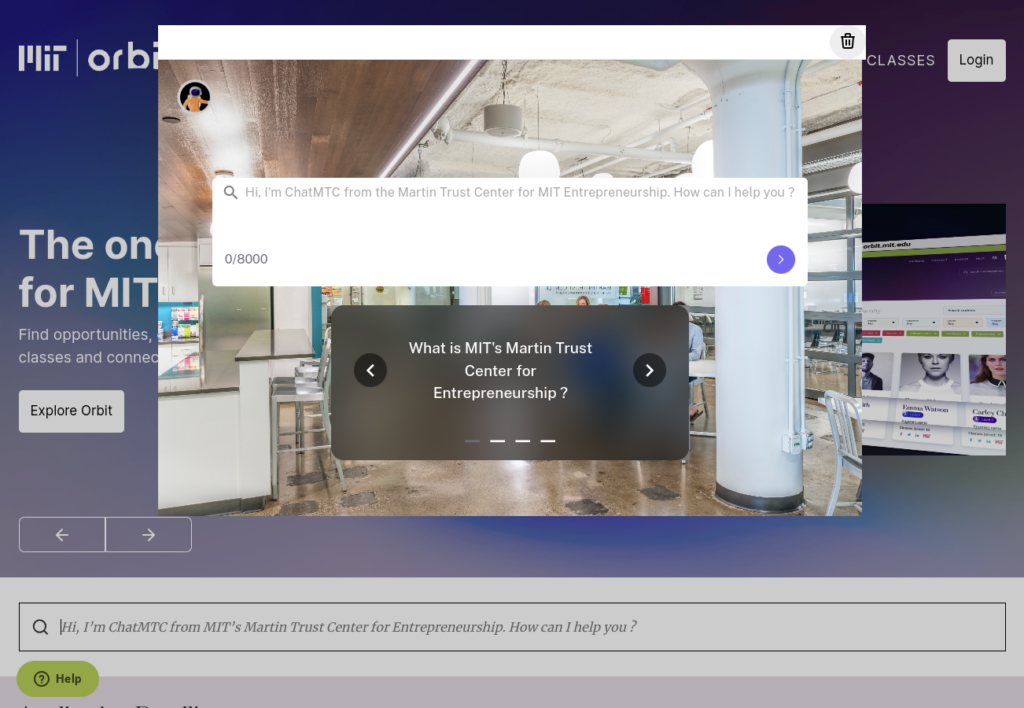
Our commitment to these principles has driven rapid growth, earning the trust of thousands of customers, including renowned institutions like MIT. The CustomGPT RAG API opens up possibilities, from exploring use cases to leveraging free ChatGPT API options, transforming how businesses interact with AI.
Why A RAG API?
But wait, CustomGPT is an easy no-code platform that can be used by even non-techie people. So why have a RAG API anyway?
Short answer: Because our customers asked for it.
As businesses deployed the CustomGPT widgets, they were ready to extract even more value from the chatbot by integrating it into their own workflows and apps.
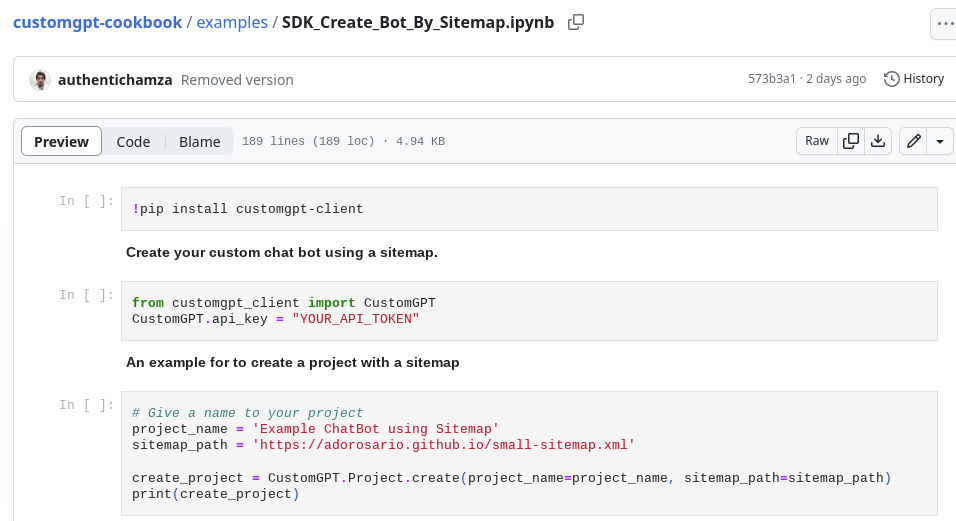
And with 3 lines of code, they get the benefit of the 10,000+ man-hours we’ve spent dealing with about 500+ issues and feature requests across our thousands of customers.
What is CustomGPT RAG API?
The CustomGPT RAG API, accompanied by a Python SDK, allows you to dynamically create ChatGPT chatbots integrated with your very own knowledgebase.
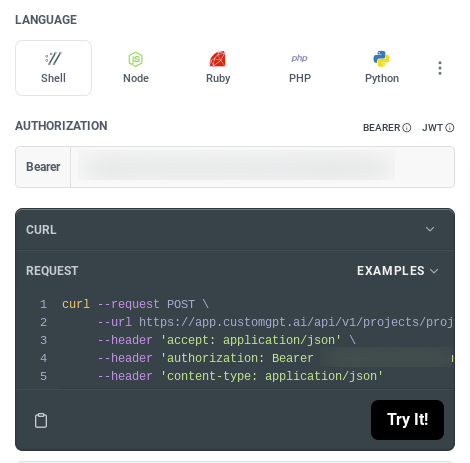
Building upon the foundation of our CustomGPT platform, the CustomGPT RAG API takes full advantage of the platform’s multi-source data integration capability. Using the ChatGPT API, you can feed in diverse forms of data—from websites, webpages, and documents to multimedia content like videos, podcasts, and audio files. The resultant chatbot, powered by the ChatGPT API, responds accurately based on your specific data, preserving your privacy and eliminating the possibility of ‘hallucinations’.
With this new tool, using the CustomGPTRAG API to integrate a custom-made chatbot into your workflows or connect it with other systems like Slack, Messenger, or WhatsApp via Zapier becomes a piece of cake.
Key Features and Benefits of the CustomGPT RAG API
An overview of the key features and benefits of the CustomGPT RAG API.
1. No Hallucinations: CustomGPT’s biggest innovation ensures that ChatGPT does not hallucinate or make up facts about your business. This is critically important for maintaining integrity and trust.
2. Simplicity and Speed: Using the CustomGPT RAG API, building and integrating a chatbot with your data becomes as simple as executing a few lines of Python code (or the language of your choice), drastically reducing the time and effort required.
3. Flexibility and Versatility: You can utilize a wide range of data types from multiple sources to build your chatbot, thanks to our multi-source data integration feature.
4. Integration Capabilities: The CustomGPT RAG API can be integrated with other systems like Slack, Messenger, or WhatsApp via Zapier, or any system that works with REST APIs, facilitating seamless workflows.
5. Upload Files: The RAG API allows you to upload files and sitemaps, helping you to take full advantage of CustomGPT’s multi-source data integration and real-time indexing features.
6. Trust and Accuracy: Powered by LLMs and limited to your specific data, the chatbot responses are accurate and trustworthy, devoid of any hallucinations or references to competitors.
7. Privacy and Security: As a business-grade platform, CustomGPT RAG API ensures your data remains secure, and the responses it generates are confined within your knowledge base, thereby preserving your privacy.
With the CustomGPT RAG API, we’ve essentially made the complexity of creating and maintaining a chatbot simple, fast, and efficient.
How Businesses Can Benefit from CustomGPT RAG API
Dynamic Chatbot Creation with the CustomGPT RAG API
Businesses can now dynamically create chatbots specialized for their specific context using the CustomGPT RAG API. No longer are you restrained by the generic responses of standard chatbots – you can build a chatbot that truly understands your business content and your customers.
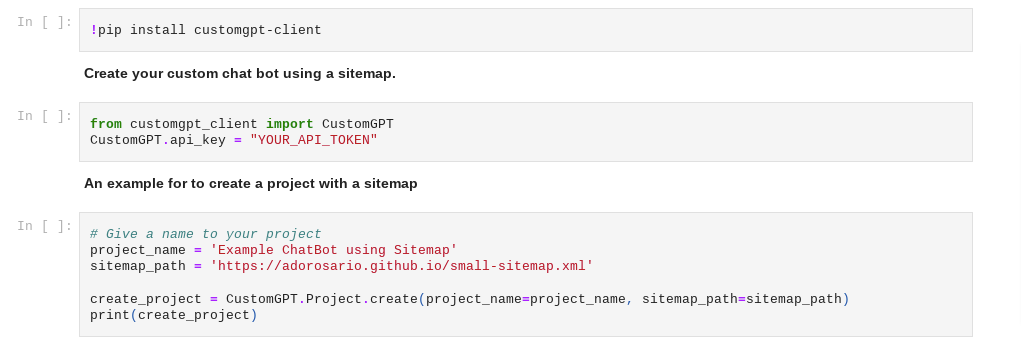
The best part: You get to enjoy the robustness of ChatGPT without any worry of it ‘hallucinating’ or making things up. The rock-solid context boundary ensures that the chatbot strictly adheres to your business content, providing you the peace of mind and trust in the system.
Integration with Various Data Types Using CustomGPT RAG API
With our multi-source data integration feature, using the CustomGPT RAG API allows you to feed the system with various forms of data—websites, helpdesks, webpages, documents, videos, podcasts, audio, and more. This gives your chatbot the depth of understanding it needs to handle diverse customer queries by responding from a “source of truth.”
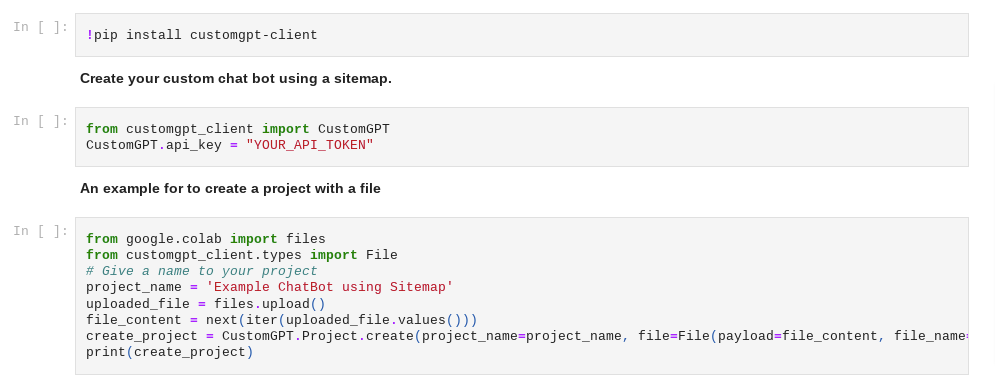
The RAG API allows not just the building of the chatbot, but also the capability to upload files and sitemaps, enabling your business to take full advantage of our real-time indexing features. This, in turn, helps to keep your chatbot’s responses up-to-date and highly relevant to the user’s queries.
Seamless Workflow Integration with ChatGPT API Access
Whether you want to integrate the chatbot with Slack for internal communications, Messenger for customer service, or WhatsApp for marketing campaigns, using the ChatGPT API with Zapier makes this integration effortless.
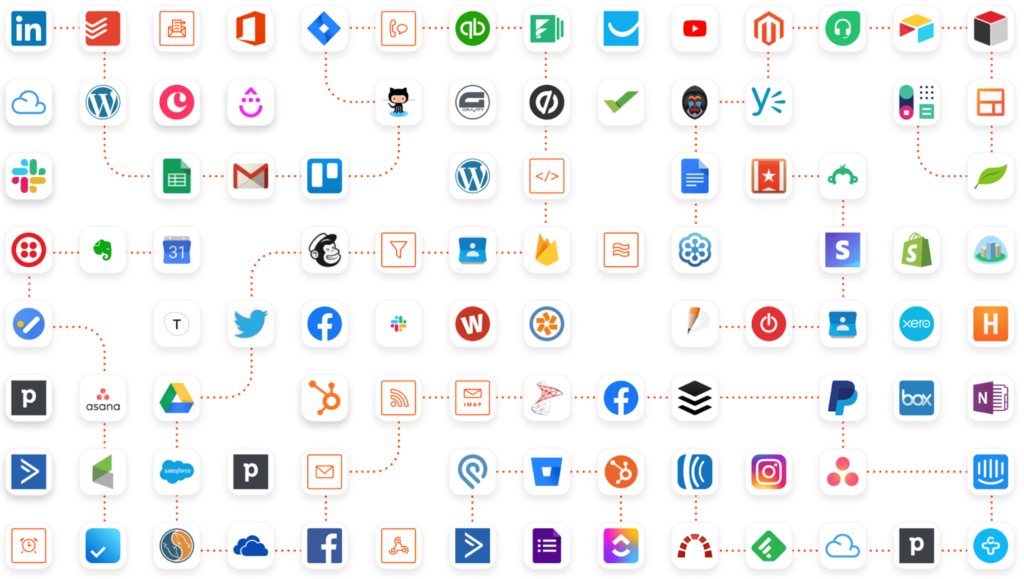
Moreover, you can also connect the RAG API with any system that operates with REST APIs, offering you a wide range of flexibility.
Conclusion
In conclusion, the CustomGPT RAG API empowers businesses to dynamically create chatbots, integrate diverse data types, and seamlessly sync with existing workflows. It ensures accurate responses, adherence to your business content, and privacy-first operation.
There is an incredible opportunity for our customers and partners to realize the promise of generative AI in their business – and do so in a way that meets the highest standards for enterprise, security and privacy. We’re excited about what the future holds – and we’re just getting started.
Frequently Asked Questions
Why use a RAG API with business data instead of calling the ChatGPT API directly?
Use a RAG API when you need responses grounded in your company’s own content. The product description states that the CustomGPT RAG API is designed to build ChatGPT-style bots with proprietary business data, with an emphasis on accurate responses and reduced fabrication.
Is CustomGPT RAG API just a wrapper around OpenAI?
The provided description positions it as more than raw model access. It combines ChatGPT API access with custom knowledge bases and multi-source data integration so teams can build business chatbots around their own data.
Do I need my own OpenAI API key, and what actually processes each request?
The provided source text does not specify API key ownership requirements. It does state that the RAG API is used to build chatbots that answer with your own business data. For key ownership, billing responsibility, and exact request routing, confirm in the API documentation or with sales.
In the RAG API, is a query one message or an entire conversation thread?
The available source excerpt does not define query accounting at message vs thread level. Check the official API documentation for exact usage semantics before planning traffic, limits, or cost models.
Can I build a fully custom or white-label chat interface and use the RAG API only as backend?
Yes—an API-first setup is intended for integration into your own applications, so your team can control frontend branding and UX while using the RAG API for data-grounded responses. The same product family also mentions a no-code builder, so teams can choose either path.
Can this API support about 15 users chatting at the same time?
The supplied source does not publish a concurrency benchmark, so 15 simultaneous users cannot be verified from this material alone. Run a small load test and validate operational guidance through documentation or sales support before launch.
How can I measure answer quality and export conversation data to my own analytics stack?
The provided excerpt does not list specific analytics or export fields. It does frame the platform as business-grade and enterprise-oriented, so confirm logging, telemetry, and export capabilities in the API documentation before finalizing your analytics design.

Founder @ CustomGPT.ai , Husband & Father of 4, Avid cricket wicket-keeper