No-Code RAG Chatbot: How to Build One Without Coding
Most teams that want an AI assistant do not have a spare AI engineering team. They have content: help articles, product manuals, policies, onboarding guides, member resources. The gap is turning that content into accurate, cited answers without building retrieval infrastructure from scratch.
Building RAG by hand means owning ingestion, parsing, chunking, embeddings, retrieval, reranking, prompt design, citations, guardrails, deployment, monitoring, and analytics. That is a real project. A no-code RAG chatbot platform handles that pipeline for you, so the people who own the content can ship an assistant that answers from it, with sources, in days rather than quarters.
Direct Answer: What Is a No-Code RAG Chatbot?
A no-code RAG chatbot is an AI assistant that answers questions from your trusted content without requiring your team to build retrieval infrastructure, embeddings, chunking, vector search, prompts, citations, or deployment code by hand. It uses retrieval-augmented generation to find the right information in your documents, generate a natural-language answer, and cite the source. You train it by uploading files or connecting your website, help center, or knowledge base, then deploy it on a site or internal portal. This makes it useful for customer support, internal knowledge bases, education, associations, non-profits, SaaS documentation, and enterprise knowledge access, all without a dedicated AI engineering team.
What Is a No-Code RAG Chatbot?
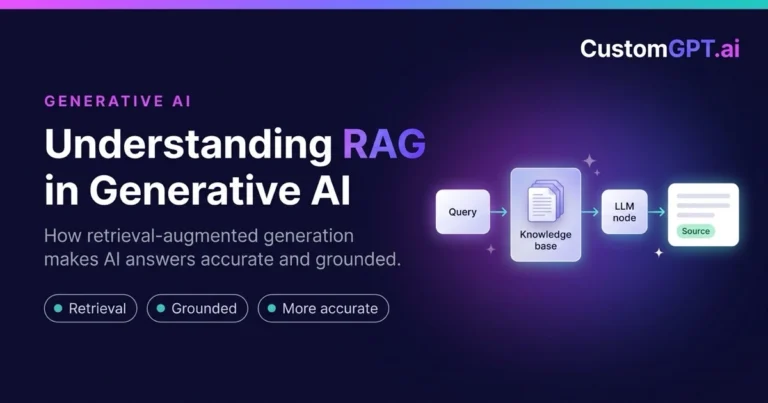
RAG stands for Retrieval-Augmented Generation. A no-code RAG chatbot retrieves trusted content before answering, rather than guessing from a model’s training memory.
In practice, a no-code RAG chatbot:
- Can be trained on websites, files, help docs, PDFs, knowledge bases, and internal documentation
- Retrieves the most relevant content for each question
- Generates an answer grounded in that retrieved content
- Can cite the sources behind the answer
- Does not require developers to build the full backend
- Fits support, internal knowledge, onboarding, education, associations, and source-grounded enterprise search
The grounding step is what separates it from a generic chatbot, an idea explained through a simple analogy in RAG AI systems: the left brain and right brain of AI. For the fundamentals, see the complete guide to RAG and the components of a RAG system. Major vendors describe the same retrieve-then-generate pattern, including IBM, AWS, and NVIDIA.
How a No-Code RAG Chatbot Works
From content to a trusted answer, the flow is straightforward:
Upload or connect content
  -> Content is parsed and indexed
  -> User asks a question
  -> RAG system retrieves relevant content
  -> Retrieved content is filtered and ranked
  -> LLM generates a grounded answer
  -> Chatbot cites sources
  -> User receives a trusted response
The platform handles the hard parts of that flow, including how content is chunked and indexed and how results are ranked. Retrieval quality is where accuracy is won, which is why strong platforms combine methods, as explained in hybrid keyword and vector search for better accuracy and in the RAG architecture patterns guide. The embeddings behind indexing are documented in the OpenAI embeddings guide and the Pinecone vector database learning center.
No-Code RAG Chatbot vs Traditional and General LLM Chatbots
| Feature | Traditional Chatbot | General LLM Chatbot | No-Code RAG Chatbot |
|---|---|---|---|
| Knowledge source | Scripted rules and intents | Model training data | Your trusted content plus the model |
| Setup process | Manual flow building | Prompt writing | Upload or connect content |
| Coding required | Often significant | Minimal but ungrounded | None for setup |
| Answer grounding | Fixed responses | Ungrounded generation | Grounded in retrieved content |
| Source citations | None | Rarely, and often invented | Yes, tied to your sources |
| Accuracy for company content | Low beyond scripts | Limited without retrieval | High from your own documents |
| Content updates | Manual rule edits | Requires prompt changes | Update the content, not the bot |
| Best use case | Simple, predictable flows | General writing help | Answers from your own knowledge |
| Enterprise trust | Low for complex questions | Mixed without verification | Higher through citations |
| Maintenance | Ongoing rule upkeep | Prompt tuning | Mostly content upkeep |
Why No-Code Matters for RAG Chatbots
The people who know the content are rarely the people who can build a retrieval pipeline. No-code closes that gap:
- Many teams need AI answers but do not have AI engineers on staff
- Business teams need faster deployment than a custom build allows
- Support and knowledge teams usually own the source content already
- No-code tools cut setup time from months to days
- No-code platforms make ongoing content updates easy
- Managed platforms reduce the maintenance burden
- Technical teams can still review security, integrations, and governance
Benefits of a No-Code RAG Chatbot
- Faster launch than a custom build
- No custom RAG infrastructure to design or maintain
- Answers drawn from your own content
- Source citations users can verify
- Better customer self-service
- Reduced support burden through accurate deflection
- Improved internal knowledge access for employees
- Easier content updates without retraining a model
- Usable by non-technical teams
- Lower implementation risk
- A better fit for teams that need production results quickly
Limitations and Risks
A no-code RAG chatbot is not a shortcut around good content or governance. For regulated workflows, compare when a compliance assistant should complement traditional compliance software:
- Content quality still determines answer quality
- Poor or outdated documentation leads to weak answers
- Teams still need clear governance and ownership
- Security and permissions must be reviewed before launch
- Complex workflows may need integrations beyond the basics
- RAG still needs monitoring and evaluation after go-live
- Not every no-code chatbot is truly enterprise-ready, so scrutiny matters
The trade-off of skipping retrieval and simply pasting everything into a large prompt is covered in long context windows vs RAG, and the difference between plain semantic search and full RAG is explained in RAG vs vector search.
Where a No-Code RAG Chatbot Helps
| Use Case | How a No-Code RAG Chatbot Helps | Example Outcome |
|---|---|---|
| Customer support | Answers from current help content, a fit for an AI chatbot for customer support | Fewer tickets through accurate self-service |
| Internal knowledge base | Employees get grounded answers from company documents | Faster onboarding and fewer repeated questions |
| SaaS documentation | Handles exact API names and semantic questions | Users solve problems without waiting on support |
| Association member support | Members query gated resources, as in AI assistant for member associations | Higher member value from existing content |
| Education and student support | Answers program and course questions, echoed in CustomGPT.ai for education and non-profits | Round-the-clock help without added staff |
| Non-profit knowledge access | Grounded answers from mission and program material, as in AI for non-profits | More impact from limited staff time |
| HR policy assistant | Retrieves the correct policy by region and role | Consistent answers employees can trust |
| Legal document Q&A | Retrieves exact clauses across many documents | Faster review with citations to the contract |
| Compliance FAQ assistant | Keeps answers traceable to the source policy | Lower risk from unsupported guidance |
| Website lead support | Answers prospect questions from site content | More qualified conversations captured |
| Product documentation chatbot | Grounds answers in current specs and manuals | Accurate product guidance at scale |
How to Build a No-Code RAG Chatbot
You can stand up a working assistant by following these steps:
- Choose the knowledge sources that hold your answers
- Upload files or connect your website, help center, and documents
- Organize documents and sources so retrieval stays clean
- Configure chatbot behavior, tone, and scope
- Enable source citations so answers are verifiable
- Test with real user questions, not just easy ones
- Deploy on a website or internal portal
- Monitor incoming questions and find content gaps
- Update content regularly to keep answers current
- Track support deflection and user satisfaction to measure impact
Keep the loop going: the best assistants improve because teams watch real questions and fix the content behind weak answers.
No-Code RAG Chatbot vs Custom-Built RAG System
| Criteria | No-Code RAG Chatbot | Custom-Built RAG System |
|---|---|---|
| Time to launch | Days to a few weeks | Months of engineering |
| Engineering effort | Minimal for setup | Significant and ongoing |
| Control | Configurable within the platform | Full low-level control |
| Cost | Predictable subscription | Build plus maintenance cost |
| Maintenance | Mostly content upkeep | Full pipeline ownership |
| Citations | Built in | Must be engineered |
| Security review | Review platform controls | Review the entire stack you built |
| Best for | Teams needing production results fast | Teams with deep AI resources and special needs |
| Scalability | Handled by the platform | Your team must scale it |
| Ongoing optimization | Guided by analytics tools | Built and run in-house |
Why a Managed RAG Platform Is Different from a Basic Chatbot Builder
Basic chatbot builders usually rely on decision trees, scripted flows, or a generic AI prompt bolted onto a widget. They are fine for simple deflection, but they do not ground answers in your real content.
A managed RAG platform is built around the things that make answers trustworthy: retrieval quality, source grounding, citations, document ingestion, analytics, and production deployment. That focus is what makes it suitable for businesses that need accurate answers from real content rather than plausible-sounding scripts.
CustomGPT.ai is a managed RAG platform, not a generic chatbot widget. Teams evaluating the approach can review custom RAG solutions, the fundamentals of custom RAG, and the engineering behind production RAG. Microsoft’s Azure AI Search RAG overview describes similar managed-retrieval building blocks.
How CustomGPT.ai Helps You Build a No-Code RAG Chatbot
CustomGPT.ai lets content owners build a source-cited assistant without touching infrastructure. With the platform, you can:
- Upload files or connect website content
- Create AI assistants trained on your own knowledge
- Generate source-cited answers users can verify
- Deploy website chatbots for customers and visitors
- Support internal knowledge assistants for employees
- Deflect repetitive support questions, as covered in ticket deflection
- Set everything up with a no-code workflow
- Retrieve enterprise knowledge securely
- Use analytics for continuous improvement
- Run managed RAG infrastructure without building it from scratch
The result is closer to an AI knowledge base chatbot than a scripted widget. Teams weighing the build-or-buy decision can review this RAG build vs buy guide and the technical view in implementing RAG.
Security, Privacy, and Governance for No-Code RAG Chatbots
Convenience should not come at the cost of control. Before putting business content into any chatbot tool, review:
- Data access control, so only the right people and systems reach the content
- Source management, so you know exactly what the bot can answer from
- Internal versus external deployment, matched to the sensitivity of the content
- Permission-aware content access in multi-user or multi-team settings
- Audit and review needs for regulated workflows
- Security certifications such as SOC 2 Type 2
A practical rule: do not upload sensitive content into unreviewed chatbot tools. For stricter requirements, review private cloud or on-prem deployment and multi-tenant RAG for secure AI assistants.
Real-World Examples of No-Code RAG Chatbots and AI Knowledge Assistants
These CustomGPT.ai deployments show the value of giving users direct, source-grounded answers instead of forcing them to dig through documents.
- GEMA, one of the world’s largest music rights societies, resolved 248,000+ queries, saved 6,000+ working hours, reached an 88% success rate, and estimated cost avoidance of roughly 182,000 to 211,000 euros. Read the GEMA case study.
- Bernalillo County handled 114,836 AI contacts at about $0.99 per AI contact versus $4.59 for a staff-assisted contact, reaching 4.81x ROI and an estimated $108,143.75 in net savings. Read the Bernalillo County case study.
- BQE Software answered 180,000 support questions, reached an 86% AI resolution rate, and had 64% of help center queries handled by AI. Read the BQE Software case study.
- MIT’s Martin Trust Center built ChatMTC, a no-code AI knowledge assistant offering 24/7 access in 90+ languages with grounded answers. Read the MIT ChatMTC case study.
- Dlubal Software deployed a 24/7 multilingual AI assistant named Mia to support 130,000+ users across 132 countries, both on its website and inside its software, without expanding its support team. Read the Dlubal case study.
In each case, users received a direct, grounded answer with a path back to the source, rather than a list of documents to read.
Four Practical Examples
Example 1: Password reset
A customer asks, “How do I reset my password?” The no-code RAG chatbot retrieves the correct help article and gives the answer with a source link.
Example 2: Remote work policy
An employee asks, “What is our remote work policy?” The chatbot searches the internal policy documents and returns a cited answer.
Example 3: Application requirements
A student asks, “What are the application requirements?” The chatbot retrieves the right admissions page and summarizes the requirements.
Example 4: Certification renewal
An association member asks, “How do I renew my certification?” The chatbot retrieves the member guide and provides a step-by-step answer with citations.
Frequently Asked Questions
What is a no-code RAG chatbot?
A no-code RAG chatbot is an AI assistant that answers questions from your trusted content without requiring your team to build retrieval infrastructure. It uses retrieval-augmented generation to find relevant information, generate a grounded answer, and cite the source.
Can I build a RAG chatbot without coding?
Yes. A no-code RAG platform handles ingestion, indexing, retrieval, generation, and citations for you. You upload files or connect your website and knowledge base, configure the assistant, and deploy it without writing backend code.
How does a no-code RAG chatbot work?
You connect content, which the platform parses and indexes. When a user asks a question, the system retrieves relevant content, ranks it, sends it to an LLM, generates a grounded answer, and attaches citations to the sources used.
What content can I use to train a no-code RAG chatbot?
You can use websites, PDFs, help center articles, product manuals, policies, internal documents, and other trusted sources. The platform indexes that content so the chatbot answers from your own knowledge rather than generic training data.
Is a no-code RAG chatbot better than a traditional chatbot?
For questions about your own content, generally yes. Traditional chatbots follow scripts and struggle with anything unplanned. A no-code RAG chatbot answers from your current documents and can cite the source, which improves accuracy and trust.
Does a no-code RAG chatbot cite sources?
A good one does. Citations link each answer back to the document it came from, so users and reviewers can verify the response. This is a core reason RAG chatbots are trusted for business and compliance use.
Can a no-code RAG chatbot reduce support tickets?
Yes. By answering common questions accurately from your help content, it deflects repetitive tickets and frees staff for complex cases. Several organizations report large shares of queries handled by AI after deployment.
Is a no-code RAG chatbot secure for business content?
It can be, if you review the controls. Look for access control, permission-aware retrieval, clear source management, deployment options that match your data sensitivity, and certifications such as SOC 2 Type 2 before uploading sensitive content.
What is the difference between a chatbot builder and a RAG chatbot platform?
A chatbot builder usually relies on scripted flows or a generic prompt. A RAG chatbot platform focuses on retrieval quality, source grounding, citations, ingestion, analytics, and deployment, which makes it better for trusted answers from real content.
Should I build my own RAG chatbot or use a managed platform?
Building gives full control but requires engineering resources to create and maintain the pipeline. A managed platform reduces time to value and is often the better fit for teams that want production results without owning the stack.
What industries benefit from no-code RAG chatbots?
Knowledge-heavy and support-heavy fields benefit most, including customer support, SaaS, education, associations, non-profits, government, legal, healthcare, and compliance, where accurate answers from trusted content matter.
How does CustomGPT.ai help build no-code RAG chatbots?
CustomGPT.ai is a managed RAG platform that handles ingestion, retrieval, citations, analytics, and deployment. Teams upload or connect content and build secure, source-cited AI assistants for support, internal knowledge, and website use without coding.
Build a No-Code RAG Chatbot with CustomGPT.ai
If you want an assistant that answers from your own knowledge without a build project, CustomGPT.ai gives you a managed platform for enterprise knowledge retrieval. With it, you can:
- Turn your website, documents, and knowledge base into an AI assistant
- Give users direct answers with citations
- Reduce repetitive support tickets
- Improve customer, employee, member, or student self-service
- Deploy without building RAG infrastructure from scratch
- Rely on a managed platform designed for secure knowledge retrieval