

How To Build Sitemaps From Podcasts: 2 Quick and Easy Ways
Welcome! In this blog post, we will show you how to use our two free Sitemap tools which let you generate sitemaps from podcasts. These tools allow you to incorporate data from individual podcast episodes and a podcast feed into your CustomGPT Chatbot.
Sitemaps From Podcast Episodes
This first tool allows you to generate sitemaps from individual podcast episodes you downloaded. Firstly, downloading podcasts is simple. One tool that I find helpful is PodcastAddict.com. They have most podcasts available, and at the bottom of each episode page, you can download and open the podcast as an MP3 file in a new tab.
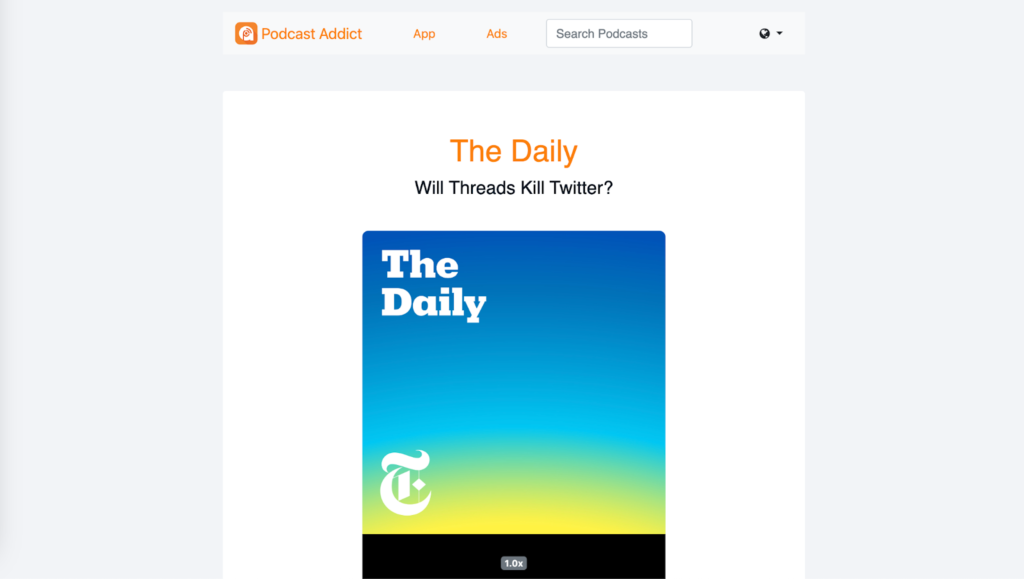
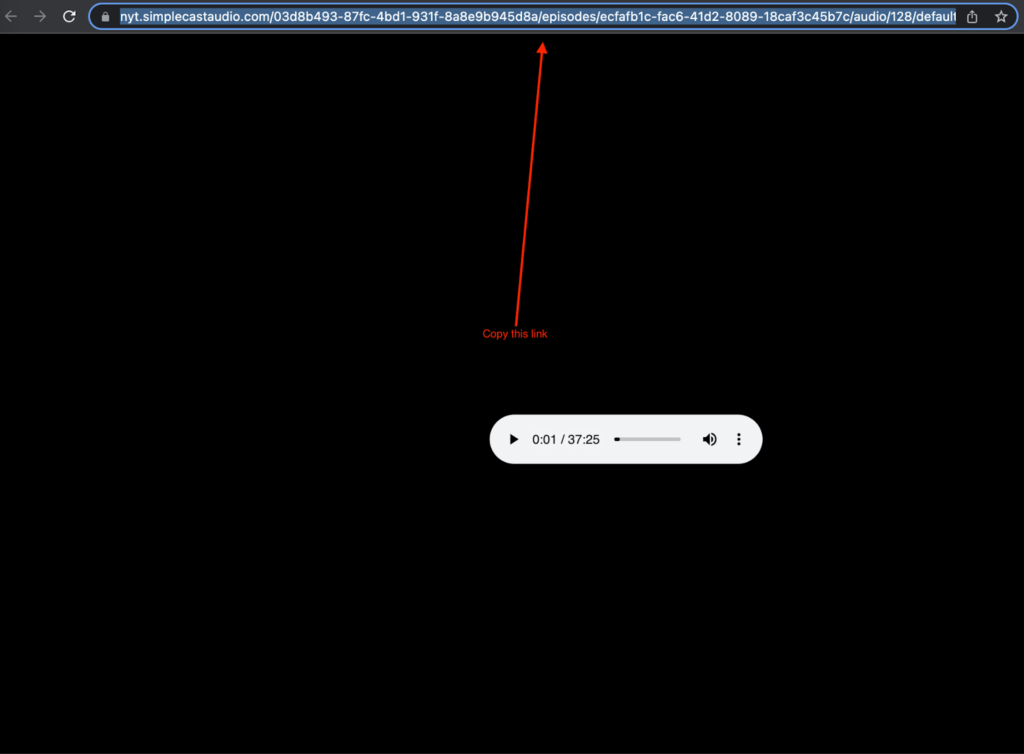
Once you have this done, you simply copy the URL to this MP3 page.
Next, go to our Sitemap From Podcast Episode tool, and paste the link into the box. You can do this for up to 1,000 episodes per sitemap.
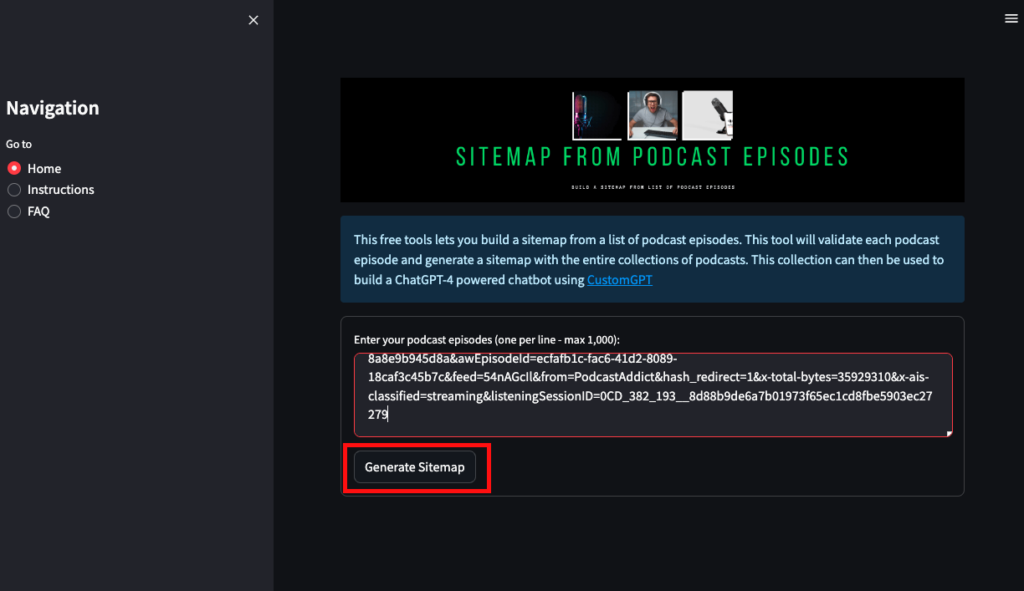
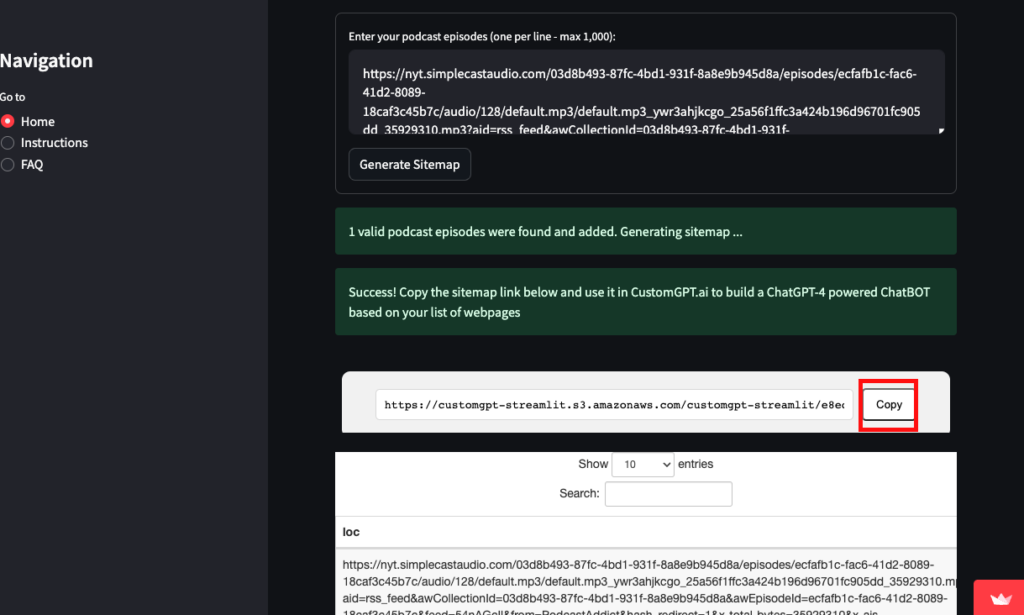
Click “generate sitemap,’ and after a few seconds, you should have your sitemap link available. Click on “copy” next to the sitemap link, and you can now paste that sitemap into your CustomGPT chatbot.
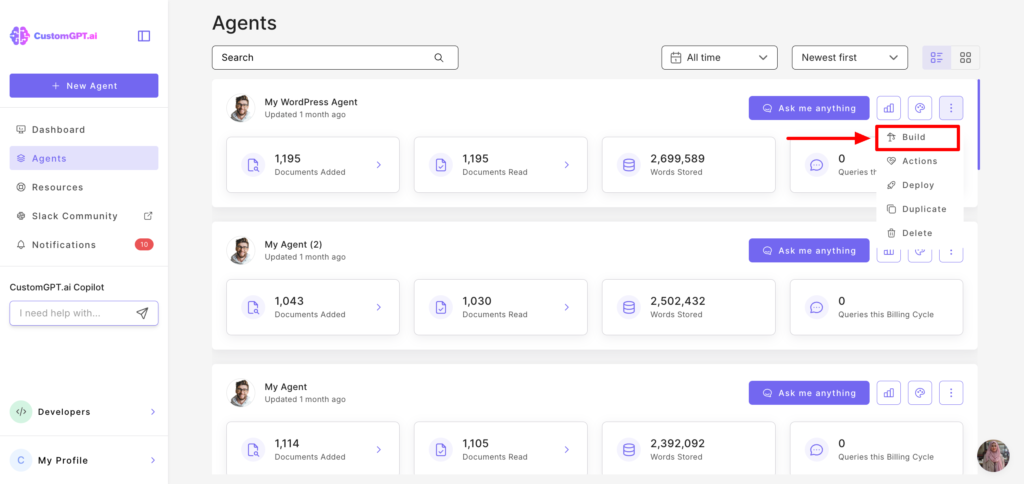
Once logged into CustomGPT.ai, navigate to your dashboard, and select the project you want to use the sitemap on. Select “Data.”
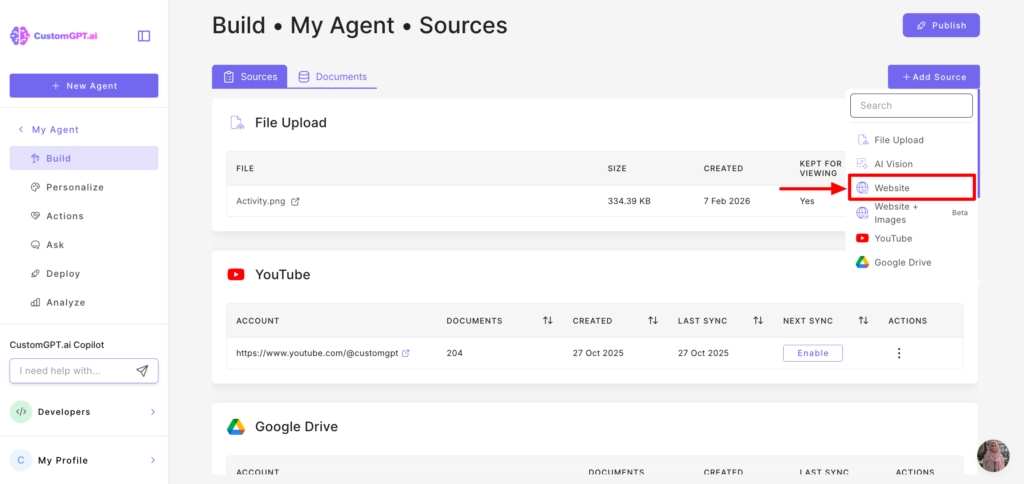
Click “Add Website,” and you should see a text box where you can paste your sitemap.
Sitemaps From Podcast RSS Feed
Now we’ll go over getting an RSS feed from a podcast, in order to use our free tool, Sitemap From Podcast Feed, and connect that feed to your chatbot. To do this, go to the podcast’s web page with recent episodes available.
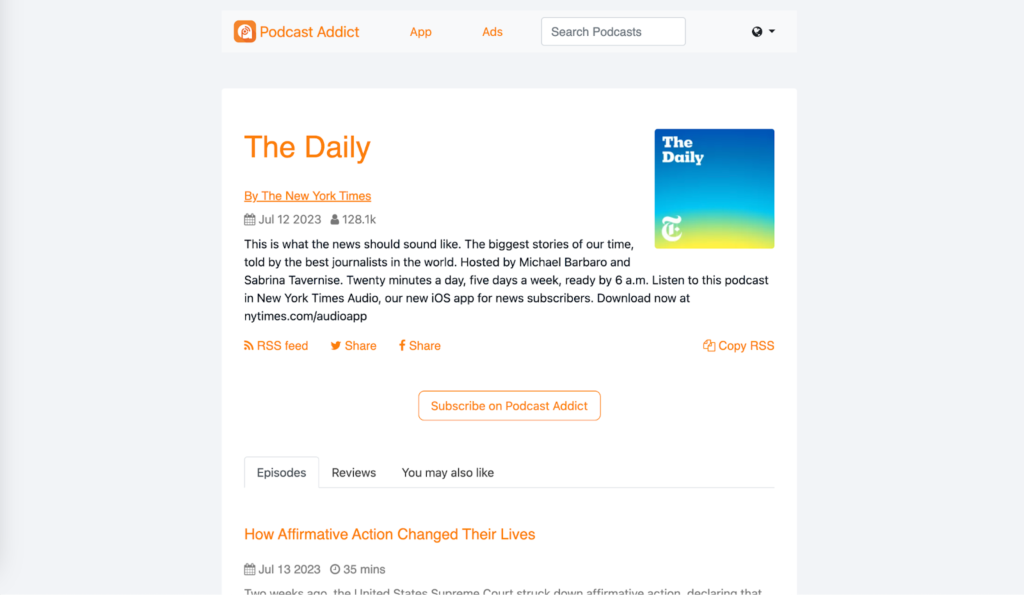
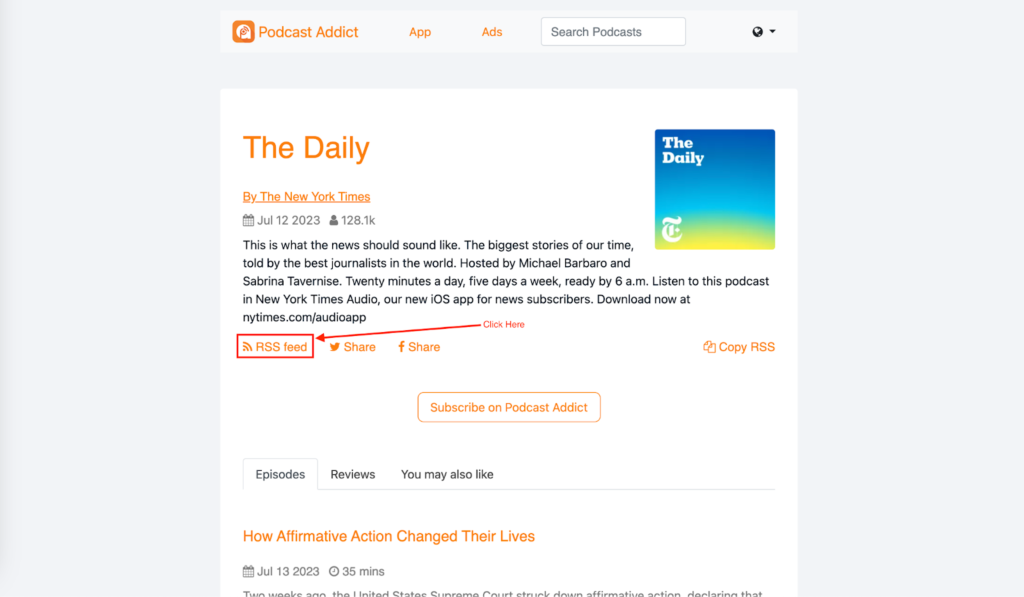
Again, I’ll be using PodcastAddict.com, but this process can be done on most podcast websites. You’ll see right here a link that says “RSS Feed.” Click on that.
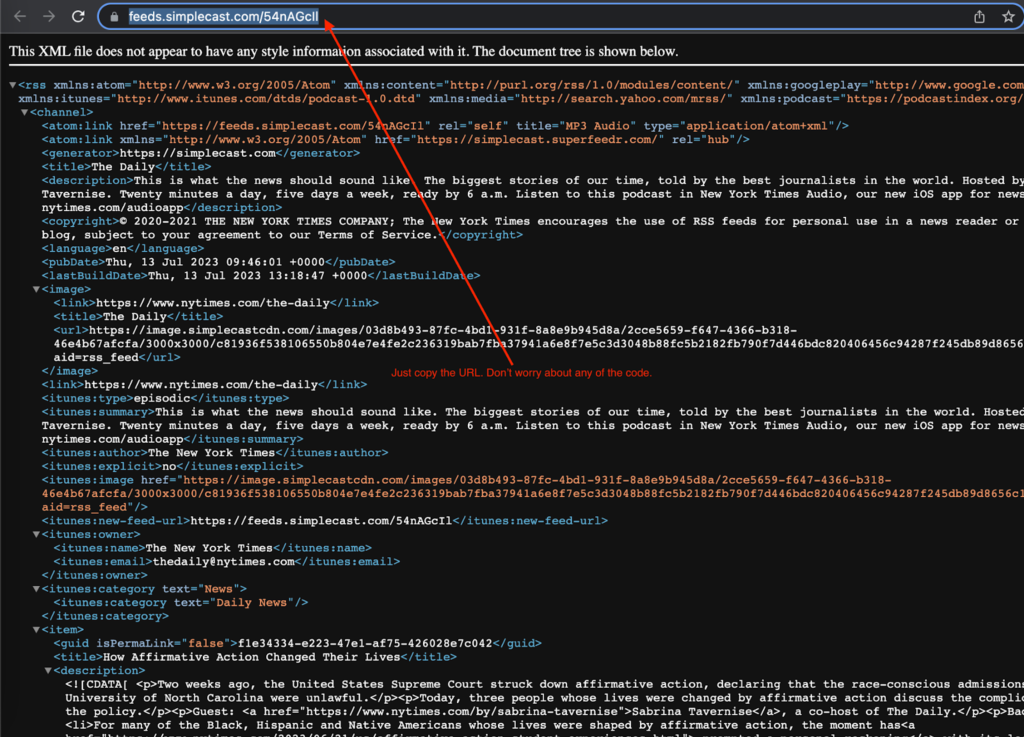
You’ll be brought to this page with very complicated-looking code. Don’t worry, all you need to do on this page is copy the URL.
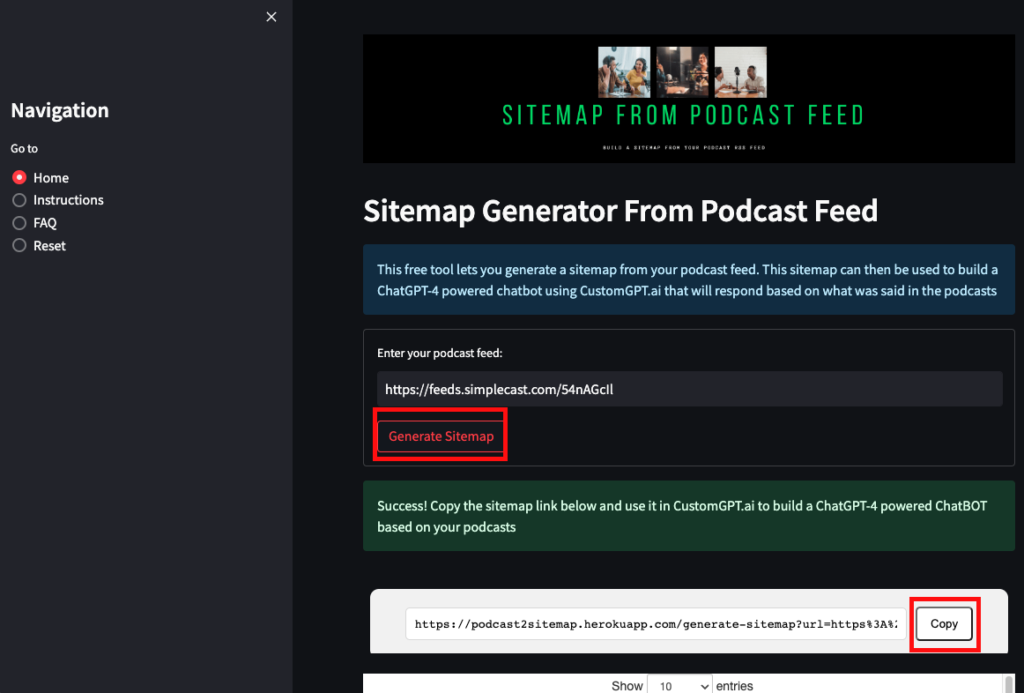
Now that you have that copied, simply paste it into our Sitemap From Podcast Feed tool. Click “generate sitemap,” and then you can copy the sitemap and paste it into your CustomGPT.ai podcast chatbot.
Frequently Asked Questions
What is the difference between generating a sitemap from podcast episodes and from a podcast RSS feed?
Use individual episode URLs when you want a curated set of downloaded MP3 episodes. Use a podcast RSS feed when you want one machine-readable source for a whole show. The episode-based tool supports up to 1,000 episodes per sitemap, while the RSS option is usually simpler when the show already publishes its episode links through a feed.
Can I build a podcast-based chatbot if I have no coding or AI background?
Yes. The workflow is copy-and-paste: copy an MP3 episode URL or a podcast RSS URL, generate the sitemap, then add that sitemap as a data source in a no-code chatbot builder. Evan Weber, Digital Marketing Expert, described the experience this way: “I just discovered CustomGPT, and I am absolutely blown away by its capabilities and affordability! This powerful platform allows you to create custom GPT-4 chatbots using your own content, transforming customer service, engagement, and operational efficiency.
Which option is better for keeping a podcast knowledge base updated, episode URLs or an RSS feed?
An RSS feed is usually the better starting point for an active show because it gives you one feed URL that represents the podcast’s published episodes. Individual episode URLs are better when you only want a fixed selection of interviews or archived episodes. In short, use RSS for broad show-level coverage and episode URLs for tighter curation.
Can I add both podcast audio and transcripts, or do I need to choose one?
You do not need to choose only one. Supported knowledge formats include audio, URLs, TXT, PDF, DOCX, HTML, XML, and JSON, so you can start with podcast audio through episode URLs or an RSS-based sitemap and add transcripts later for easier quote lookup and text-based retrieval. Barry Barresi described a real-world own-content setup this way: “Powered by my custom-built Theory of Change AIM GPT agent on the CustomGPT.ai platform. Rapidly Develop a Credible Theory of Change with AI-Augmented Collaboration.
”How accurate are answers from a podcast sitemap compared with asking a general AI model?
A podcast sitemap usually improves reliability because the assistant can retrieve answers from your podcast sources instead of relying only on a general model’s memory. That is the core benefit of a RAG workflow, especially when citation support is enabled. In the provided benchmark materials, the platform outperformed OpenAI in RAG accuracy. Brendan McSheffrey of The Kendall Project also said, “We love CustomGPT.ai. It’s a fantastic Chat GPT tool kit that has allowed us to create a ‘lab’ for testing AI models. The results? High accuracy and efficiency leave people asking, ‘How did you do it?’ We’ve tested over 30 models with hundreds of iterations using CustomGPT.ai.
”How should I organize a large podcast catalog across multiple sitemaps?
Use multiple sitemaps whenever your catalog would exceed 1,000 episode URLs, because that is the stated limit for one episode-based sitemap. A practical approach is to break the catalog into separate batches that match how you already manage the show, such as one sitemap per series or archive segment. Bill French, Technology Strategist, highlighted why performance matters in larger AI workflows: “They’ve officially cracked the sub-second barrier, a breakthrough that fundamentally changes the user experience from merely ‘interactive’ to ‘instantaneous’.
Conclusion
Podcasts are becoming an increasingly important source of information, which makes it vital that you are able to extract information from podcasts. This is what our free tools allow you to do. We hope you found this tutorial useful, and that you’re able to generate your sitemaps from podcasts using our free sitemap tools. However, if you have any questions, please feel free to leave a reply down below.
Related Resources
If you’re expanding beyond podcast-based ingestion, these guides cover a few useful next steps.
- Sitemap From Website Scraping — Learn how to generate a sitemap by scraping website content when you need to organize pages for CustomGPT.ai ingestion.
- Sitemaps From URLs — Explore how to build structured sitemaps from URL lists to streamline content preparation and indexing workflows.
- Education AI Explained — See how CustomGPT.ai supports education use cases, from knowledge access to AI-powered assistance for students and staff.


