

To build custom AI agents, define your business goals, gather task-specific data, choose a suitable platform (like LangChain or OpenAI APIs), train and fine-tune your model, test iteratively, and deploy it with monitoring for ongoing improvement.
TL;DR:
- Custom AI agents automate specific business tasks using AI.
- Build one by defining goals, gathering data, choosing a platform, training, and deploying.
- Benefits: efficiency, cost savings, scalability, 24/7 service.
- Tools like CustomGPT.ai let you build AI agents without coding.
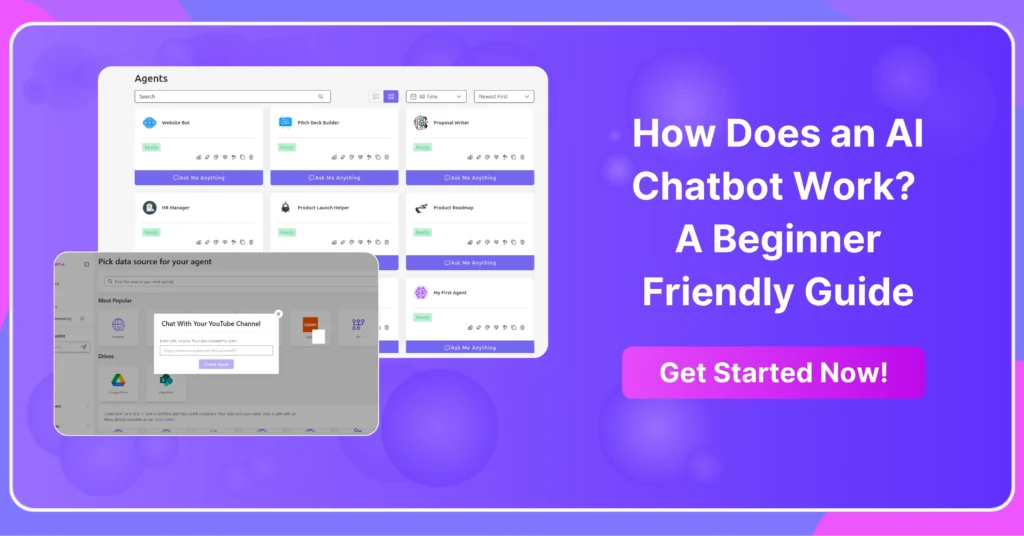
What Are Custom AI Agents?
Custom AI agents are software programs powered by artificial intelligence that are designed to perform specific tasks autonomously.
Unlike general-purpose AI tools, custom AI agents are tailored to particular business needs, integrating with existing workflows and responding to unique user inputs.
Core components of a custom AI agent include:
- LLM or ML Model: The brain of the agent, trained on domain-specific data.
- Prompting Engine or Logic Layer: Dictates how the model interprets tasks.
- Memory and Retrieval: Stores context and enables learning over time.
- APIs and Integrations: Connects to business tools like CRMs, ERPs, or ticketing systems.
- UI or Interface: The user-facing component, often chat-based or embedded in software.
Key Benefits for Business Operations
Implementing custom AI agents offers significant advantages for streamlining and enhancing business workflows. Key benefits include:
- Efficiency & Automation: AI agents automate repetitive tasks such as data entry, email routing, and report generation—freeing up human workers for strategic activities.
- Personalization: Tailored responses and actions based on user behavior, preferences, or historical interactions boost customer satisfaction.
- Cost Savings: Once deployed, AI agents reduce the need for manual labor, helping businesses scale without growing overhead.
- Scalability: Agents can handle thousands of simultaneous tasks, making them ideal for rapidly growing companies or fluctuating workloads.
Can I Build My Own AI Agent? (DIY vs. Outsourcing)
Yes, you can build your own AI agent—especially with the rise of low-code and no-code platforms. But the best approach depends on your team’s technical expertise, budget, and timeline.
- DIY (In-House Development): Ideal for teams guide with machine learning or software development experience. Offers full customization and control but requires more time, talent, and resources.
- No-Code Platforms (like CustomGPT.ai): Great for small teams or fast deployment. Platforms like CustomGPT.ai let you build branded AI agents using your own data—without writing code.
- Outsourcing to Specialists: Hiring AI development firms can accelerate complex builds and reduce risk but comes with higher upfront costs.
Many businesses start with no-code tools, then move to in-house development as needs grow.
How to Build Custom AI Agents from Scratch
Here’s a step-by-step guide to building your own custom AI agent, whether you’re creating a tool or a custom-trained AI chatbot:
1. Define Objectives & User Flows
Start by identifying the core task your AI agent will automate. Is it customer support, lead generation, or internal analytics? Map out expected user flows, inputs, and outputs. A clear use case helps you choose the right architecture and limits scope creep.
2. Gather and Preprocess Data
Data is critical. Collect relevant datasets—chat transcripts, FAQs, logs, or product data. Then clean, label, and normalize the data to make it training-ready. If you’re using LLMs like GPT, structured documents and context documents may suffice over raw datasets.
3. Select a Framework or Platform
Choose a development platform based on your needs:
- LangChain: Ideal for chaining LLM prompts and memory together.
- OpenAI + Function Calling: Useful for integrating AI with external tools.
- Rasa or Haystack: For more traditional NLP tasks.
- CustomGPT.ai, AutoGen, CrewAI, or MetaGPT: For multi-agent collaboration and orchestration.
Select cloud services (AWS, Azure, GCP) for scalability and hosting.
For businesses or individuals without advanced coding skills, CustomGPT.ai offers a no-code solution to build custom AI agents. Users can upload documents, websites, and data sources to train a branded GPT agent without writing code.
The platform handles backend hosting, retrieval-augmented generation (RAG), and interface design, making it ideal for fast deployment and business-ready applications.
4. Train and Fine-Tune Your Model
Depending on your goals, you might use:
- Fine-tuning: If accuracy on domain-specific tasks is critical.
- Prompt engineering: For faster, low-cost deployment using existing LLMs.
- RAG (Retrieval-Augmented Generation): Combines vector search with LLMs for dynamic, up-to-date responses.
Tools like CustomGPT.ai, Hugging Face, OpenAI, or Cohere offer flexible training APIs.
5. Test & Iterate
Run your AI agent in a staging environment and test with real user scenarios. Validate accuracy, latency, and relevance. Collect user feedback and fine-tune prompts or retrain models as necessary.
6. Deploy and Monitor
Deploy your agent using a scalable backend, such as serverless functions or containerized environments. Set up observability tools (e.g., Prometheus, Datadog) to monitor performance, error rates, and user satisfaction. Continuous feedback loops ensure long-term success.
How Much Does it Cost to Build a Custom AI?
The cost of building a custom AI agent depends on the tools, data, and complexity involved, much like what it costs to make a chatbot. Key factors include:
- Data Collection & Preparation: Expenses for sourcing, cleaning, and formatting your business-specific content (e.g., documents, FAQs, website data).
- Compute Resources: Training large models or running advanced LLMs requires cloud GPU/CPU infrastructure—ranging from a few dollars to thousands per month.
- Platform or API Licensing: Tools like CustomGPT.ai offer no-code solutions with pricing plans starting as low as $99 per month, depending on usage and features.
- Development Time & Expertise: Hiring AI engineers, data scientists, or prompt engineers significantly increases cost.
- Maintenance & Monitoring: Ongoing updates, testing, and performance tracking also contribute to long-term costs.
For most small to medium businesses, custom-built enterprise AI agents may require $10,000–$50,000+ in upfront development, but a no-code platform like CustomGPT.ai can cut costs dramatically by eliminating the need for coding, hosting, and complex infrastructure.
Final Verdict
Custom AI agents are transforming how businesses operate—automating tasks, reducing costs, and delivering personalized experiences at scale.
Whether you’re streamlining support, powering internal workflows, or building customer-facing tools, a well-designed AI agent can be a game-changer.
Ready to build your own AI agent? Explore no-code platforms like CustomGPT.ai to get started quickly, or dive into frameworks like LangChain for more control. The future of work is AI-powered—start building today.
Build a Build Custom AI Agents for your business, in minutes.
Deliver faster support, reduce costs, and keep customers happy with custom AI chatbots.
Trusted by thousands of organizations worldwide


Frequently Asked Questions
What can a custom AI agent actually do with my company’s documents and past work?
A custom AI agent can answer questions using your approved documents, past proposals, policies, research, and other internal files instead of relying only on general web knowledge. Retrieval and memory are core parts of this setup, so the agent can surface information from your own data for onboarding, internal research, and repeat questions. Rosemary Brisco, Digital Marketing Strategist at ToTheWeb, said, u0022CustomGPT.ai can work with your own data making it perfect for deep research. The output is naturally human-friendly.u0022
Should I build a custom AI agent from scratch or start with a no-code platform?
Start with a no-code platform when you need a working pilot quickly or your team does not want to build and maintain every component. Build from scratch with tools like LangChain or the OpenAI APIs when you need deeper engineering control over orchestration, models, or custom integrations. A common path is to start no-code, then move in-house as requirements grow. Kevin Petrie, Industry Analyst, wrote, u0022Alden Do Rosario walked me through his latest strategy and achievements at CustomGPT.ai, a no-code platform for creating custom AI business agents. I LOVE that story of reverse succession… here’s to the rising generation of AI entrepreneurs.u0022
How long does it take to deploy a custom AI agent for a real business workflow?
There is no single fixed deployment timeline. Most of the work follows a sequence: define the business goal, gather task-specific data, choose a platform, train and fine-tune, test iteratively, then deploy with monitoring. Teams usually move faster with no-code builders because the effort shifts from custom software development to data preparation, prompt setup, and QA.
How do custom AI agents fit into existing workflows and business tools?
They fit through APIs and integrations. A custom AI agent typically connects to systems such as CRMs, ERPs, or ticketing tools, and common deployment options include an embed widget, live chat, search bar, or API. If you need broader workflow automation, 1,400+ Zapier integrations and an OpenAI-compatible API make it easier to connect the agent to existing tools without rebuilding everything.
How do you keep a custom AI agent accurate and stop it from making things up?
To reduce hallucinations, ground the agent in vetted sources, use retrieval over those sources, and require citation-backed answers where possible. Elizabeth Planet, Nonprofit Leadership Coach u0026 Advisor, said, u0022I added a couple of trusted sources to the chatbot and the answers improved tremendously! You can rely on the responses it gives you because it’s only pulling from curated information.u0022 Anti-hallucination with citation support is one of the listed features, and the materials also state that CustomGPT.ai outperformed OpenAI in a RAG accuracy benchmark.
How many AI agents do I actually need for different users and tasks?
Start with one agent when the job, instructions, and source data are basically the same for all users. Create additional agents when different workflows need different knowledge sources, personas, or interfaces, such as an internal knowledge agent and a separate customer-support agent. That structure keeps prompts cleaner, makes testing easier, and matches the idea that custom AI agents are tailored to specific business needs.
Related Resources
If you’re exploring ways to turn AI agents into client-ready solutions, this guide adds useful context.
- AI Chatbot Services — Learn how an AI chatbot agency can help businesses design, deploy, and manage conversational experiences at scale.