
Creating a no-code chatbot turns anyone into a conversational AI creator. In this guide, you’ll learn each step from idea to launch. You will learn how to pick a platform, design flows, test bots, and optimize them for your users.
TL;DR
- Define your chatbot’s purpose clearly.
- Choose a platform with the right features.
- Plan conversation paths on paper.
- Build and customize with visual tools.
- Test, train, and refine your bot.
- Deploy on your site or apps.
- Monitor performance regularly.
- Avoid common pitfalls.
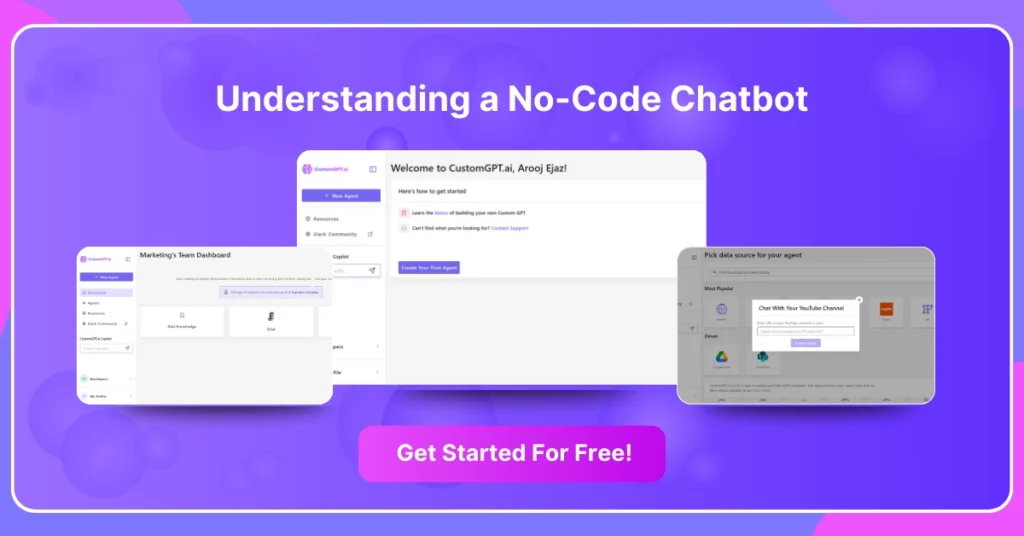
What is a no-code chatbot?
A no-code chatbot uses visual tools instead of code. It offers drag-and-drop blocks for messages, logic, and integrations. These platforms include natural language processing features. You can adjust and update flows with a few clicks.
These tools often include pre-built templates for support and lead generation. You customize language, branding, and settings without writing a single line of code. This ease of use empowers marketing and support teams to launch solutions on their own.
Why choose a no-code chatbot?
No-code chatbots speed up development and cut costs. They free teams from technical hurdles and let you focus on user needs. You get:
- Speed: launch in hours, not weeks.
- Cost Savings: avoid developer fees.
- Flexibility: update scripts instantly.
Teams can iterate quickly on chat scripts based on customer feedback. Real-time testing features let you preview chats as you build. This speed helps maintain a consistent brand voice across channels.
How do you create a no-code chatbot?
Follow these six steps to launch your bot:
- Define Your Goal: Decide what task your bot will handle. Will it answer FAQs, book appointments, or collect leads? Clear goals shape your bot’s scope and flow.
- Choose a Platform: Compare tools like CustomGPT.ai. Look for features, integrations, and pricing. Pick a platform that fits your team’s skill level.
- Map Your Conversation Flow: Sketch user paths on paper or a whiteboard. Identify questions, answers, and decision points. Plan a fallback reply for unclear inputs.
- Example: Always ask for clarification if you don’t understand a question.
Pro Tip: Use a spreadsheet to track prompts, replies, and conditions.
- Example: Always ask for clarification if you don’t understand a question.
- Build the Bot Visually: Use drag-and-drop elements to add messages, input fields, and logic. Link blocks to outline each chat path. Test each link as you build.
- Test and Train Your Bot: Run chat simulations on the platform. Collect sample queries from real users. Adjust responses and retrain AI components.
Pro Tip: Invite colleagues to test different scenarios and report gaps. - Deploy and Monitor: Publish your bot on your website or messaging apps. Track metrics like chat starts, completion rate, and user satisfaction. Use real-time dashboards to spot issues.
What features should you look for in a no-code chatbot platform?
Choosing the right features makes your bot effective:
- Natural Language Understanding: handle varied user phrases.
- Integration Modules: connect to CRM, e-commerce, or email tools.
- Analytics Dashboard: monitor usage, drop-off points, and satisfaction.
- Templates Library: speed up design with ready-made flows.
- Multi-Channel Support: deploy on web, social, and messaging apps.
- User Segmentation: personalize responses based on user data.
Pro Tip: Test a platform’s free trial before committing.
What mistakes should you avoid when building a no-code chatbot?
Avoid these common pitfalls:
- Overcomplicating Flows: keep conversations clear and concise.
- Ignoring Fallbacks: always plan for misunderstood inputs.
- Skipping Testing: untested bots frustrate users.
- Neglecting Analytics: without data, you can’t improve.
- Using Too Many Questions: ask only what you need.
Pro Tip: Create simple flows first, then expand features gradually.
How do you maintain and optimize your chatbot?
Ongoing updates keep your chatbot effective:
- Review Chat Logs: identify unanswered questions or drop-offs.
- Update Scripts: refresh messages when products or policies change.
- A/B Test Prompts: experiment with different phrasings to boost engagement.
- Improve AI Training: add new examples for emerging queries.
- Monitor Trends: track metrics like response time and satisfaction score.
- Set Alerts: get notified when performance dips.
Real-World Example
In October 2023, Leon Niederberger, a student at IE Business School Madrid, used CustomGPT’s no-code builder to launch AI Ace. This AI tutor was trained on course materials and delivered personalized guidance.
Within three days, the bot answered 1,750 questions from over 300 students, rapidly demonstrating high engagement and accuracy. AI Ace went on to win IE University’s Best Undergraduate Startup Award and secured a $1.2 million valuation by early 2024.
FAQs
Build a Custom GPT for your business, in minutes.
Drive revenue, save time, and delight customers with powerful, custom AI agents.
Trusted by thousands of organizations worldwide


Frequently Asked Questions
How can I make a no-code chatbot more reliable and reduce wrong answers?
Start by defining the chatbot’s purpose clearly, then test and refine its conversation flows before and after launch. Reliability usually improves when you monitor performance regularly and iterate based on real user interactions. A no-code setup makes this easier because you can update flows quickly without coding.
Is there a no-code way to collect lead details before a chatbot conversation?
Usually yes. No-code chatbot platforms often include lead-generation templates, plus settings and integrations you can configure visually. You can design a short pre-chat step to collect key details and pass them into your workflow.
I changed chatbot settings, but nothing changed on my site. Do I need to redeploy code?
Not always. One of the benefits of no-code chatbots is that you can update scripts and flows quickly. If updates are not visible, confirm the bot is deployed to the correct site or app and run another test pass to verify the latest configuration.
How do I pass useful context into a no-code chatbot without coding?
Use the platform’s visual logic, settings, and integrations to shape responses based on user needs. In practice, context is added through conversation design and integration setup rather than custom code, which helps teams personalize interactions while staying no-code.
Can a no-code chatbot still work with an existing website and external systems?
Yes. A key advantage of no-code chatbots is deployment across sites or apps and support for integrations. This lets you keep your existing website while connecting the chatbot to other tools through supported integration options.
What should I check first if a no-code chatbot embed is not working?
First, confirm deployment is complete on the intended site or app. Then verify your current flow/settings and run structured testing, since no-code chatbots are designed for quick iteration and refinement after setup.
What is the best no-code chatbot platform for different use cases?
The best platform depends on your goal. Compare options based on purpose fit, natural language capabilities, integration support, speed to launch, cost efficiency, and how easily non-technical teams can update flows over time.