

Claude Code searches your files 4.2x faster and 3.2x cheaper with a RAG layer
As the number of files Claude Code searches grows, two problems compound: searches take significantly longer, and you burn API credits faster with every question. We tested whether adding a RAG layer would solve this – making Claude Code faster and less costly to operate at scale.
This is the full report. Methodology, all scaling data, charts, hallucination findings, and links to raw data and reproducible scripts.
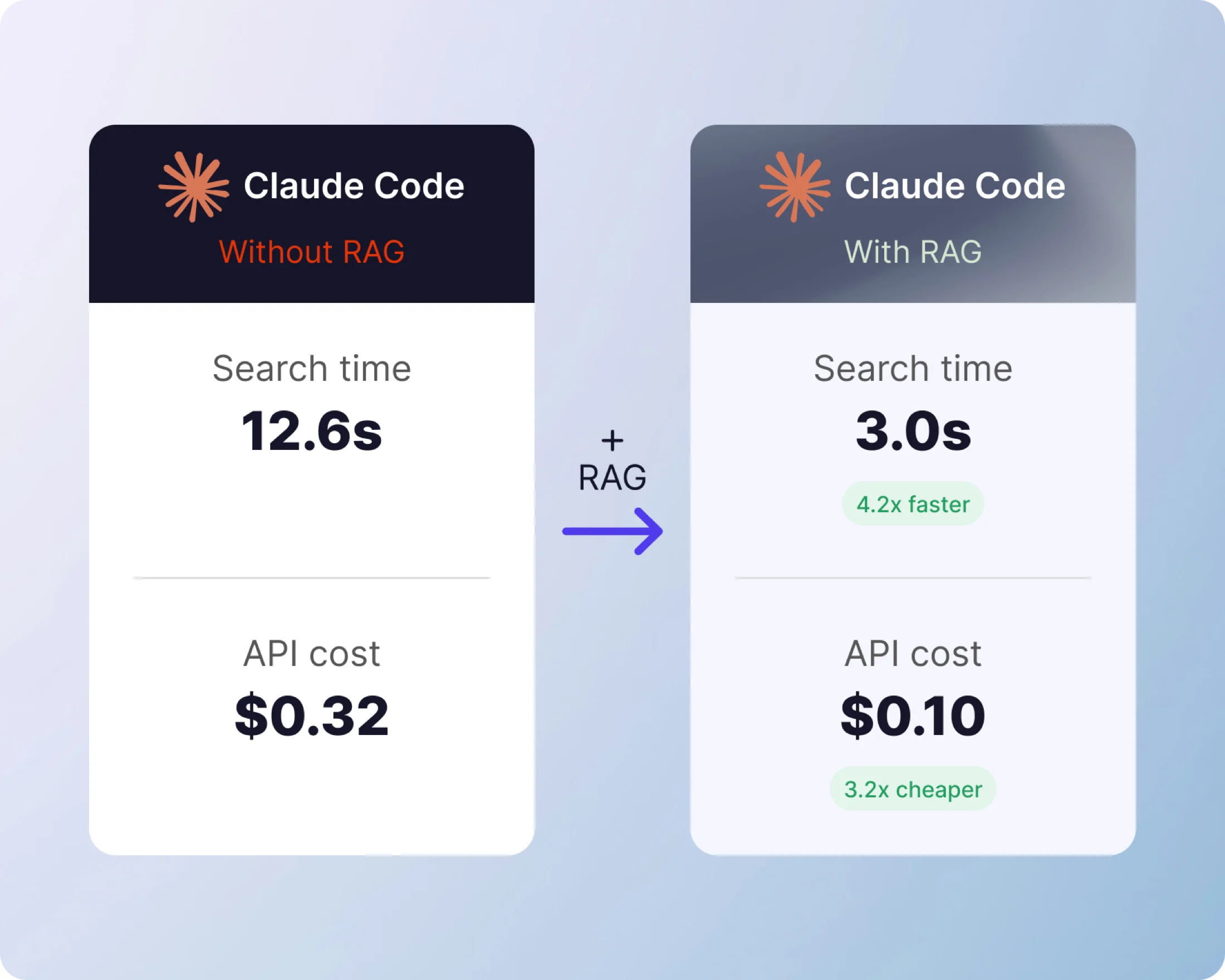
Tested on: Claude Code (Sonnet 4.6) · 500 PDFs · 30 runs per configuration · March 2026 · Open methodology · Fully reproducible
- 4.2x
- Faster average response time with RAG at 500 documents
- 3.2x
- Cheaper per question – $0.40 down to $0.13
- 53%
- Of searches across 100 documents take longer than 3 minutes without RAG
Scaling performance
What Happens as Your Document Count Grows (Claude Code only)
At 5 files, Claude Code answers in 35 seconds. By 100 files, average wait time nearly triples, cost climbs, and only 47% of searches return an answer within 3 minutes
| Documents | Avg wait time | Cost / question | Done in 3 min |
|---|---|---|---|
| 5 | 35 sec | $0.11 | 100% |
| 10 | 57 sec | $0.20 | 97% |
| 30 | 1 min 11 sec | $0.34 | 97% |
| 50 | 1 min 23 sec | $0.39 | 97% |
| 100 | 1 min 53 sec * | $0.36 | 47% |
| 250 | 2 min 01 sec * | $0.37 | 43% |
| 500 | 2 min 31 sec * | $0.40 | 39% |
* These averages understate true wait time. Searches that exceeded the 3-minute benchmark window were recorded at 3 minutes rather than their actual duration – a statistical property known as right-censoring. The true average at these tiers is higher.
The fix
The Fix: Add a RAG Layer
We tested whether adding a RAG layer would solve this problem. Using the CustomGPT.ai MCP plugin, we ran the same benchmark at 500 documents with RAG handling retrieval.
| Without RAG (500 docs) | With RAG (500 docs) | Improvement | |
|---|---|---|---|
| Avg response time | 2 min 31 sec * | 36 sec | 4.2x faster |
| Cost per question | $0.40 | $0.13 | 3.2x cheaper |
| Within 3 min | 39% | 100% | 100% completion |
* These averages understate true wait time – see note above on right-censoring.
Benchmark results
Data visualized
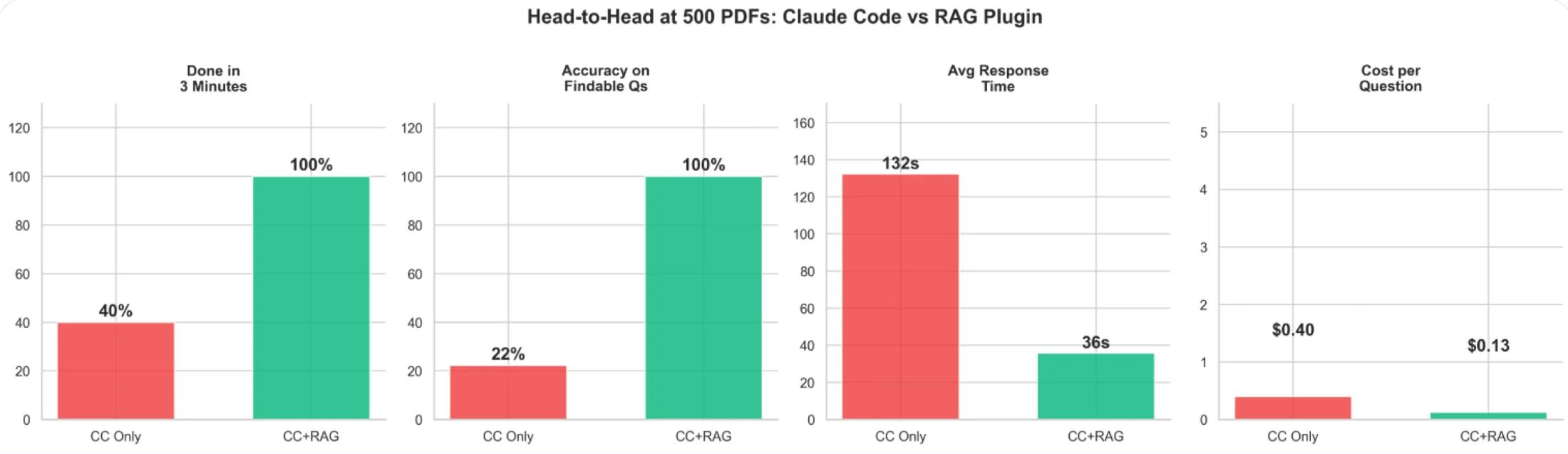
Head-to-head at 500 documents – Claude Code only vs. Claude Code with RAG
Accuracy and Hallucination Findings
Without RAG, when the requested information is not present in the document set, Claude Code returns a fabricated answer 50-100% of the time – with no indication the answer may be incorrect. With RAG, it returns “not found” instead.
RAG does not just make Claude Code faster. It makes it honest. The retrieval layer gives Claude Code a definitive signal about what exists in the document set before it answers.
Key takeaways
Why It Matters
-
Claude Code hits a speed ceiling as documents scale
At 5 files, searches average 35 seconds. At 500, over 2.5 minutes – and more than half do not return within 3 minutes
-
Upgrading your plan does not change this
Claude Code reads files sequentially regardless of subscription tier. The bottleneck is the search method, not the model or compute allocation
-
Fabrication is an accuracy risk, not just a performance one
When the answer is not in the document set, Claude Code returns a confident fabricated answer 50-100% of the time. RAG gives Claude Code an index to check before answering – replacing inference with retrieval
-
The cost has a real dollar value
At $0.40 per question across 500 files, a team running 50 searches per day spends roughly $6,000 per year on document search alone. With RAG, the same workload costs roughly $1,900. The difference is the architecture, not the usage
Why It Happens
Without RAG, Claude Code opens every document one by one, reads it fully, closes it, and moves to the next. At 5 files, that’s manageable. At 100, Claude Code is opening and reading 100 PDFs sequentially. Searches slow significantly as the document count grows.
With a RAG layer, your documents are indexed once. Every question searches the index instead of reopening raw files – like having a smart filing system rather than reading every folder from scratch. The document count stops mattering.
This is not a flaw in Claude Code. It is a known architectural tradeoff: direct file reading is flexible and requires no setup; RAG requires indexing but scales. At small document counts, the difference is negligible. At 100+, it is decisive.
Feedback
From the Research Team

“The assumption that bigger context windows solve the scaling problem is wrong. The bottleneck is not how much Claude can hold in memory – it is how long it takes to find the right file in the first place. RAG changes the architecture of the search, not the size of the window.”
“Most people assume Claude Code slows down because of the model. It doesn’t. It slows down because it’s reading every file one by one, and the cost compounds with every document you add. We tested this directly. At 500 files, you’re paying 3x more per question and searches are taking 4x longer than they need to. RAG fixes the architecture of the search, not the model. That’s the difference.”
Behind the benchmark
Full Methodology
We generated 500 synthetic corporate emails as PDFs from a fictional company (Acme Corp). Each question ran under two configurations – Claude Code reading files directly, and Claude Code with a RAG plugin handling retrieval. All runs used a fresh session with no conversation history. Timing was captured from Claude’s structured JSON output. Cost was calculated from token usage at published API rates
- ModelClaude Sonnet 4.6
- Test corpus500 synthetic corporate PDF emails (Acme Corp, 7 departments, 34 employees)
- Questions10 factual questions per run (5 needle-in-haystack, 5 pattern)
- Runs3 per question per configuration – 30 total per config
- SessionFresh
claude -psession per run – no history, no memory - Without RAGClaude Code reads files natively (grep, cat, read tools)
- With RAGCustomGPT.ai MCP plugin semantic search retrieves relevant chunks before Claude Code answers
- Cutoff3 minutes (180s) across all tiers
- Reproducibility seed–seed 42 for corpus generation
-
Needle-in-haystack questions (single fact in one email)
- Patent filing deadline date and responsible person
- Q3 revenue projection and specific figure
- Database migration technology and target date
- Remote work policy effective date
- Vendor contract annual cost
-
Pattern questions (topic spread across 10-15 emails)
- Project Nexus scope and team involvement
- Berlin office opening status
- Initech API issues and response strategy
- Company retreat planning details
- Series B fundraising progress
About
CustomGPT.ai is a no-code RAG platform used by 10,000+ organizations. SOC-2 compliant. We built the MCP plugin that enables Claude Code to use semantic document search. The plugin used in this benchmark is open source: github.com/adorosario/customgpt-skill-plugin.
Alden Do Rosario is CEO of CustomGPT.ai. Previously co-founded Chitika (2003-2020) – bootstrapped from $5 to the #2 contextual ad network after Google AdSense, 9-figure revenues, zero outside funding. 30 years in tech.
Try it yourself
Set up the plugin in 4 steps
No build step. No Node.js. No Python. Requires only curl and a CustomGPT.ai account.
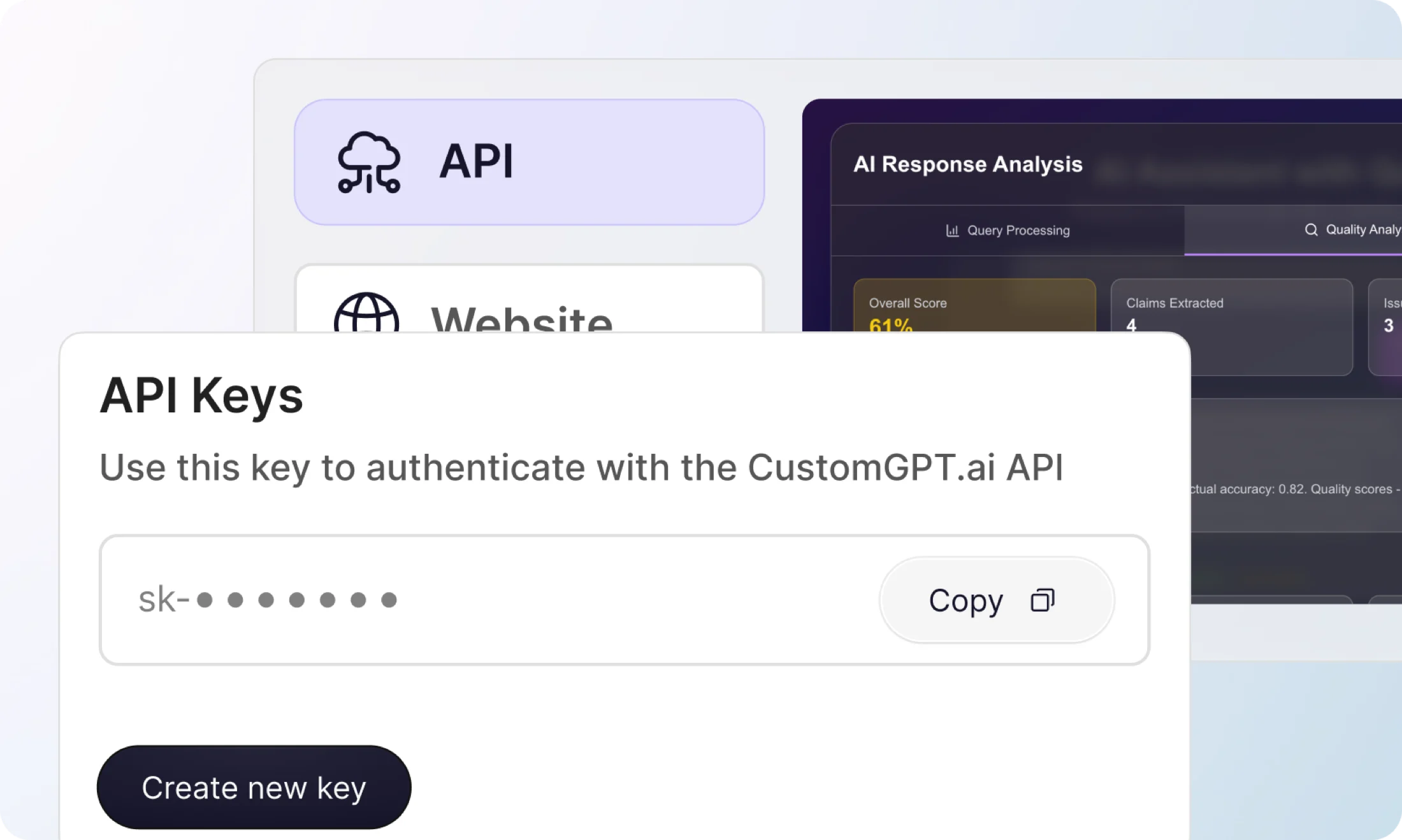
Create a free CustomGPT.ai account and get your API key
Sign up at app.customgpt.ai/register, then grab your API key from your profile at app.customgpt.ai/profile#api-keys.
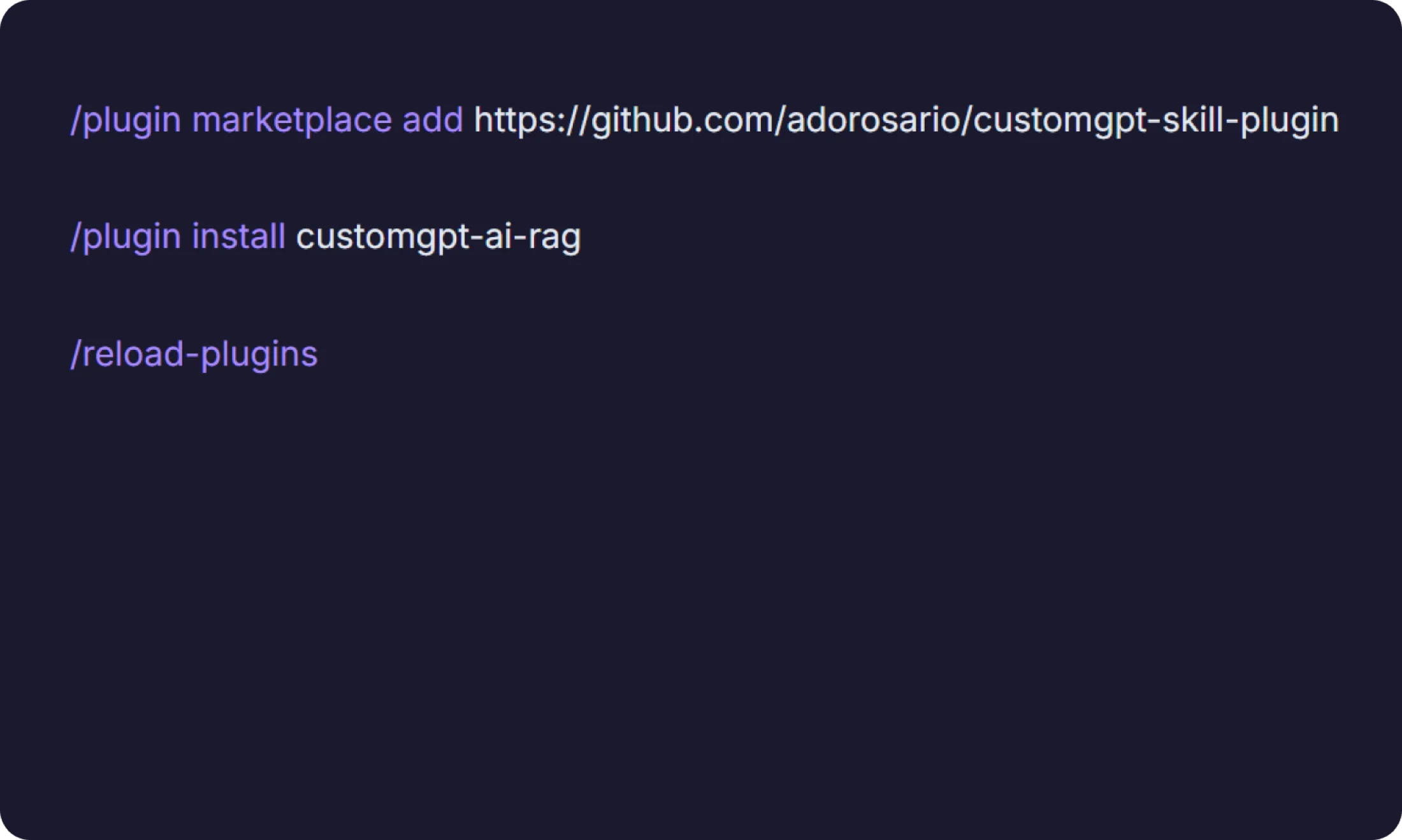
Install the plugin in Claude Code
Run these three commands inside Claude Code.
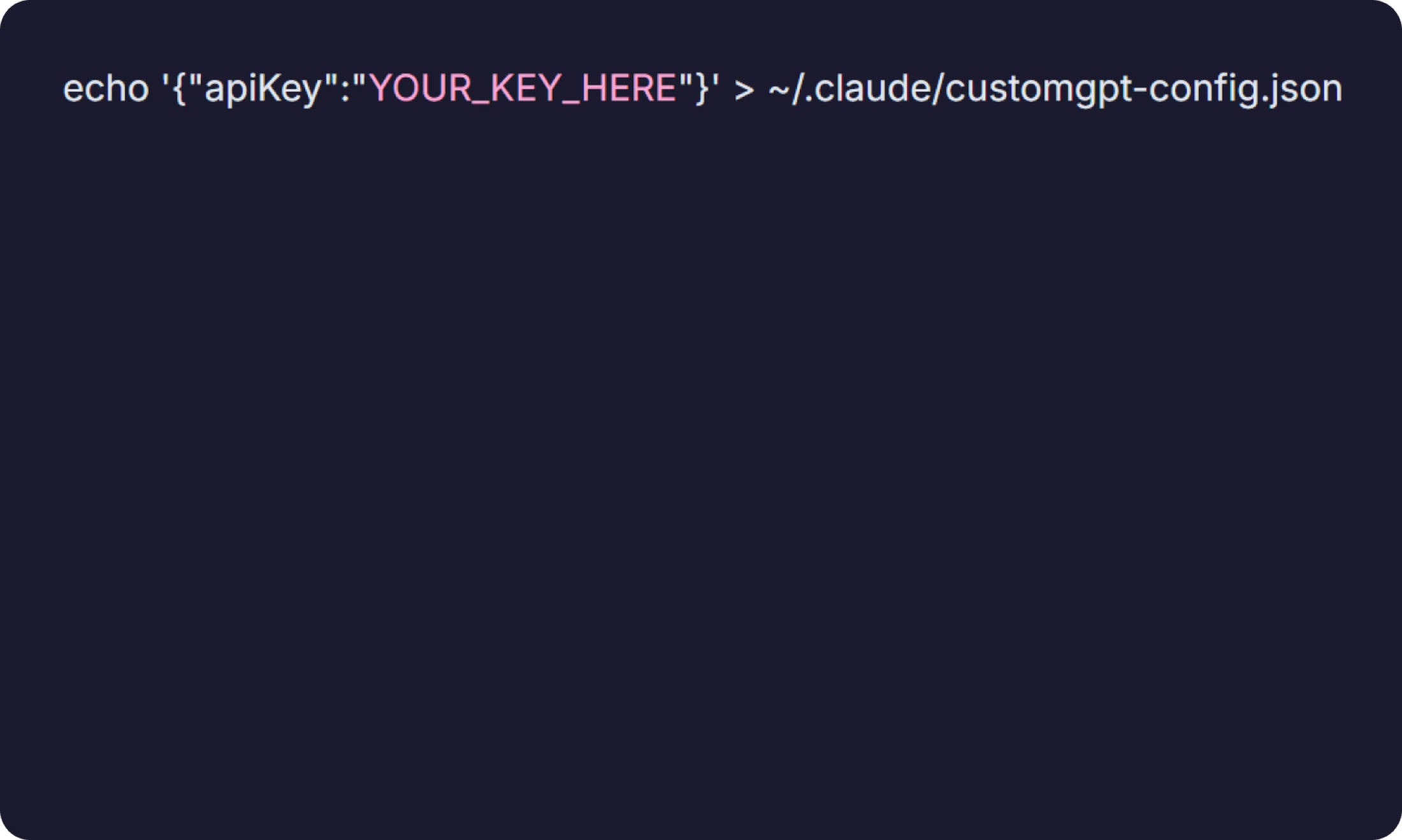
Save your API key
Store it once and the plugin finds it automatically across all projects. Alternatively, set CUSTOMGPT_API_KEY as an environment variable, or add it to a .env file in your project root. The plugin checks all three locations automatically.
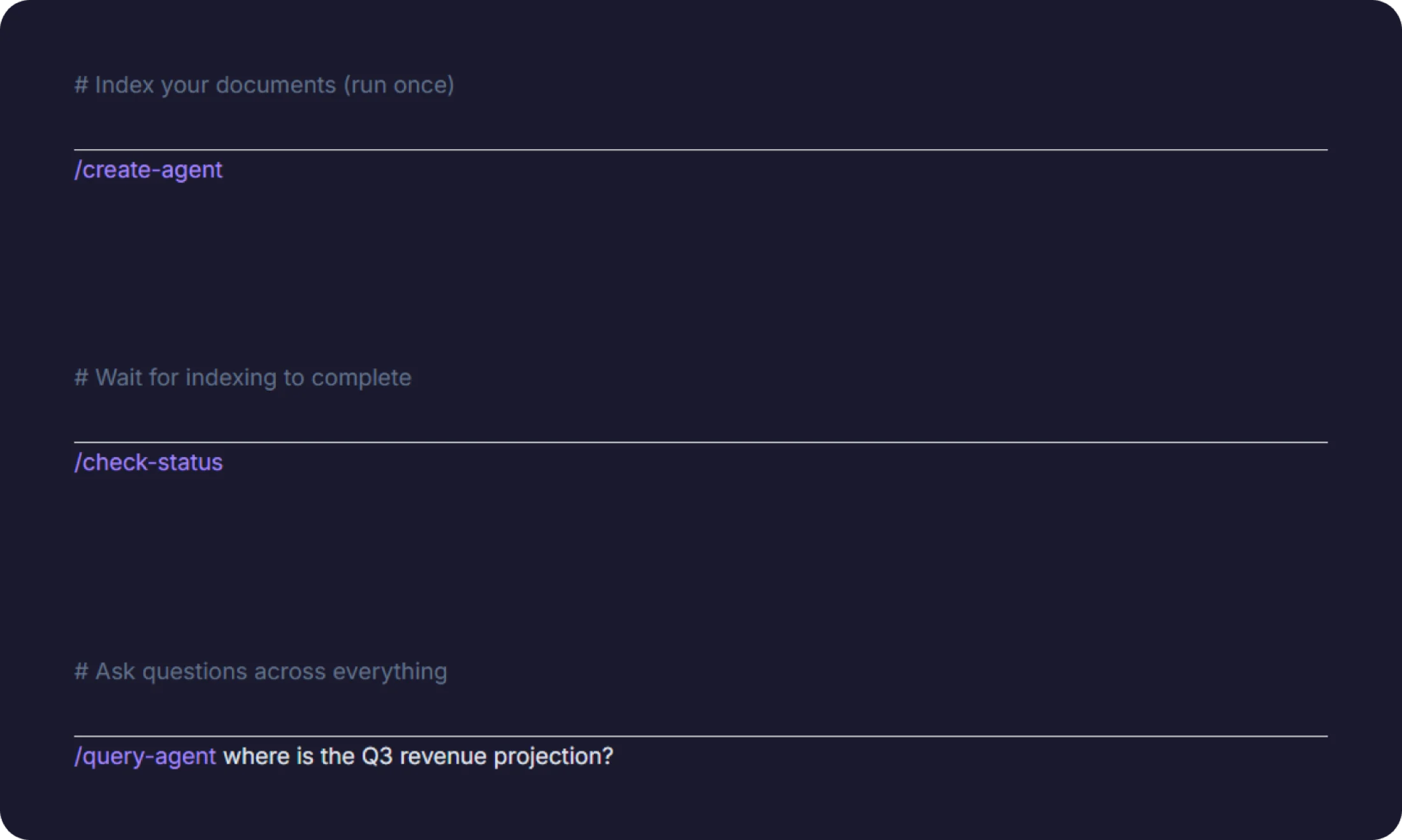
Index your documents and start querying
Inside Claude Code, from your project directory. You can also use plain English – “index this repo,” “search my files for X” – and the plugin activates automatically.