CustomGPT.ai for Finance: Simplifying Access to Financial Information

Improve your business’s financial approach with CustomGPT.ai, a helpful AI assistant that can add valuable benefits to your money strategies. It’s a versatile tool that goes beyond the basics, offering valuable insights and assistance in areas ranging from customer support to market analysis, financial planning, and even financial educational content delivery. With CustomGPT.ai you can streamline financial processes, ensuring clarity and accessibility for everyone involved in your business.
In this article, we will explore how CustomGPT.ai works in finance, supporting various tasks like customer support, market analysis, financial planning, and delivering educational content.
Creating CustomGPT.ai For Finance: A step-by-step Guide
Creating a custom GPT chatbot for finance includes a few easy steps starting from defining the goals or objectives, gathering custom data, training the custom chatbot, and deploying it into your website or workflow. Let’s get started!
Step 1: Define the Scope
Define the purpose of your finance chatbot by specifying the tasks you want it to perform. Defining the goal it makes easier to create and train the chatbot to meet your specific business needs. Below are some of the purposes a finance chatbot can be used for:
- Provide instant response to customers’ general queries.
- Provide customer support for account-related queries and transaction details.
- Provide up-to-date information on market trends, conditions, and economy,
- Create personalized financial plans and strategies.
- Foster finance education on various concepts such as compound interest, investment strategies, and risk management.
- Create a budget.
Step 2: Gather Data
Creating a custom chatbot tailored to your specific needs requires gathering diverse datasets to train it. To create a chatbot that is capable of providing relevant and up to date you can gather data from the following possible sources:
- Gather data from financial websites using the CustomGPT.ai sitemap tool.
- Gather data from news articles and publications to get up-to-date data on market trends.
- Gather real-time stock prices, historical data, and other relevant market information.
- Use your company’s financial databases and repositories for information on investment strategies, and financial planning.
- Collect educational content from reputable sources, financial institutions, and educational platforms to provide accurate and informative responses on various concepts.
- Explore publicly available financial reports, economic indicators, and market analyses to enhance the chatbot’s understanding of the current financial landscape.
Step 3: Set Up your CustomGPT.ai account
To create your CustomGPT.ai account go to the CustomGPT website and click on Signup. Provide information like your Email address, Name, and password. And your account will be ready to use.

Step 4: Create a CustomGPT.ai chatbot
To create your CustomGPT.ai finance chatbot login into your account.
- Navigate to the Dashboard.
- Click on “New Agent”.

To complete the process of creating a finance chatbot we need to train the chatbot with the custom data. Let’s have a look at how to train a chatbot in the next step.

Step 5: Train the CustomGPT.ai Chatbot
You can create CustomGPT.ai using two methods:
- By creating a sitemap: You can train a chatbot by creating using the CustomGPT.ai sitemap library that offers 10 free sitemap tools, you can use them according to your needs.
- By uploading the document: You can upload more than 1400+ different file formats making CustomGPT.ai a versatile tool with multiple source data integration capability.
Let’s see how you can create a CustomGPT.ai chatbot uploading sitemap and documents:
Create Sitemap
You can train a custom chatbot on your financial website data. To extract all the website data CustomGPT.ai offers the Sitemap Finder Tool. Just place your website URL in the box below and this tool will generate a Sitemap URL. All you have to do is just copy the URL and place it into your chatbot knowledge base.

To upload it into the chatbot knowledge base go into your chatbot’s settings. Click on Sitemap.

You can also see the sitemap tool in the chatbot’s knowledge, just click the tool of your preference and create a sitemap to train your chatbot.
Upload Data
You can also upload various datasets with more than 1400 different formats. To upload the dataset go to your chatbot’s settings. Click on Data>Upload. The chatbot will be ready to answer the queries.

Step 6: Test the Chatbot
Now test the chatbot by posing some related questions and evaluate its performance. Let’s ask some questions and see how it responds.

Step 7: Deploy the chatbot into your website
Now deploy the CustomGPT.ai chatbot into your finance website as part of your website content. To deploy the chatbot go into your chatbot setting. Click on sharing and the following options will appear.

Click on the enable button and enable the Live Chat, and Embed widget features. Copy the given HTML script and place it on the website page where you want your chatbot widget to appear. You can also integrate CustomGPT.ai into your workflow and applications using CustomGPT.ai APIs.
Read the full guide on CustomGPT APIs
Read the full guide on Integrating CustomGPT using Live chat and embed widget features.
CustomGPT.ai in Finance: Practical Applications
CustomGPT.ai can be used in various use cases in the field of finance. Here are some of those:
Customer Support
You can deploy CustomGPT.ai into your finance website to answer general customer queries. Website visitors can ask any question directly without searching the information in the search box. Here are some of the customer support tasks a CustomGPT.ai chatbot can be used for:
- Account Information
- Product and Service Information
- Billing Inquiries
- Transaction Details
- General Financial Inquiries
- Interest Rates
- Security Verification
- Payment Status
- Contact Information Updates
Let’s ask some related questions to see how the CustomGPT.ai finance chatbot can assist users:

I asked a general question a user can ask and CustomGPT.ai responded and explained the terms in detail. These tailored responses help enhance customers with exceptional chatbot performance.

Financial Planning
You can enhance the financial planning process by using CustomGPT.ai, much as teams do in health and wellness, because it can provide valuable insights and recommendations for your business. You can upload the custom datasets of your company such as income, expenses, financial goals, and risk tolerance and CustomGPT.ai will create personalized finance plans.
Here are some of the financial planning tasks you can use CustomGPT.ai for:
- Investment Insights
- Budgeting
- Insurance Coverage
- Debt Management
- Tax-Efficient Strategies
- Estate Planning Guidance
- Regular Financial Check-ups
- Continuous Learning and Updates
Let’s ask some related questions to check how CustomGPT.ai responds:
CustomGPT.ai can create financial plans and strategies based on your business data with accuracy. It can not only generate plans based on your business data efficiently but also save time ensuring personalized and enhanced finance strategies.

Market Analysis
You can get up-to-date information using CustomGPT.ai on market trends, economic indicators, competitors’ strategies, and news updates. You can integrate CustomGPT.ai for market analysis into social media using APIs. You can also gather all of your competitor’s website data using a sitemap and integrate it into CustomGPT.ai for competitor analysis to create effective financial plans for your business. CustomGPT.ai helps you get insights into the business marketplace and helps you make informed decisions by creating effective financial strategies. Here are some of the Market analysis tasks a CustomGPT.ai chatbot can be used for:
- Market Research
- Competitor Analysis
- Target Audience Identification
- Industry Trends
- Product Positioning
- Market Entry Strategies
Let’s ask relevant questions and see CustomGPT.ai in action:

Educational Content Delivery in Finance Literacy
CustomGPT.ai can be used for fostering education on various finance literacy topics to enhance understanding of finance principles among students. Educational institutes can integrate CustomGPT.ai into their website to provide educational resources in the finance domain. CustomGPT.ai can also be used for creating content for courses on various finance topics. CustomGPT.ai ensures institutes can provide accurate and reliable information to their readers using its anti-hallucination technology.
Here are some of the related tasks a CustomGPT.ai can be used for:
- Interactive Budgeting Lessons
- Investment Simulation Workshops
- Insurance Education Series
- Estate Planning Tutorials
- Finance Literacy Course
Now, let’s ask CustomGPT.ai to create a guide for an estate plan.

Benefits of using CustomGPT.ai for Finance
Here are some of the advantages of using CustomGPT.ai for finance.
Efficient Customer Support
CustomGPT.ai is a context-aware AI chatbot that not only provides efficient customer support but also makes sure users get accurate and reliable information. User can get swift responses to their queries anytime so they don’t have to search for information in the search boxes or wait for manual human support.
Time and Cost Savings
By automating financial tasks such as market analysis CustomGPT.ai saves significant time and resources for business. CustomGP is capable of handling repetitive inquiries, processing data efficiently, and generating insights quickly contributing to streamlined operations and cost-effectiveness.
Consistent and Reliable Assistance
CustomGPT.ai RAG technology ensures that the information it provides is based on the data you provided. Also, CustomGPT.ai anti-hallucination makes sure that every generated response is accurate and reliable. CustomGPT.ai provides citations so that users can see where the answer comes from enhancing the credibility of the source by building user’s trust.
Scalability and Adaptability
CustomGPT.ai can be used for various tasks for both large to small scale businesses making it an adaptable solution. The scalability of CustomGPT.ai allows it to handle an increased number of tasks efficiently, ensuring that it can accommodate the growing demands of a business. The adaptability of CustomGPT.ai ensures that it can evolve and adjust its capabilities to suit changing business needs, making it a flexible solution.
Conclusion
In conclusion, CustomGPT.ai transforms the way business handle their finance tasks. The easy-to-follow guide shows that anyone can create a personalized CustomGPT.ai chatbot for their specific needs. It can adapt to your business size, whether big or small and grows with you, making it super flexible. With benefits like quick customer support, saving time and money, providing reliable assistance, and being adaptable to change, CustomGPT.ai become more than a custom chatbot. Its anti-hallucination and RAG technology enhances the credibility of the source making it a trustworthy solution for businesses of all sizes. So, choosing CustomGPT.ai isn’t just about making tasks easier efficient way to navigate the complexities of your business’s financial landscape.
Want to stay ahead in the evolving business marketplace place then sign up and create a custom chatbot for your business.
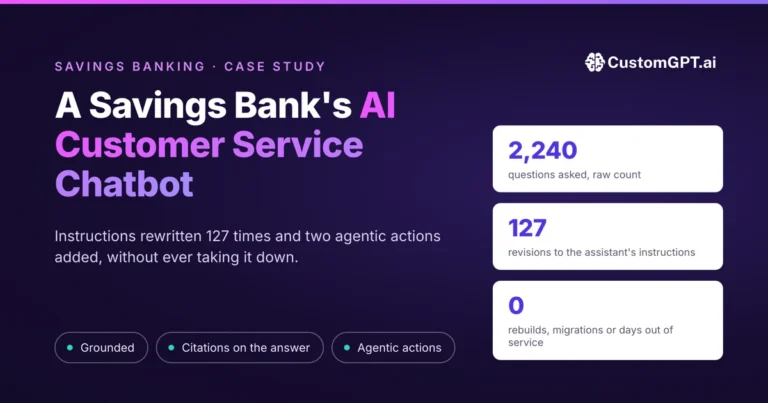
Related customer story: How a Community Bank Handled 15,013 Customer Questions With Zero Support Tickets in Two Years
Frequently Asked Questions
Can a finance chatbot use more than just plain text during setup?
A finance chatbot setup starts by defining goals, gathering custom data, training, and deployment. The provided material does not specify exact media-type limits, so the safest approach is to include clear, goal-relevant financial content and validate outputs against your intended use cases before launch.
Does the system only use the first part of a financial document when answering?
No fixed ‘first section only’ limit is described. The setup process focuses on training with your custom data, so you should include complete sections that users actually ask about, such as policies, planning information, and educational material.
How should website financial content be loaded and kept up to date for a chatbot?
The described process is to gather your custom data, train the chatbot, and deploy it into your website or workflow. Practically, that means updating the chatbot’s data whenever your financial content changes, then rechecking key user questions after updates.
How do you reduce unsupported answers in a finance chatbot?
Start by clearly defining the chatbot’s scope and tasks, then train it on the financial content that matches that scope. Narrow, well-defined goals generally reduce off-target answers compared with broad, undefined bot behavior.
We already have a support bot. How is a finance content chatbot different?
A support bot usually focuses on customer-help interactions, while a finance content chatbot can also support market analysis, financial planning, and educational financial content delivery. If you need both operational support and deeper finance knowledge access, separating responsibilities can improve clarity for users.
Can I build a goal-setting finance assistant and embed it on my site?
Yes. The documented workflow includes defining objectives, training on your custom financial data, and deploying the chatbot into your website or workflow. Goal-setting use cases fit under financial planning and educational content delivery when those objectives are defined up front.
Related Resources
These guides explore adjacent ways CustomGPT.ai can improve customer-facing content, support, and industry-specific workflows.
- Product Marketing Q&A — See how CustomGPT.ai helps marketing teams deliver faster, more accurate answers across product messaging and enablement.
- E-Commerce Personalization — Learn how CustomGPT.ai powers tailored shopping experiences that improve engagement, discovery, and conversions.
- Technical Support Docs — This guide explains how CustomGPT.ai can streamline support workflows and make complex documentation easier for users to navigate.
- Insurance AI Solutions — Explore how CustomGPT.ai supports insurance use cases with retrieval-augmented AI for policy information, service, and internal knowledge access.