Implementing RAG: A Step-by-Step Guide to Retrieval-Augmented Generation
TL;DR: Direct Answer
Implementing RAG means building an AI system that retrieves relevant information from trusted sources before generating an answer. A production RAG implementation usually includes source content, ingestion, chunking, embeddings, indexing, retrieval, reranking, prompt assembly, citations, evaluation, monitoring, and access controls. The goal is to make AI answers more accurate, current, source-grounded, and auditable.
Before implementing the generation layer, use this RAG vs semantic search overview to confirm that users need synthesized answers rather than ranked passages.
For regulated finance use cases, see the RAG for financial services guide.
Before implementing your retrieval pipeline, it helps to choose the right library or platform. Use this developer guide to open source RAG frameworks to compare the options.
Before indexing content, use a chunking strategy for RAG implementation so documents are split in ways that preserve context for retrieval.
RAG is used when generic LLMs are not enough. Businesses need AI answers from their own documents, websites, help centers, PDFs, policies, and internal knowledge. A good RAG implementation improves accuracy and trust. A weak one can still hallucinate if retrieval is poor, which is why implementation quality matters as much as the idea.
This page is part of our RAG technical series. For the broader foundation, start with the complete guide to retrieval-augmented generation. For the concept-level mechanics behind the build steps, read how RAG works in generative AI systems.
For the retrieval-quality layer that sits after first-pass search, see our guide to RAG reranking techniques.
What Is RAG?
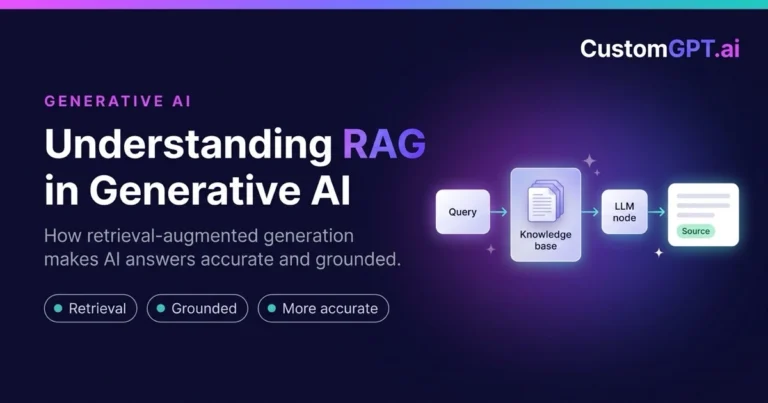
RAG (retrieval-augmented generation) is an AI architecture that retrieves relevant information from a trusted knowledge base before generating an answer. It pairs the language ability of an LLM with a retrieval step that supplies real evidence at answer time.
The basic flow is straightforward:
- A user asks a question.
- The system searches trusted content.
- Relevant passages are retrieved.
- The LLM receives the retrieved context.
- The LLM generates a grounded answer.
- The answer includes citations or source references.
In this flow, retrieval finds the supporting passages, generation produces the answer from them, and the result is source-grounded AI, meaning answers are tied to real content rather than model memory. See the RAG architecture guide and custom RAG for the foundations.
Why Implement RAG?
Teams implement RAG when they need AI answers grounded in trusted, current, private, or domain-specific information. For login-only or paywalled sources, start with the CustomGPT.ai private content guide before choosing an ingestion path.
Generic LLMs may not know private company data, may use outdated information, and can hallucinate when evidence is missing. They often cannot cite internal sources, and enterprises need auditability and governance. RAG connects generative AI to business-owned knowledge, so answers reflect your content rather than the open web.
| Business Need | How RAG Helps |
|---|---|
| Private company knowledge | Retrieves answers from your own connected content |
| Current answers | Pulls from a knowledge base you keep up to date |
| Source citations | Shows the sources behind each answer |
| Hallucination reduction | Grounds answers in evidence and refuses without it |
| Auditability | Logs which passages were used for review |
| Knowledge reuse | One knowledge base serves many assistants |
| Customer support automation | Answers from official help content at scale |
| Internal knowledge access | Gives staff consistent answers from approved docs |
RAG Implementation Architecture
A production RAG system is a pipeline, not a single call. The main layers run from source content through ingestion, cleaning and normalization, chunking, embeddings, a keyword index, a vector index, the retriever, hybrid search, reranking, prompt assembly, LLM generation, a citation layer, an evaluation layer, a monitoring layer, and access controls. Each layer sets the ceiling for the next.
| RAG Component | What It Does | Why It Matters |
|---|---|---|
| Source content | The approved documents the system answers from | Answer quality can’t exceed source quality |
| Content ingestion | Imports content into the system | Determines what knowledge is available |
| Cleaning and normalization | Removes noise and standardizes content | Cleaner input yields better retrieval |
| Chunking | Splits documents into retrievable passages | Right-sized chunks improve accuracy |
| Embeddings | Converts passages into searchable vectors | Enables meaning-based semantic search |
| Keyword index | Supports exact-term lexical search | Catches names, codes, and precise phrases |
| Vector index | Supports semantic similarity search | Catches intent and paraphrases |
| Retriever | Finds the most relevant passages | Sets the ceiling for answer quality |
| Hybrid search | Combines keyword and vector retrieval | Handles both exact and semantic queries |
| Reranking | Reorders candidates by relevance | Pushes the best evidence to the top |
| Prompt assembly | Combines context with instructions | Frames what the model answers from |
| LLM generation | Produces the grounded answer | Turns evidence into a usable response |
| Citation layer | Shows the sources used | Makes answers verifiable |
| Evaluation layer | Tests accuracy and refusal behavior | Catches regressions before users do |
| Monitoring layer | Tracks queries and failures | Keeps quality visible in production |
| Access controls | Limits who can see what content | Keeps answers within permissions |
For a deeper breakdown, see the components of a RAG system. Vendor references from IBM, AWS, and Google Vertex AI describe the same core pattern.
Want to implement RAG without building the full retrieval stack from scratch?
CustomGPT.ai helps teams create source-grounded AI assistants using their own content. Start with CustomGPT.ai.
How to Implement RAG: 12-Step Process
This is a practical build sequence. Each step improves a specific part of RAG quality.
Step 1: Define the RAG use case
Decide what user problem RAG should solve, who will use it, what questions it should answer, and what it should refuse, then tie it to a business outcome. Common use cases include customer support, an internal knowledge assistant, a compliance assistant, a technical documentation chatbot, a sales enablement assistant, and a member knowledge assistant. A narrow, well-defined scope is more reliable than a broad one.
Step 2: Identify trusted source content
RAG quality starts with source quality. Sources may include website pages, help center articles, PDFs, product documentation, internal wikis, policy documents, training materials, knowledge bases, support articles, compliance documents, and research archives. Choose content that is accurate, current, and approved.
Step 3: Clean and prepare the knowledge base
Remove outdated content, deduplicate repeated documents, and resolve conflicting information. Standardize titles and metadata, keep source ownership clear, and create an update workflow. This step is unglamorous but it directly determines answer quality.
Step 4: Ingest content into the RAG system
Ingestion converts source content into a form the retrieval system can use. It covers web crawling, file upload, connector-based ingestion, document parsing, metadata extraction, and permission mapping. Getting metadata and permissions right here pays off later in filtering and access control.
Step 5: Chunk documents correctly
Chunking splits large documents into smaller passages that can be retrieved and passed to the LLM. Chunks should be large enough to preserve context and small enough to retrieve precisely. Bad chunking causes weak answers, and the right strategy depends on the content type. See chunking strategies for PDF documents in RAG systems.
Step 6: Create embeddings and indexes
An embedding converts text into a vector so the system can search by meaning, while a keyword index supports exact-match search. Many production systems use both. If you are deciding where those vectors should live, compare tradeoffs in the where those vectors should live. Metadata filters help narrow retrieval by source, date, role, or content type, which improves precision and enforces access rules.
Step 7: Configure retrieval
Retrieval is the most important part of RAG quality, because the system must find the passages that actually contain the answer. Use hybrid search where exact terms and semantic meaning both matter, so precise strings and natural-language questions are both handled. See hybrid keyword and vector search.
Step 8: Add reranking
Reranking improves the order of retrieved passages before they are sent to the LLM, helping the best evidence rise to the top. It is especially useful when initial retrieval returns many similar passages and you need the most relevant ones in the limited prompt space.
Step 9: Assemble the prompt with retrieved context
The prompt should include instructions, retrieved passages, source metadata, and refusal rules. The LLM should answer from retrieved evidence, not from unsupported model memory. Refusal behavior means the system says it does not know when the sources do not support an answer, which is essential for trust.
Step 10: Generate answers with citations
A citation shows which sources supported the answer. Citations help users verify claims and help teams audit retrieval quality. They are essential for trust in support, compliance, legal, education, government, and technical documentation use cases. See enhancing AI trust through RAG.
Step 11: Evaluate RAG quality
RAG evaluation uses real user questions to measure quality before and after launch. Test exact-match questions, vague questions, long questions, technical questions, and questions that should be refused. Measure accuracy, retrieval quality, citation quality, hallucination rate, refusal behavior, and user satisfaction.
Step 12: Monitor and improve continuously
RAG is not a one-time setup. Track failed queries, identify missing content, and update outdated sources. Improve chunking and retrieval, review unsupported answers, and use feedback loops to improve the knowledge base. Most gains after launch come from fixing content and retrieval, not from swapping models.
RAG Implementation Checklist
Use this checklist to keep an implementation on track:
- Defined use case
- Defined user audience
- Defined refusal conditions
- Identified trusted sources
- Cleaned outdated content
- Added metadata
- Configured ingestion
- Selected chunking strategy
- Built keyword index
- Built vector index
- Configured hybrid retrieval
- Added reranking where needed
- Added prompt instructions
- Enabled citations
- Added access controls
- Created eval set
- Monitored failed queries
- Created content update process
RAG Implementation Options
There are several ways to implement RAG, trading control for speed. Building from scratch gives more control but requires engineering work across ingestion, chunking, embeddings, retrieval, citations, evals, monitoring, access controls, security, and maintenance. For a deeper treatment, see build vs buy RAG systems.
| Implementation Option | Best For | Main Challenge |
|---|---|---|
| Build from raw LLM API | Full control of every layer | You build retrieval, citations, and evals yourself |
| Open-source RAG framework | Developers maintaining pipelines | Framework churn and glue-code complexity |
| Custom RAG stack | Specialized retrieval needs | Ongoing tuning, security, and upkeep |
| Managed RAG platform | Speed with some flexibility | Less low-level control of internals |
| CustomGPT.ai | Grounded AI on owned content fast | Least infrastructure to build and maintain |
CustomGPT.ai is best for teams that want to build a RAG chatbot without coding over their own business content and avoid managing the full infrastructure stack.
Before building a full RAG stack from scratch
Test your use case in CustomGPT.ai with your own content. Try it now.
Common RAG Implementation Mistakes
Most failed RAG projects share the same causes. The table below pairs each mistake with why it hurts quality.
| Mistake | Why It Hurts RAG Quality |
|---|---|
| Treating RAG as just vector search | Misses exact terms that keyword search would catch |
| Using outdated source content | Grounds answers in wrong or stale information |
| Poor chunking | Splits context so the right passage never surfaces |
| No metadata strategy | Prevents filtering and precise retrieval |
| No hybrid search | Loses either exact-term or semantic matches |
| No citations | Hides wrong answers and blocks verification |
| No refusal behavior | Lets the model answer without evidence |
| No access controls | Risks exposing content users should not see |
| No eval set | Leaves quality unmeasured and regressions hidden |
| No monitoring | Lets failures go unnoticed in production |
| Overloading the LLM with too much context | Dilutes the answer and raises cost |
| Ignoring failed queries | Wastes the best source of improvement |
| Assuming the model will fix bad retrieval | A strong model cannot rescue wrong context |
| No content freshness workflow | Answers drift out of date over time |
How RAG Reduces Hallucinations
Answer: RAG reduces hallucinations by giving the LLM relevant evidence before it generates an answer and by requiring the system to refuse when retrieved sources do not support the answer.
Hallucinations often happen when the model fills information gaps. RAG narrows the answer space by giving the model relevant passages to work from, so it has less reason to invent. Good retrieval gives the model better evidence, citations help users verify the answer, and refusal behavior prevents unsupported claims. CustomGPT.ai applies these controls through its anti-hallucination AI, and the CustomGPT.ai Claude Benchmark shows how a retrieval layer changes accuracy and completion at scale.
RAG With Private Business Data
RAG is especially useful for private business data because the model does not need to know the information in advance. The system retrieves relevant content at answer time, which lets companies use AI over private content without relying only on model training data.
That private content can include documents, websites, help centers, PDFs, internal knowledge bases, policies, product documentation, compliance content, sales materials, and training content. Because the knowledge stays in a governed store and answers are grounded in it, teams keep ownership and control while still getting current, cited answers.
Enterprise Use Cases for RAG Implementation
Across these use cases, generic LLMs fall short because they cannot see private, current content, and RAG closes that gap.
Customer support
Users ask how to use a product or resolve an issue. The system should retrieve from help docs and policies. A generic LLM does not know your support content, so RAG grounds replies in official material. CustomGPT.ai can power an AI chatbot for customer support with citations.
Internal knowledge management
Employees ask where a policy lives or how a process works. The system should retrieve from wikis and internal docs. RAG keeps answers consistent with official material, and CustomGPT.ai supports secure knowledge access over connected content.
Sales enablement
Reps ask for product facts and pricing rules. The system should retrieve from approved sales content. Generic LLMs risk repeating outdated claims, so RAG keeps answers aligned to current material.
Compliance assistant
Users ask what a regulation requires. The system should retrieve from compliance documentation. RAG ties answers to approved sources and logs what was used. See AI for compliance.
Legal services
Users ask about intake steps or document details. The system should retrieve from vetted legal content. RAG grounds answers in approved material for high-stakes accuracy. See the AI chatbot for legal services.
Healthcare content
Users ask about procedures or approved guidance. The system should retrieve from vetted content. RAG limits answers to approved sources and supports refusal when evidence is thin.
Financial services
Users ask about products, rules, or account processes. The system should retrieve from current financial documentation. RAG keeps answers current and auditable.
Government services
Residents ask how to access services. The system should retrieve from official public content. RAG restricts answers to authoritative sources and shows citations.
Education
Students ask about coursework and policies. The system should retrieve from curriculum and approved content. RAG keeps answers aligned to the syllabus. See the AI chatbot for education.
Associations and member knowledge
Members ask about benefits and proprietary resources. The system should retrieve from association content. RAG grounds answers in member material. See CustomGPT.ai for associations.
Technical documentation
Developers ask how an API or feature works. The system should retrieve from versioned docs. RAG matches the right version and cites it.
Research assistants
Users ask questions across a document corpus. The system should retrieve from the research library with attribution. RAG grounds answers and shows sources.
AI agents with tools
Agents retrieve context before answering or acting. RAG is the grounding layer that keeps agent actions tied to trusted context. See the chatbot vs AI agent vs private RAG comparison.
Real-World Examples: RAG-Style Knowledge Retrieval in Practice
These examples show why source-grounded retrieval improves AI usefulness and trust. Each organization grounded its AI in its own content. The metrics are published by CustomGPT.ai, and retrieval is one contributing factor among content quality, workflow design, and team effort. These case studies illustrate source-grounded knowledge retrieval and are not presented as specific technical RAG-implementation case studies.
BQE Software: customer support knowledge
BQE Software provides cloud business-management software for architecture, engineering, and professional-services firms, and its support team needed answers drawn from official help content. By grounding a support assistant in its help center and product documentation with citations, BQE kept answers tied to approved content rather than generic model memory. BQE reports an 86% AI resolution rate across 180,000 support questions, with AI handling 64% of help center queries. This shows why RAG-style knowledge retrieval matters for support teams that need fast answers from official content. See the BQE Software customer support case study.
Ontop: sales and legal knowledge
Ontop, a global payroll company, needed its sales team to get fast answers on international compliance, payroll, and EOR rules without routing every question to legal. The team built a Slack assistant grounded in its internal documentation, with a citation on every response. Ontop reports 130 legal-team hours saved per month, response time cut from about 20 minutes to about 20 seconds, and more than 400 complex queries answered monthly. This shows why internal knowledge retrieval matters when teams need approved answers quickly. See the Ontop sales enablement case study.
GEMA: association and member knowledge
GEMA, one of the world’s largest music-rights collecting societies, needed to serve members, customers, and employees across a large body of proprietary licensing content. GEMA grounded its AI in its own knowledge base, treating it as knowledge infrastructure. GEMA reports more than 248,000 queries resolved, over 6,000 working hours saved, an 88% success rate, and €182K to €211K in cost avoidance. This supports the value of RAG for organizations with proprietary member knowledge that staff and members must access. See the GEMA association AI case study.
Overture Partners: recruiting and onboarding knowledge
Overture Partners, a Boston-based IT staffing firm, needed employees to find accurate answers across a large set of internal documents. The team deployed a no-code knowledge assistant grounded in its own material rather than model memory. Overture Partners reports onboarding time cut from 13 weeks to as few as 2 weeks, more than 400 documents centralized into one searchable system, and over 200 employees given instant access. This shows why accurate retrieval across large internal document sets matters. See the Overture Partners recruiting AI case study.
Across all four, the pattern is the same. Source-grounded retrieval improves AI usefulness and trust because answers stay tied to content the organization controls.
How to Evaluate a RAG Implementation
Evaluate a RAG implementation on both retrieval and the answers it produces, using real user queries. The metrics below turn quality from a guess into a measurement.
| Metric | What to Measure |
|---|---|
| Answer accuracy | Whether answers match the trusted source content |
| Retrieval precision | Share of retrieved passages that are relevant |
| Retrieval recall | Share of relevant passages that were retrieved |
| Top-k accuracy | Whether the answer passage is in the top results |
| Citation accuracy | Whether cited sources actually support the answer |
| Unsupported answer rate | How often it answers without adequate evidence |
| Hallucination rate | How often answers include unsupported claims |
| Refusal quality | Whether it declines correctly when evidence is missing |
| User satisfaction | Whether users rate answers as helpful and correct |
| Resolution rate | Whether the system fully resolves the user’s need |
| Escalation rate | How often cases correctly hand off to a human |
| Latency | Whether responses arrive within acceptable limits |
| Cost per answer | Whether per-answer cost fits the budget at volume |
| Failed query rate | How often retrieval returns nothing useful |
| Source freshness | Whether the knowledge base reflects current content |
Use real user queries, test different query types, and compare retrieval results against expected sources. Review citation quality, track failed answers, and update the knowledge base based on failures.
RAG Implementation for AI Agents
RAG is the grounding layer for AI agents. Agents need trusted context before they answer or act, and if they use tools, RAG helps ensure actions are based on retrieved evidence rather than assumption. RAG-powered agents should have tool permissions, citations, human approval gates, monitoring, and refusal behavior, so both answers and actions stay tied to trusted content.
For the build-side view, see how to develop an LLM-based AI agent, and for connecting tools at scale, see hosted MCP servers for RAG-powered agents.
How CustomGPT.ai Helps Teams Implement RAG
CustomGPT.ai is a source-grounded AI platform for building assistants trained on your own content. It supports websites, documents, help centers, PDFs, knowledge bases, and business data, produces source-cited answers, and helps reduce unsupported answers. It fits customer support, internal knowledge, compliance, legal, education, associations, technical docs, and research, and it is generally faster than building the full RAG implementation stack from scratch.
Instead of building ingestion, retrieval, citation, and deployment infrastructure manually, teams can use CustomGPT.ai to create source-grounded AI assistants over approved business content. The shift from raw model output to grounded, cited answers is the same one covered in how RAG enhances generative AI. Security posture matters for enterprise buyers too, which is why CustomGPT.ai maintains its SOC 2 Type 2 AI platform certification.
Final Checklist: Implementing RAG
Use this final checklist before going live:
- Define use case
- Identify source content
- Clean knowledge base
- Choose ingestion method
- Set chunking strategy
- Configure retrieval
- Use hybrid search where needed
- Add reranking where useful
- Assemble prompt with retrieved context
- Require citations
- Add refusal behavior
- Add access controls
- Create eval set
- Monitor failed answers
- Update source content continuously
- Choose a build vs buy path
- Test with real users
Conclusion
Implementing RAG well means building more than a retrieval demo. A reliable RAG system needs trusted source content, strong retrieval, citations, refusal behavior, evaluation, monitoring, and continuous content improvement.
For enterprise teams, RAG is one of the most practical ways to make generative AI accurate, current, auditable, and useful with private business knowledge. Governance frameworks like the NIST AI Risk Management Framework reinforce the same emphasis on traceability and accountability.
Build a source-grounded AI assistant
Use CustomGPT.ai to build an assistant on your own documents, website content, and knowledge base. Get started with CustomGPT.ai.
After the RAG pipeline works, compliance teams can use it to automate compliance evidence with citations instead of rebuilding answers manually for every audit.
Before taking a prototype live, compare your implementation plan with this guide to building production RAG pipelines.
Frequently Asked QuestionsWhat is RAG?
RAG, or retrieval-augmented generation, is an AI architecture that retrieves relevant information from a trusted knowledge base before generating an answer. Instead of relying only on model memory, the system finds supporting passages first, then answers from them and can cite the sources. This grounding is what lets a RAG system produce answers a reader can verify.
How do you implement RAG?
Implement RAG by defining the use case, identifying and cleaning trusted source content, and ingesting it. Chunk the documents, create embeddings and indexes, and configure retrieval, ideally hybrid search with reranking. Assemble prompts with retrieved context and refusal rules, generate answers with citations, then evaluate with real questions and monitor and improve the knowledge base continuously.
What are the main steps in RAG implementation?
The main steps are defining the use case, identifying trusted sources, cleaning the knowledge base, ingesting content, chunking, creating embeddings and indexes, configuring retrieval, adding reranking, assembling the prompt, generating cited answers, evaluating quality, and monitoring for continuous improvement. Skipping steps like evaluation, citations, or refusal behavior is what turns a demo into an unreliable system.
What data do you need to implement RAG?
You need trusted, current, approved content: website pages, help center articles, PDFs, product documentation, internal wikis, policies, training materials, knowledge bases, support articles, compliance documents, or research archives. Quality and freshness matter more than volume, because RAG answers can only be as good as the source content the system retrieves from.
What is the best architecture for RAG?
A reliable RAG architecture ingests and cleans source content, chunks it, builds keyword and vector indexes, retrieves with hybrid search, reranks results, assembles a prompt with retrieved context and refusal rules, generates a cited answer, and logs everything for evaluation and monitoring. Prioritize retrieval quality and citations over complexity, since retrieval sets the ceiling on accuracy.
Does RAG reduce hallucinations?
RAG reduces hallucinations but does not eliminate them entirely. By giving the model retrieved evidence before it answers and refusing when sources do not support a claim, it removes the most common cause of invented answers. Retrieval quality still matters, since wrong passages cause errors, and citations help reviewers catch the hallucinations that remain.
Why does retrieval quality matter in RAG?
RAG generates answers from retrieved context, so if retrieval returns the wrong passages, even a strong model produces weak or unsupported answers. Retrieval quality determines whether the evidence needed to answer is actually present before generation. That makes retrieval, not model choice, the biggest lever for RAG accuracy, citation quality, and hallucination reduction.
What is chunking in RAG?
Chunking splits large documents into smaller passages that can be retrieved and passed to the LLM. Chunks should be large enough to preserve context and small enough to retrieve precisely. Poor chunking causes weak answers because the relevant passage may be split or buried. The best strategy depends on the content type and structure.
What is hybrid search in RAG?
Hybrid search combines keyword retrieval and vector retrieval, then merges or reranks the results. Keyword search finds exact terms, names, and codes, while vector search finds meaning and intent. Combining them retrieves more relevant passages than either alone, which improves RAG accuracy for the mix of literal and natural-language queries real users ask.
How do you evaluate a RAG implementation?
Use real user queries and measure answer accuracy, retrieval precision and recall, top-k accuracy, and citation accuracy, plus unsupported answer rate, hallucination rate, and refusal quality. Track user satisfaction, resolution rate, latency, and failed query rate. Test different query types, compare retrieval against expected sources, and update the knowledge base based on failures.
Should companies build or buy a RAG system?
Build when you need full control and have engineering resources for ingestion, chunking, embeddings, retrieval, citations, evals, monitoring, access controls, and security. Buy or use a managed platform when speed and lower maintenance matter more. Many teams start on a platform like CustomGPT.ai to validate the use case before deciding whether custom infrastructure is worth it.
How does CustomGPT.ai help teams implement RAG?
CustomGPT.ai builds source-grounded AI assistants trained on your own website, documents, help center, PDFs, and knowledge base, producing source-cited answers. Instead of building ingestion, retrieval, citation, and deployment infrastructure manually, teams configure an assistant over approved content. It supports support, internal knowledge, compliance, education, legal, association, and research use cases, faster than building the full stack.