

CustomGPT.ai Context Awareness
Context-aware chatbots for helpful AI answers
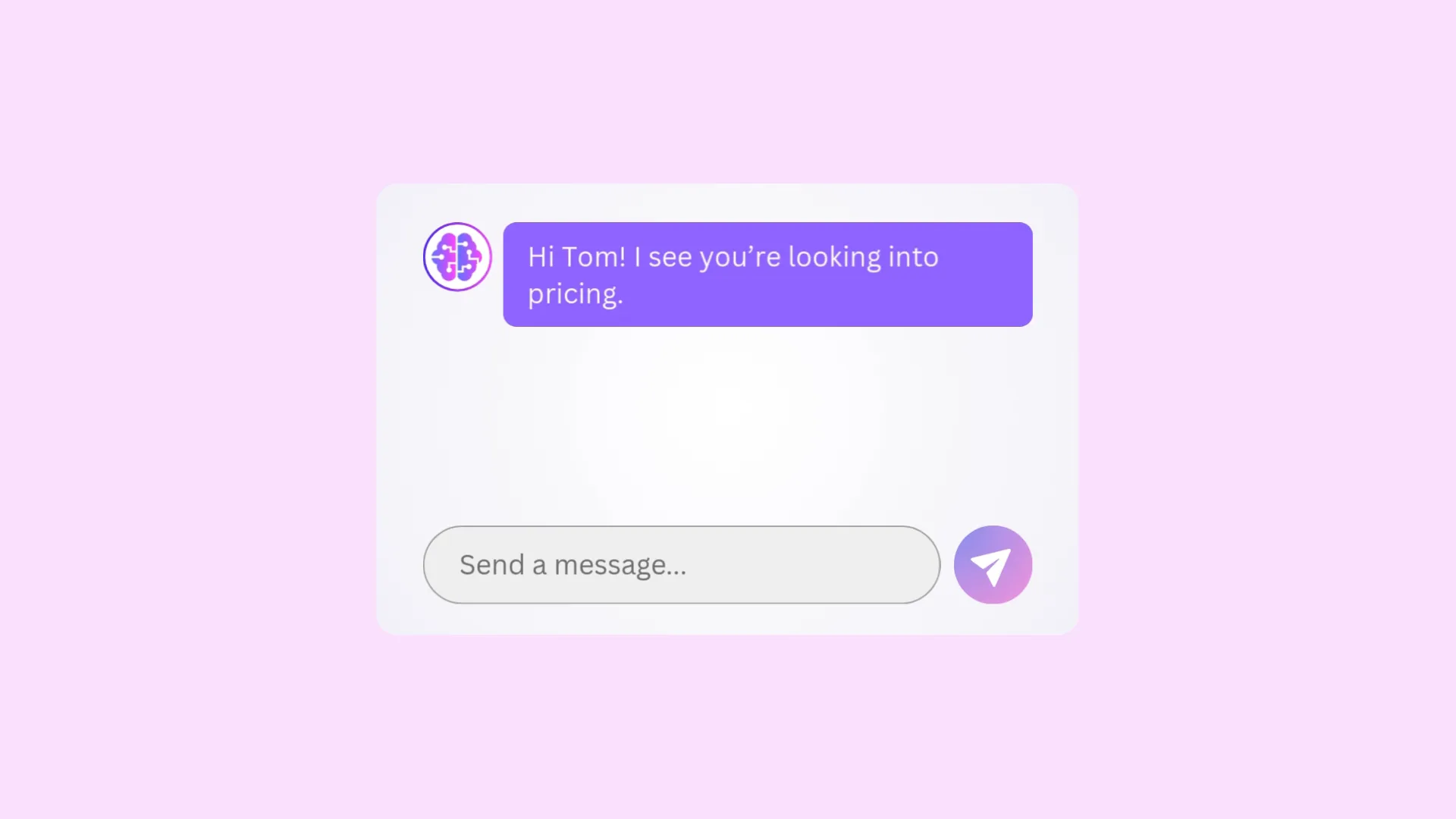
Drive sales, marketing, and support goals with relevant, helpful answers from chatbots that “just know” your page, user, and info.
Trusted by teams at 10,000+ organizations










Why context-awareness matters
Users expect instant, accurate help from chatbots that “just know” about them and their journey. If not, they lose patience, fueling churn, manual tickets, and low conversions.
Context-aware chatbots use your web pages and data to anticipate intent and deliver relevant, helpful answers the first time.
The numbers: context-aware AI agents
- 17x
- CTA clicks vs standard chatbots
- 93%
- tickets deflected, no human
Business impact
Business impact of context-aware AI chatbots
-
Sales teams
- Auto-pre-qualify
- Route high-intent leads
- Auto-handle objections
-
Marketing teams
- Convert more visitors
- Tailor messaging and CTAs
- Lower CPL on same spend
-
Support teams
- Higher first-contact resolution
- Deflect repetitive tickets
- Shorter handle time (AHT)
Core features
Core features of context awareness
-
Website awareness
Reads and understands the exact page the visitor is on and answers with on-page specifics.
-
Custom context
Personalizes interactions with user-specific details pulled from your data.
-
Meta awareness
Knows its purpose as a chatbot, so questions like “What can you do?” turn into fruitful conversations, not dead-ends.
-
Business expertise
Knows your business inside and out — and answers with industry-leading accuracy. No made-up facts.
Why organizations choose CustomGPT.ai








Enterprise-grade data security

Data Use & Responsibility
Trusted answers
Answers you trust
-
Accuracy
Third-party verified #1 for anti-hallucination technology, beating out major players like OpenAI and Google.
-
Citations
Every response has a link directly to its source.
Plans & pricing
Build context-aware chatbots on any CustomGPT.ai plan
Standard has meta awareness. Premium and Enterprise plans provide all levels of awareness.
Frequently asked questions
What practical problem does “Context Awareness” solve that today’s agents cannot?
Traditional bots rely only on a static knowledge base, so they fall back on generic answers. Our Context‑Aware Agents read the page the visitor is viewing in real time and can accept per‑message facts (order status, user name, etc.). That live context lets them anticipate intent and deliver highly specific, helpful responses—the opposite of “one‑size‑fits‑all” support.
Are these features aimed at support, sales, internal knowledge workers, or all of the above?
All of the above—and more. Any workflow in which understanding what the user is doing right now improves guidance (onboarding, ecommerce, documentation portals, employee help‑desks, etc.) benefits immediately.
How does this differ from simply adding more documents to the knowledge base?
Adding files is retrospective; Context Awareness is prospective and session‑specific. You can’t upload a document that describes the exact paragraph a visitor is reading or the shopping cart they just updated—but the agent can capture that context on the fly and reason over it.
Can I opt in to just one component (e.g., Website Awareness) without enabling the others?
Yes. Website Awareness, Custom Context, and Meta Awareness are independent toggles. Turn on only what fits your use‑case or compliance posture.
Which parts of my site are surfaced to the agent—static HTML, dynamic content, single‑page‑app state, or all?
We crawl the rendered DOM of the page on which the agent sits—up to the first 500 words. Content that requires authentication or client‑side state beyond the public DOM is not captured.
Does it respect cookie banners, private pages behind authentication, or user‑specific personalization?
Absolutely. If content is gated behind login, cookies, or personalization tokens, it is not crawled; only publicly accessible markup is ingested.
Will Website Awareness increase latency, and if so, by how much?
Only on the very first request for a new page, while the cache warms. After that, responses are served at normal speed.
Will Website Awareness increase token usage, and if so, by how much?
Yes. Each response that uses page context is billed as the equivalent of two standard agent queries.
What content is actually crawled?
The first 500 words of visible text on the page, excluding hidden elements and script tags.
How many pages per agent can I have?
Up to 1 000 unique URLs per agent are cached simultaneously.
How do I programmatically pass per‑message context—REST, JS SDK, server‑side tag?
Insert your JSON payload into the agent’s embed code as shown in our developer guide (link). REST and server‑side helpers are also available.
Is there a character limit for each injected snippet?
Yes—final value TBA. We’ll publish it in the docs before GA.
What happens if injected context conflicts with the Agent Persona or knowledge base?
The model weighs all inputs and uses best judgement, similar to how it resolves conflicting paragraphs in any prompt. In practice, the most specific, recent detail usually wins.
What types of “meta” questions are supported out of the box?
Anything that asks about the bot—e.g. “What do you know?”, “Where do you get your answers?”, “When was your data last updated?”. The agent detects such intent automatically.
Can I customize or localize the meta responses (“I know about X, Y, Z…”)
Yes. Use the existing Agent Persona field to override tone, language, or disclosure level.
How does the agent decide which knowledge domains it “advertises” if my KB is huge?
If the list of sources exceeds the token budget, the agent selects a representative subset and answers with wording like “including documents such as A, B, C …”.
Is there a risk of disclosing confidential sources when answering meta questions?
No greater than with any other answer. If you prefer zero disclosure, simply disable Meta Awareness in settings.
How is on‑page data processed—client‑side only, streamed to your servers, or cached?
We use a certified third‑party crawler that fetches the public page, caches the text, and passes it to the model. No processing occurs in the visitor’s browser.
Do you store injected custom context, and for how long?
Yes, encrypted at rest, for 30 days to support troubleshooting and analytics, then automatically purged.
What is the expected impact on average response time compared to a vanilla agent?
After the first cached request, there is no additional latency.
How do you handle failure modes—for example, if the website DOM fails to load or an injected context call times out?
The agent falls back to the site’s home‑page cache. If that is unavailable, it proceeds without page context rather than erroring out.
Do you provide monitoring hooks or dashboards for context‑usage metrics?
Yes. The Actions tab shows queries, token counts, and whether page or custom context was used.
Which subscription tiers include Context Awareness?
Premium → Website Awareness + Custom Context Standard → Meta Awareness Enterprise plans inherit Premium features plus dedicated SLAs.
Are there overage fees if website context dramatically increases prompt size?
No. Token usage is already accounted for in the “2 × query” pricing noted above.
How do I test the feature in a staging environment before enabling it in production?
Duplicate your production agent, enable the new toggles in the clone, and embed it on a staging URL. No redeployment of production code is required until you’re satisfied.
Does enabling Context Awareness require redeploying existing embed code?
No. All configuration lives in the agent settings dashboard.
Can I chain multiple pages’ contexts (e.g., cart + checkout) into a single conversation?
Yes—pass additional page‑specific facts via Custom Context as the user advances.
Is there an API to fetch the agent’s current “working context” from my backend?
Not yet. It’s on our roadmap and will expose the resolved prompt for observability.
How can I verify that Website Awareness is actually active in real time?
Ask the agent a question that only content on the current page can answer; its response should reference that information verbatim or paraphrased.