

Lead Capture:
Turn conversations into customers
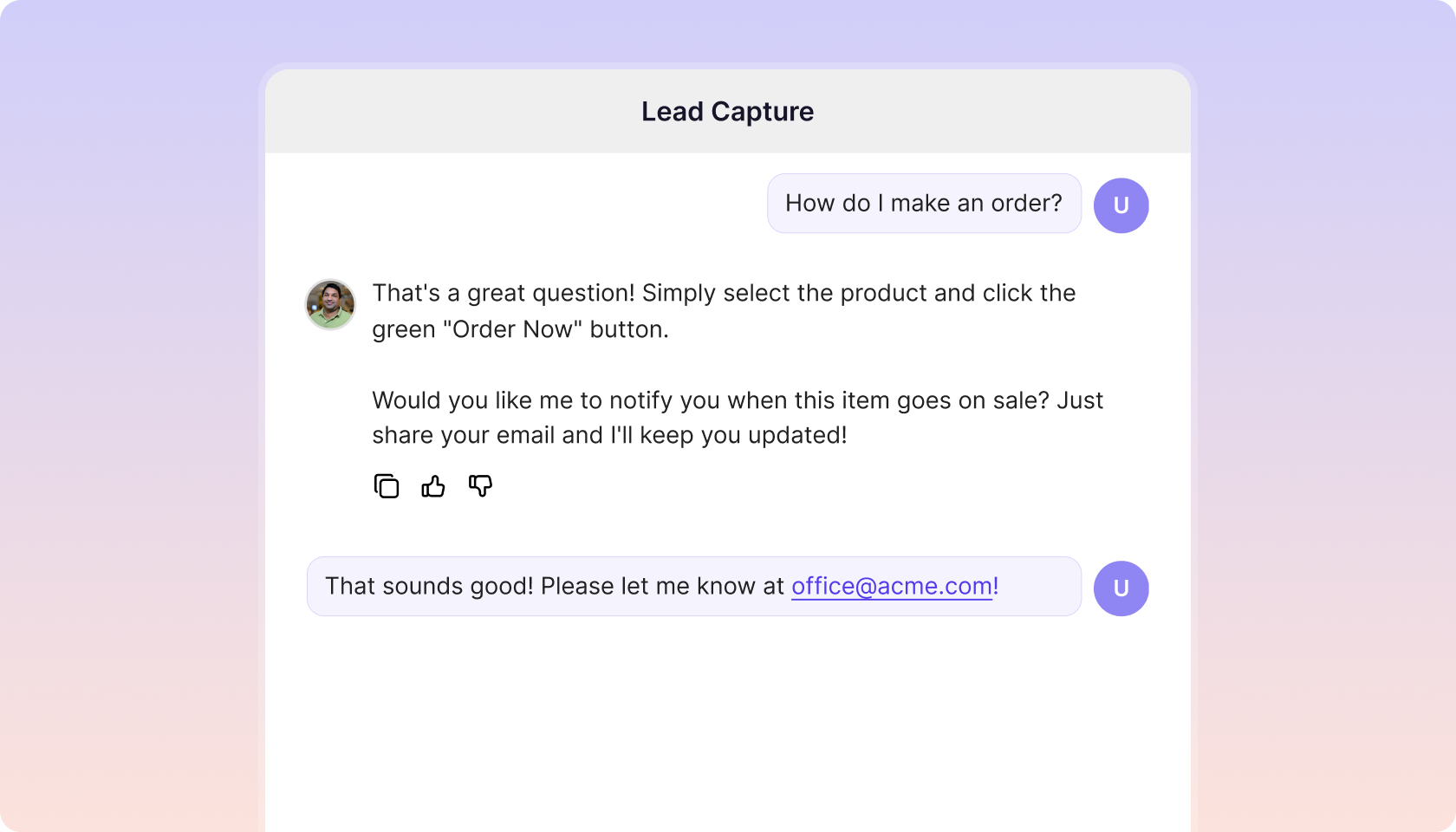
Capture qualified leads naturally through your AI chat agent — without disrupting the user experience.
Trusted by teams at 10,000+ organizations










Intro
Intro to Lead Capture
Why Lead Capture matters
Most chatbots stop at answering questions — they never capture who’s asking. That means lost leads, manual follow-ups, and missed opportunities. Lead Capture gathers names, emails, roles, and companies directly in conversation, turning every chat into a potential deal — automatically, with no friction. Just qualified leads, ready for action.
From conversation to conversion
-
Capture qualified leads instantly
Names, companies, roles, and more.
-
Send to your CRM automatically
Via CSV export or Zapier.
-
Recognize returning visitors
And update their profiles seamlessly.
-
Understand buyer intent
To qualify prospects in real time.
Business impact
Business impact of Lead Capture
-
Marketing Teams
- Convert inbound chats into high-intent leads.
- Eliminate form drop-offs and manual tracking.
- Deliver enriched contact data directly to CRM and automation tools.
-
Sales Teams
- Receive verified leads instantly with full context.
- Accelerate outreach and close deals faster.
- Spend less time chasing, more time selling.
-
Customer Success Teams
- Identify returning users automatically.
- Personalize interactions with real customer data.
- Reduce manual note-taking and data entry.
Core features
Core features of Lead Capture
-
Conversational capture
Collect contact details naturally during chat.
-
Automatic customer profile updates
Detects returning users and refreshes data seamlessly.
-
CRM integration
Pump leads to your CRM via Zapier, API, or CSV export.
-
Attribution tracking
Save UTM and referral tags automatically with each lead.
-
Context awareness
Capture both identity and intent for richer qualification.
Why organizations choose CustomGPT.ai








Enterprise-grade data security


Data Use & Responsibility
Trusted answers
Accuracy and reliability
-
Captured securely
Details are collected seamlessly and securely.
-
Built for results
Built for real business results — not just answers.
Plans & pricing
Lead Capture is available on Premium and Enterprise plans
Frequently asked questions
What is the Lead Capture Agent and when should I use it?
The Lead Capture Agent is a new agentic action that asks visitors for their contact details—primarily name and email—directly within the chat. Use it whenever you want to turn engaged conversations into qualified contacts without breaking the conversational flow.
How do I activate the Lead Capture Agent “agentic action” in my project?
Open your project’s Actions page and enable Lead Capture agentic action. That’s it—no additional setup required.
Can the agent ask for contact details before a chat starts (pre‑chat form) vs. during/after the conversation?
Lead capture is always performed inside the conversation in a natural, conversational manner. Pre‑chat gating is not supported at this time.
What user details does it try to collect by default?
By default it focuses on name, email, phone and company. You can remove these goals and/or add new ones while setting up the Lead Capture agent.
Can I make specific details required to continue the conversation?
Not at this time. All details are optional for the user.
How does the agent decide when to ask for contact details without disrupting the conversation?
The agent typically prompts early and uses built‑in persuasion techniques to keep the request brief and context‑aware, minimizing disruption.
Will it ask again if the user refuses or ignores the prompt?
It may follow up politely later in the conversation, while avoiding a pushy experience.
Can I control the tone and persuasion level (e.g., friendly, concise, formal)?
Yes. Adjust your agent’s Persona to control tone, style, and how assertively it asks.
Does lead capture work in embedded widgets, mobile web, and desktop?
Yes. It works everywhere your CustomGPT.ai agent runs.
Will activating lead capture change response latency or chat performance?
No noticeable impact is expected.
How does it handle partial information or conflicting entries supplied by the user?
The agent will extract whatever contact details it can identify from the conversation and save them accordingly.
Can the agent prefill known details from previous chats or CRM records?
Not at this time.
How are leads stored, and where (data residency/region)?
Lead storage follows our security and data handling practices. See our policy: https://customgpt.ai/security/
How long are captured leads retained by default, and can I set custom retention?
Leads are retained indefinitely by default. Custom retention settings are not available yet.
Is the feature covered under CustomGPT.ai’s SOC 2 Type II controls?
Yes.
Can I tag leads with custom labels or pipeline stages?
Not at this time.
How do CSV exports work – what columns are included?
Exports include name, email, company, phone, user defined and other.
The user defined column includes all pieces of information you instructed the agent to collect.
The other column is a JSON object containing any additional relevant details that agent decided to capture.
Which Zapier actions are supported?
We provide a Lead Captured trigger you can use to send data to your CRM, email tool, or any Zapier‑connected app.
Can I trigger a welcome email, nurture sequence, or CRM workflow from a captured lead?
Yes- set this up in Zapier using the Lead Captured trigger.
Can I preview or test the capture flow in a sandbox before going live?
Yes. You can test the flow directly in the app before enabling it for production.
Does the agent hand off to a human when a qualified lead is detected?
No. Human handoff is not part of this feature.
Can I set qualification rules (company size, region, product interest) before saving the lead?
Not at this time.
Which pricing tiers include the Lead Capture Agent?
Available on Premium plans and above.
Is the feature available during free trials?
Yes.
Are there usage caps?
No.