Vimeo Chatbot: Chat With Your Vimeo Videos Using AI
Your videos hold years of expertise. Here’s how your team can actually find it.
If your organisation stores training videos, product demos, or compliance recordings on Vimeo, your team almost certainly can’t search them. They rewatch entire recordings to find a three-minute answer, or they give up and ask a colleague instead.
CustomGPT.ai’s Vimeo chatbot changes that. Paste a Vimeo URL- a single video, a showcase, or a full team account- and the connector builds a searchable AI knowledge base from your library.
Your team asks questions in plain language. The agent answers with the video title and the exact timestamp.
Teams with YouTube libraries can use the same pattern to turn a YouTube channel into a searchable AI resource for transcript-backed answers. For the YouTube transcript ingestion path, see how to ingest YouTube video data into a CustomGPT.ai knowledge base.
What Is a Vimeo Chatbot and Why Now?
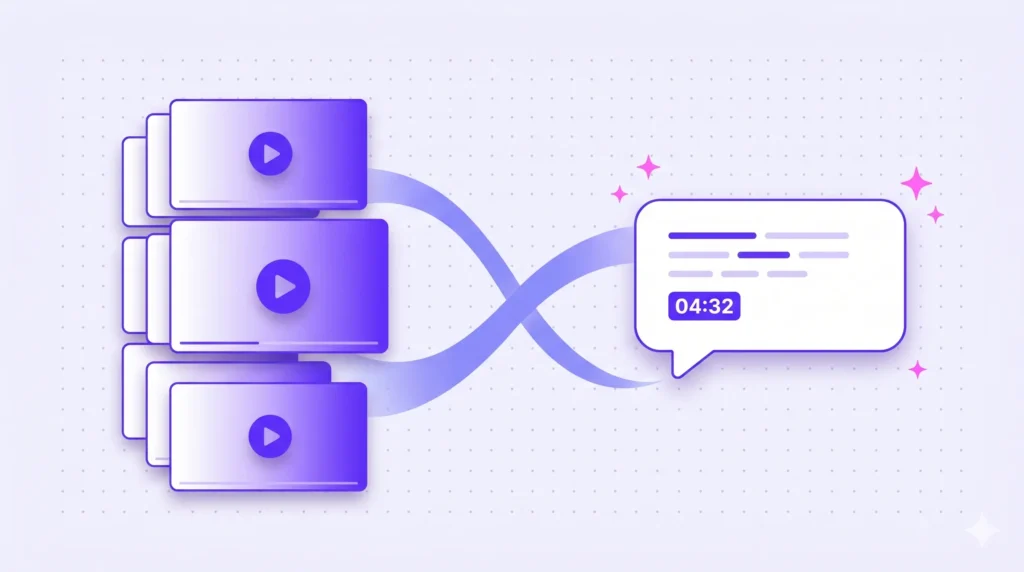
A Vimeo chatbot is an AI agent that answers questions from the content inside your Vimeo videos. Instead of someone scrubbing through a two-hour recording to find a three-minute explanation, they ask a question and get a direct answer with the video title and a clickable timestamp to verify it.
The difference from a generic chatbot is that this one is trained on your Vimeo library specifically. It answers from your actual training videos, your product demos, and your compliance recordings. It won’t pull answers from the public internet, and if something isn’t in your library, it says so.
This matters now because most enterprise video libraries have grown large enough that they’ve become unsearchable in practice. The content exists. Finding the right moment inside it is the problem.
AI for Vimeo Videos: What It Can Actually Do
CustomGPT.ai’s Vimeo chatbot works by ingesting native transcripts from your captioned videos through Vimeo’s Text Tracks API. Every word spoken on camera becomes queryable. Timing data is preserved so every answer cites a specific timestamp.
Metadata, including titles, descriptions, and tags, is indexed alongside transcripts, giving your team a fully searchable knowledge base. When your library changes, the assistant syncs automatically- new videos are picked up, deleted ones are removed, and you never touch it manually.
The result is an AI agent that answers questions from your actual video content or webinar content, grounded entirely in your library. Not the public internet, not a generic knowledge base- your content, your answers.
Chat With Your Vimeo Videos in Minutes
Setup requires no code and takes three steps:
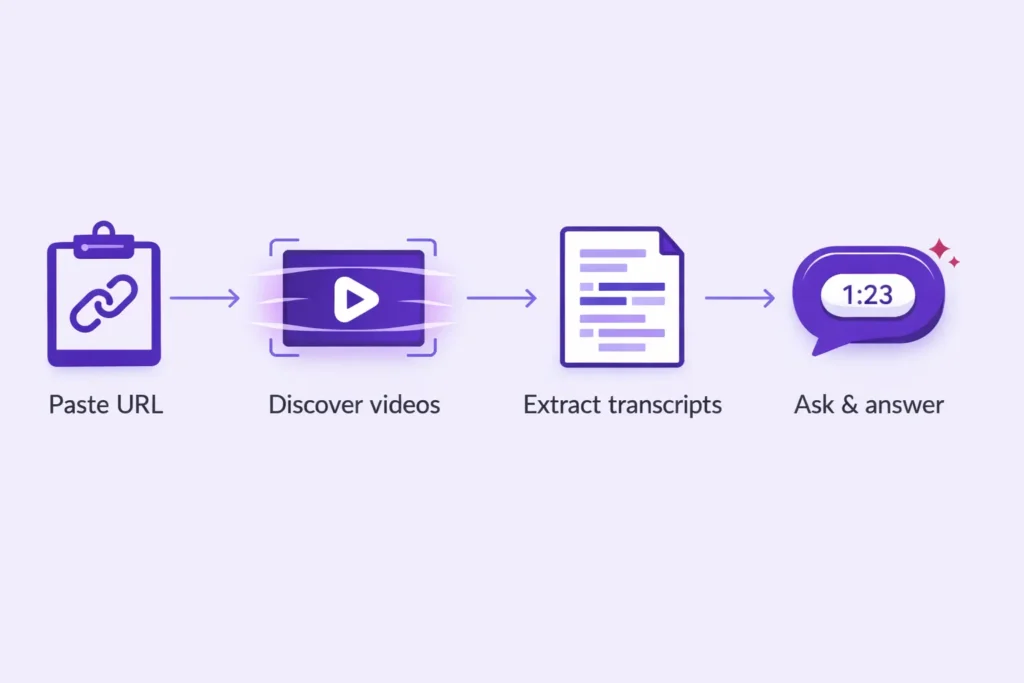
- Paste a Vimeo URL into CustomGPT.ai. The connector supports all six Vimeo URL types: user profiles, albums, video lists, collections, showcases, and vanity URLs. You don’t need to specify which type; it identifies it automatically.
- The connector fetches every video behind that URL, pulls native transcripts via Vimeo’s Text Tracks API, and loads them into your knowledge base along with metadata like titles, descriptions, and tags.
- Deploy your agent wherever your team works: your website, a customer support portal, Slack, or an embedded widget.
For a single showcase, you’re live in minutes. For a large library, ingestion runs in the background. Incremental sync picks up new, updated, or deleted videos on every subsequent run, so you never need to re-ingest the full library when someone adds a video.
Turn Your Vimeo Library Into a Knowledge Base
The places where a Vimeo chatbot earns its keep:
Employee Training and L&D
When a new hire needs to know how to set up a development environment, they shouldn’t have to scrub through a 45-minute onboarding recording. With a Vimeo-powered agent, they ask the question and get the relevant moment with a timestamp they can click to verify.
The same applies to sales teams looking up product details before a call, or managers checking a process before a quarterly review. Years of institutional knowledge become searchable.
Compliance Training
Compliance content has a specific problem: someone needs to confirm a procedure before carrying it out, under time pressure. An agent trained on your compliance library can answer the procedural question and point to the exact training clip that demonstrates it.
This is useful in any regulated environment, including healthcare, medical devices, financial services, and pharma, where the answer to “what’s the correct procedure here?” needs to be fast, accurate, and traceable.
Customer Support and Self-Service
If you publish product walkthroughs and how-to videos on Vimeo, customers already watch them but they can’t search them. Connect your library to a customer-facing agent and questions like “how do I configure SSO?” pull the answer directly from your walkthrough, with a timestamp.
Every question the agent answers from your video library is a support ticket that doesn’t get created.
Onboarding and Product Demo Videos
Product demo videos answer a lot of pre-sales and post-sales questions that currently land in someone’s inbox. An agent trained on your demo library lets prospects and new customers get those answers immediately, at any hour, without waiting for a response.
Conference Recordings and Event Libraries
Session recordings from internal or external events typically get watched once and then sit unused. An agent built across your event library lets attendees ask “what did the keynote cover on AI governance?” and get a direct answer from the right moment in the right session.
Ready to make your Vimeo library searchable? Try CustomGPT.ai free – no code, no manual transcription.
Timestamped Citations on Every Answer
Every answer the agent returns includes the video title and a precise timestamp linking directly to that moment in the video. This matters for two reasons.
- Verification. The person asking can check the source in seconds rather than trusting the agent’s answer on faith.
- Correction. If an answer is wrong, you know exactly which video needs updating.
This is also relevant in regulated industries where knowing which training video answered which question, and when, is useful documentation.
How Transcripts Work
The Vimeo chatbot ingests captions from your videos through Vimeo’s native Text Tracks API in VTT and SRT formats. Accuracy reflects Vimeo’s captions directly, which for business content means technical terms, product names, and company-specific vocabulary are already correct.
Whatever caption languages exist on your videos, the assistant ingests them, so multilingual libraries are supported by default.
If your videos don’t already have captions, enabling Vimeo’s built-in auto-captioning is the fastest way to get your full library ready before connecting to CustomGPT.ai.
Vimeo auto-generates captions for paid accounts, and the assistant picks them up automatically on the next sync.

Ready to Try It?
Connect your Vimeo library to CustomGPT.ai and have your agent live in minutes- no code, no manual transcription.
Try Vimeo Video Ingestion free →Already using the YouTube connector? The Vimeo setup is identical. Paste a URL, point it at the same knowledge base, and both libraries feed the same agent.
FAQ
How do I chat with my Vimeo videos using AI?
Paste any Vimeo URL into CustomGPT.ai. It finds all the captioned videos behind that URL, pulls their transcripts, and loads everything into your AI agent. From there, ask questions in plain language and get answers with the exact video and timestamp.
Can AI search inside Vimeo videos?
Yes. CustomGPT.ai reads your video captions and answers questions from them. It searches what was actually said in the video, not just the title or description.
What Vimeo URL types does the Vimeo chatbot support?
User profiles, albums, video lists, collections, showcases, and vanity URLs. Paste any valid Vimeo URL and it figures out the rest automatically.
How are Vimeo transcripts extracted?
Through Vimeo’s caption system in VTT and SRT formats. Timestamps are preserved, so every answer links to the exact moment in the video.
What happens if a Vimeo video doesn’t have captions?
The chatbot works with captioned videos. If some of your videos don’t have captions yet, turn on Vimeo’s auto-captioning first. Vimeo generates them automatically on paid accounts, and the chatbot picks them up on the next sync.
Does the agent update when I add or remove videos?
Yes. It checks for new, updated, and deleted videos automatically. You don’t need to do anything when your library changes.
Can I use this with private or password-protected Vimeo content?
Yes. Private videos work with the right API permissions in place. Password-protected videos just need the password entered once during setup. Nothing has to be made public.
How is this different from Vimeo Central or Vimeo Ask AI?
Vimeo Central searches inside Vimeo. CustomGPT.ai makes your video content searchable everywhere else—your website, support portal, Slack, internal tools—alongside your other knowledge sources like documents and help articles.
What languages are supported?
Any language that Vimeo has captions for on your videos. If your library has captions in multiple languages, all of them are ingested automatically.
Is my video content used to train AI models?
No. Your content is only used to answer questions for your own agent. It is never shared or used to train models for other customers. Your video files stay on Vimeo.
How long does setup take?
A few minutes for a small library. For a large one, ingestion runs in the background while you keep working. No code, no file uploads, and no manual steps.
How does this compare to manually downloading and transcribing videos?
Manually, you download each video, transcribe it, clean it up, and upload it—then repeat every time something changes. With CustomGPT.ai, you paste one URL and the chatbot handles everything, including keeping itself up to date.
Can I test this on a small library before connecting our full archive?
Yes. Start with one video, an album, or a single showcase. You can query the agent straight away and scale up whenever you’re ready.
Related Resources
- CustomGPT.ai Live Chat Embed: Learn how to add a CustomGPT.ai chat widget to your website so visitors can get instant answers from your business content.
- White Label AI Platforms: Explore how agencies use CustomGPT.ai to deliver branded AI chatbot solutions without building the infrastructure from scratch.
- YouTube Channel AI Assistant: Learn how to turn an entire YouTube channel into a searchable AI assistant that can answer questions from your video content.
- Repurpose Webinars With AI: Learn how to turn webinar archives into searchable content libraries for faster research, quotes, and content repurposing.
- Vimeo AI Assistant: Learn how to make Vimeo video content searchable and conversational with an AI assistant trained on your videos.
- YouTube Video Knowledge Base: Learn how to convert YouTube video content into searchable AI knowledge so users can quickly find answers without rewatching videos.
- Turn Your Conference Library into a 24/7 AI Concierge: See this same conference-recordings pattern built specifically for a membership association’s annual meeting archive.