20 Best Enterprise Search Software We Recommend in 2026!
More than ever, companies are embracing enterprise search software. Its global market size is expected to reach about $8.85 billion by 2030.

With enterprise search tools, teams can save valuable time by quickly finding the information they need across all the company’s data sources. For teams working across many repositories, it also helps to understand how to unify fragmented knowledge sources into one AI search experience.
If you’re looking for the right enterprise search software for your business or team, you are in the right place.
After testing many tools, I settled on 20 enterprise search tools worth your time. I’ll share their features, pros, cons, and pricing plans.
I’ll even show you how to choose the ones that are right for you.
Keep reading!
TL;DR
- Enterprise search software works like your company’s internal Google that pulls relevant info from the company’s scattered data, such as emails, docs, databases, and connected apps like Slack, using AI. It helps employees find answers quickly.
- Top enterprise search software:
- 1. CustomGPT
- 2. Glean
- 3. Coveo
- 4. Meilisearch
- 5. Elastic Enterprise Search
- 6. Algolia
- 7. Lucidworks Fusion
- 8. Sinequa
- 9. Microsoft Search
- 10. Google Cloud Search
- Features to consider when choosing enterprise search software are:
- Semantic search quality that goes beyond keywords for smarter results
- Easy integrations with your everyday tools (Slack, Google Drive, Notion, Confluence)
- Customizable AI agents for automation
- Analytics dashboards for usage insights
- Strong security, like SOC 2 and GDPR, to keep and protect sensitive data
- Enterprise search tools typically cost between $10 and $100+ per user per month. Enterprises with special needs can request custom pricing plans.
How We Selected These Enterprise Search Tools
- With my team, I researched and identified the search tools industry experts and leading enterprises use. I watched interviews, listened to podcasts, and read on third-party websites.
- I signed up and tested all the tools for three weeks. My team and I used them in our daily work and signed up for additional data sources to perform thorough tests.
- We assessed ease of use, semantic search accuracy, AI features, supported data sources, security certifications, and automation features.
Top Enterprise Search Software Comparison
| Tools | Features | Ease of use | My rating | Base price | Best for |
| CustomGPT |
Notion, Confluence, Zendesk, Slack)
|
Very easy | ⭐⭐⭐⭐ 4.5/5 | Standard: $99/month + RAG API access | SMBs to small enterprises who want to deploy enterprise search functionality rapidly, without extensive dev resources. |
| Glean |
|
Easy | ⭐⭐⭐⭐ 4/5 | Not public | Larger companies seeking to manage enterprise knowledge and employee productivity. |
| Coveo |
|
Moderate | ⭐⭐⭐⭐ 4/5 | Contact for pricing | Large enterprises with complex search and content management needs. |
| Meilisearch |
|
Moderate | ⭐⭐⭐ 3.5/5 | Cloud: $20/month | Small and medium businesses mostly interested in websites and document search |
| Elastic Enterprise Search |
|
Moderate | ⭐⭐⭐ 3.5/5 | Standard: $99/month | Developers and large organizations seeking to add advanced search to their applications, websites, and internal workflows. |
| Algolia |
|
Easy | ⭐⭐⭐⭐
4/5 |
Contact for pricing | Fast, product-focused search experiences. |
| Lucidworks Fusion |
|
Moderate | ⭐⭐⭐
3.5/5 |
Contact for pricing | Large enterprises with complex search needs. |
| Sinequa |
|
Moderate | ⭐⭐⭐
3.5/5 |
Contact for pricing | Regulated industries like finance and health. |
| Microsoft Search |
|
Easy | ⭐⭐⭐
3/5 |
Included with Microsoft 365 plans | Organizations already using Microsoft 365. |
| Google Cloud Search |
|
Easy | ⭐⭐⭐
3/5 |
Offered with eligible Google Workspace plans | Google Workspace-based companies. |
Best Enterprise Search Software
1. CustomGPT
|
First on our list of the best enterprise software is CustomGPT. It lets you create AI agents, personalize them, and ask questions.
You can also deploy them on your website or share them with your team via a link. CustomGPT also lets you analyze your latest prompts and manage your content sources.
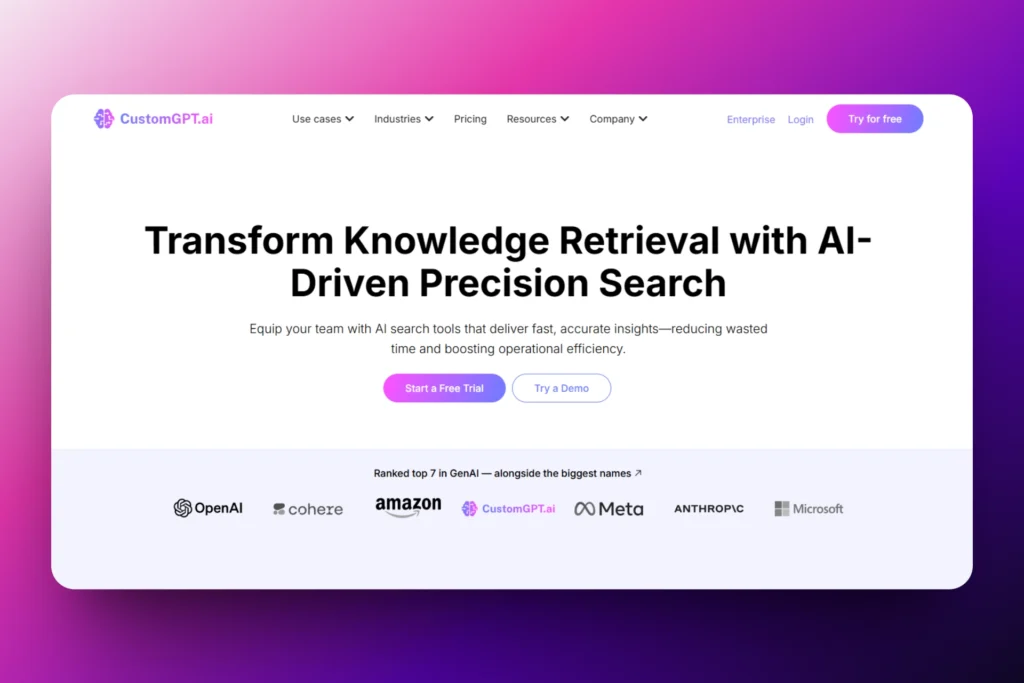
Creating your agent is so simple. Simply pick a data source and choose the use case that best describes your agent.
It could be enterprise search, customer support, or even a revenue-driving sales chatbot. Then you can start searching.

That’s not all! For example, you can connect CustomGPT to your Slack workspace.
This way, your AI agent can respond to messages in Slack channels, and you can control who can use it inside the organization.

We also created an intelligent partner for you called CustomGPT.ai Copilot. It’s more or less your personal AI assistant. Ask it to summarize documents, draft next steps, or cite the source behind an answer.

Finally, CustomGPT comes with a dashboard that shows how many hours your AI agent has saved you over the past week. It also shows the total number of conversations, queries, and queries per conversation.
What I Loved About CustomGPT
- Agents
If you’re an IT manager preparing a company report, you might need a lot of information for that. Your AI agent will save you hours of searching by instantly finding the right data for you.
This will prevent you from having to search through hundreds of documents.
The AI agent can also take action for you.
It’ll automatically update CRMs, refresh documentation, or fill in content gaps based on your company’s data. It does this using tools like agent actions, MCP connectors, our API, and Zapier.
On CustomGPT, you create such an agent by clicking “New Agent” on the sidebar.

Next, you will have to pick the data source for your agent. This means where the agent will be getting data from.
There are many data sources, like YouTube, Google Drive, File Upload, WordPress, and more.
But for this tutorial, let’s go with the website.

Enter your website’s URL to start.

You must now choose the use case that best describes your agent. It could be “Customer Support,” “Website Copilot,” “Enterprise Search,” or “Revenue Agent.
Let’s go with Enterprise Search.

Once created, it will propose questions that you can use to start your research. But if you already have your own question, you can enter it in the search bar below.

Let’s go with “What percentage of companies surveyed in 2024 were not happy with the deliveries from their existing marketing agency?”
The Agent will give you a straight and accurate answer, along with a link to the source of its data.

You can then click the hyperlink. It’ll take you to the exact source where you can confirm the information.

CustomGPT’s simplicity makes it one of the best enterprise search software in the market.
- CustomGPT.ai Copilot
The CustomGPT.ai Copilot acts as your intelligent partner. Whenever you need help with anything, you can just prompt it.

For example, you could just say, “I need help with my marketing strategies.”

The response can include source-grounded detail, and you can download it for review or follow-up.

- Dashboard
Our Dashboard is designed for marketing teams. It shows how many hours your agents saved you during the week. You also have an overview of the total number of conversations and guests.
And one amazing thing is that you can see the countries where those conversations are from.

The dashboard also shows how your team is using the tool. For example, it shows how many queries were made, who sent them, where they came from, and how many were successful.

In addition, the dashboard’s Customer Intelligence feature lets you dive even deeper, giving you an inside look at chatters’ experiences with your agents.
Where are the gaps in your knowledge base? How often are customers discussing certain keywords?
How often are they happy or upset with their conversational experiences? This tool helps you answer all these questions.

What I Enjoyed vs What Gave Me a Hard Time
| What I Enjoyed 👍
✅ The clean interface makes it easy to locate all the features on the sidebar menu ✅ You can create a custom agent in three clicks ✅ The platform integrates with HubSpot, Slack, Notion, WordPress, Zendesk, and Zapier ✅ The dashboard tells you how many hours your agents save you every week |
What Gave Me a Hard Time 👎
❌ The total batch size limit for uploading files is 1GB, but you can either split them into smaller parts or connect sources like Google Drive or SharePoint to automatically sync your files while you focus on other tasks. |
Best For
- Business owners, IT managers, and teams seeking software to create AI agents for enterprise search and website copilot.
Pricing
- Standard: $99/month
- Premium: $449/month
- Enterprise: Contact for pricing

2. Glean
|
Next on this list of the best enterprise search software is Glean.
Their search engine is somewhat similar to Google and offers many filters to help find information.

When searching on Glean, you can select your preferred source from the results found. You can also use filters such as Updated, Type, or From to make the results more precise.

The Chat is within Glean’s AI assistant, where you can enter prompts, tag people or documents, or upload a file. You can then ask the assistant to summarize a particular file or action, and it will do exactly that.

Its Directory feature shows all the employees in an organizational chart. You can click on an employee to see everything about them.
Their name, position, location, and even social handles.

What I Loved About Glean
- Home
On Glean, after adding your source, you can use the search bar on the homepage to do your search. It can be a “roadmap presentation.”

The search page reminded me of Google.
The left side of the interface shows all your search results with the exact sources.

You can, for example, click “Gong,” which has 7,000 results. The entire page will display only these results.

If you click the “Updated” filter, you can specify the time range for the results that will show up.

By clicking “From,” you can choose the exact employee whose results you want the search page to show. There are also filters like “Type,” “Account,” “Owner,” and “Participants.”

Another interesting thing is the “Summarize” button next to every result on the search page. It helps summarize the content of your page if you don’t want to read the whole document.

- Chat
Glean Chat is the AI assistant that you can use to generate answers, summarize documents, and perform many other actions. You can use prompts to start.

You can use this prompt: “Summarize the last 3 days for the #industry Slack channel.” The Assistant will instantly start generating answers.

If you click the “+” button in the search bar, you can tag people or docs, filter data, and attach a file.

- Directory
In large organizations, you might not have the opportunity to meet all employees. With the Directory feature, you can view all of them on the platform.
You can easily see who takes certain actions, along with their department and role.

You can also view the company’s organizational chart.

You can just click on one employee to have more details. It will show their full name, role, location, when they first joined, and all their social handles.

What I Enjoyed vs What Gave Me a Hard Time
| What I Enjoyed 👍
✅ The organizational chart shows all employees with their personal details ✅ You can summarize any research with their AI ✅ Loved that there are many filters to help locate your employee |
What Gave Me a Hard Time 👎
❌ Doesn’t offer a trial to explore first ❌ Glean is for larger enterprises with very deep pockets, and not for SMBs or small companies, so pricing isn’t listed publicly |
Best For
- Larger companies with contracts in the six-figure range that want enterprise-grade security and large-scale deployment capabilities.
Pricing
- No public pricing page
3. Coveo
|
We will continue this list of the best enterprise search software with Coveo.
It offers many features across projects, machine learning, and analytics, and its search page is somewhat similar to Glean’s.

Before you browse Coveo, you need to add sources: name and URL, for instance. After that, you can search and have access to clickable links.

As I mentioned earlier, their search page is similar to Glean but with fewer colors. When you enter a word, you will see different sources with the number of results.
To be organized, you can create projects for the team. You can select the project type, say, “IT employee portal,” then name it and add a description.

Another option is to create a catalog for your business. You’ll simply name the catalog, include a description, and select object types such as variants and availability.
Then add your products.

What I Loved About Coveo
- Search Pages
Feature names usually differ from one tool to another. On Coveo, the Search Pages feature lets you search for data across the company.
Let’s create one.

The first step is to choose the search page type from the options. It could be “Legacy Interface Editor,” “Code only,” or “Simple builder.”
Let’s choose “Simple builder.”

Next, name the search page and assign it to a project if there’s one.

That’s it! You could edit, share, or delete the search page.

You can also open the search page.

Say you enter the word “Client” just to see what would happen. You’ll see many results and pages with the preferred word.
Just scroll and select the result you want.

- Content
The results your search pages show will always come from the content you feed it. And to constantly grow your search page, you need to add sources to your content.
Here’s how. Start by clicking “Source” under “Content.”

Choose a source of content.

You can name your source, add a URL, and assign it to a project (optional).

The source has been added. You can click “Content Browser” to verify.

In the new window, enter “Privacy policy” in the search bar. All the pages related to this term will appear with the source referenced in the response.

- Project
An organization has many departments and employees. So, you need to create a project for each use case to be organized.
Start by clicking “Projects” in the sidebar. After that, select “Add project.”

In the new window, choose a project type and add a name and a description. Then add an email address that serves as the point of contact.

Now, select the resource used for this project and click “Create.”

There you go! If you followed these steps, you have just created your project.
You can also see an overview of the project and the resources.

What I Enjoyed vs What Gave Me a Hard Time
| What I Enjoyed👍
✅ You can customize the search page with filtering options such as source, author, item type, etc. ✅ Has a section dedicated to commerce where you can create a catalog ✅ There are various resources you could use for your project: Properties, Search hubs, Extension, Pipeline, Search page, etc. |
What Gave Me a Hard Time 👎
❌ The platform displays too many features on the sidebar, which can be confusing. ❌ Can be difficult for non-technical users because you need some coding experience to understand language models like Python. |
Best For
- Large enterprises with complex search and content management needs.
Pricing
- Knowledge: Contact for pricing
- Commerce: Contact for pricing

4. Meilisearch
|
Meilisearch is the next entry in this list of enterprise search software.
Not only does it let you retrieve information, but it also monitors your search performance and shows what users search for.

Before you can use the search options on the platform, you’ll create a project, then an Index. You will then name your documents and choose how you want to import them.
You can copy, edit, or delete your search results.

The Analytics feature shows total searches, total users, average click-through rate, and conversion rate. This means I can clearly see what people are searching for, which is great.

That’s not all! You can also monitor search performance and view the maximum number of search queries per second.

Now, whenever you upload a file or document, it’s added to a batch.
You can later see the status, type, index ID, batch ID, and duration. You will also see the coding version of your file.

What I Loved About Meilisearch
- Index
Imagine you are searching for a specific document inside your company’s software, but there are so many results. You will find it difficult to fish out the right information.
The index helps you organize your documents in collections. This way, your searches are more relevant.
On Meilisearch, you will first create a project before accessing the main dashboard.

Now, let’s create an index.

Enter your index’s name.

You can choose how you want to import your documents into your index. You can upload files, use mock data, or use a documentation crawler.

If you choose “Documentation crawler,” you’d have to add a website URL.

Now, using the Search view, simply enter “SaaS.” Meilisearch will then provide you with the search results.
On the left side, copy, edit, or delete the results.

- Analytics
It’s important to know what users search for.
Thanks to Analytics on Meilisearch, you can see the total searches, total users, click-through rate, and average click position. It also shows your conversion rate.

There is more! The interface also displays all search requests over the past week, the most-searched queries, countries with the most searches, and searches without results.

- Monitoring
Sometimes, your team can upload so many documents that you don’t even realize the platform is now slowing down. The Monitoring feature tracks the platform’s performance and health.
You can see search performance, how quickly it happens, and the maximum number of search queries per second.

You can also see the indexing performance with exact dates.

What I Enjoyed vs What Gave Me a Hard Time
| What I Enjoyed 👍
✅ Shows how fast searches and queries are happening through analytics. ✅ Displays the countries with the most searches ✅ The platform can add a ranking score to your search to show its relevance |
What Gave Me a Hard Time 👎
❌ Some features, such as monitoring, analytics, and chat, are still in beta mode ❌ File upload is limited so you can’t upload PDF files |
Best For
- Small and medium businesses with workflows that require extensive website and document searches.
Pricing
- Cloud: $20
- Enterprise: Contact for pricing

5. Elastic Enterprise Search
|
Last but not least on our list of the best enterprise search software is Elastic Enterprise Search.
It gives you access to large language models (LLMs) when you set up your chat experience. You can also customize your search with synonyms.

You can create your chat experience. Simply upload a file, name the index, and select an AI connector.
The AI chat shows the exact time you ask a question and receive a reply.

To help broaden the search, you can create synonyms or other interchangeable terms.

You already know that an index is a collection of documents. The Index Management interface shows the index you’ve created, the number of documents you’ve added, and its storage size.

What’s more, you can also access all your documents on the platform. The Discover feature lets you view the document and a summary of its content.

What I Loved About Elastic Enterprise Search
- Playground
On Elastic Search, you can use Playground to create and chat with your indexed data. You can do this using large language models(LLMs) or documents you’ve uploaded.

To set up a chat experience, choose your preferred LLM. Or go to “Elasticsearch Data.”
From there, you can either create an index or start by uploading files (the next step).

Now, upload your files and name the index. You can also run an “analysis explanation” of the document, apply advanced settings, or delete it.

Under LLM settings, select your AI connector and add clear instructions.

Then, adjust the playground context by selecting the exact number of documents to send and adding context fields.
In the search bar, enter your first question just to test the chat: “What are our marketing goals for 2025?”

The AI will save the exact time you asked the question before providing an answer.

- Synonyms
Not everyone types the same thing when searching.
One employee may search for “HR policies,” while another searches for “human resource guidelines.”
Without synonyms, both searches could return different results when they are looking for the same information.
Let’s see an example of how to create synonyms.

First, name your synonyms set.

Next, select a rule type. You can choose “Equivalent” or “Explicit.
“Equivalent” means words with the same meaning. And “Explicit” refers to words that expand to include the terms on the right.

Here are a few examples:
Explicit: sales strategy, sales growth, business equals sales
Equivalent: objectives, targets, and aims are interchangeable words.

- Discover
Searching for a document shouldn’t be a whole struggle. The Discover feature lets you browse, filter, and search all your documents.
It also shows a summary of each document, including its attachment, author, and content.

With “Field statistics,” you can see the field type, name, document percentage (%), and values.

On the right side of the interface, add and see all the available fields. It’ll help you understand the shape of your data.
You can also explore a field in Lens.

What I Enjoyed vs What Gave Me a Hard Time
| What I Enjoyed 👍
✅ Loved that the platform specifies the exact time you do research, and the exact time AI responds to it. ✅ Can create synonyms to help expand your search ✅ You can choose your preferred AI connector for your chat. |
What Gave Me a Hard Time 👎
❌ Can be difficult for non-technical users as the platform uses many advanced terms like inference endpoints. |
Best For
- Developers and large organizations seeking to add advanced search to their applications, websites, and internal workflows.
Pricing
- Standard: $99/month
- Gold: $114/month
- Platinum: $131/month
- Enterprise: $184/month

Additional Enterprise Search Tools We Tested
Here are 15 extra enterprise search tools I used during my tests:
- Algolia – Best for fast, product-focused search experience
- Lucidworks Fusion – Best for large enterprises with complex search needs
- Sinequa – Best for regulated industries like finance and healthcare
- Microsoft Search – Best for organizations already using Microsoft 365
- Google Cloud Search – Best for Google Workspace-based companies
- Amazon Kendra – Best for AWS-heavy enterprise environments
- Yext Search – Best for structured knowledge and brand-controlled answers
- Swiftype – Best for website and documentation search
- Mindbreeze – Best for unified enterprise knowledge access
- SearchUnify – Best for customer support and self-service portals
- AlphaSense – Best for financial and market intelligence search
- OpenSearch – Best for open-source, scalable search setups
- Haystack – Best for building custom AI search pipelines
- ZincSearch – Best for lightweight Elasticsearch alternative use cases
- Luigi’s Box – Best for e-commerce search and product discovery
What is Enterprise Search Software?
Enterprise search software is a tool that helps teams quickly find information across all the company’s data sources. Such information can be emails, files, documents, databases, or even cloud apps.
To give you an idea, it is like Google but for your company’s internal data.
With Google, you search through the web. But with this software, you search through everything your company already owns.
For example, let’s say a new employee joins the company but doesn’t know who the CEO is. If they use enterprise search software like CustomGPT, they can ask: “Who is the CEO of the Company?”

Not only will they receive an instant reply from the AI agent, but they will also see the source referenced in that response.

They can then click it and verify the information.

How to Choose the Right Enterprise Search Software
To choose the right enterprise search software, consider the following:
- Ease of use
- Features you require in your business
- Pricing and scalability
- Integrations with other tools
- Security and access control
Let me explain each point in detail.
1. Ease of Use
The first factor to consider when choosing enterprise search software is ease of use.
This is very important because it determines how quickly your team can adopt and benefit from the tool.
Complex enterprise search tools, though powerful, won’t be of much help since your team doesn’t understand it, let alone use it.
The truth is, in many companies (apart from tech companies), a good number of employees’ work doesn’t involve technical aspects. That team should be able to navigate easily and find what they need without relying heavily on technical support.
For that reason, the right enterprise search software should feel intuitive, with a clear display of features.

Search bars should be clearly visible. This way, you can quickly find the source your agent needs.

As a business owner, if you choose a tool that is really easy to use and intuitive, you will start seeing your employees’ performance improve.
Take Elizabeth Planet, a leadership coach and advisor in the nonprofit sector with over 15 years of experience.

She wanted an easier way for people to access her nonprofit library resources, but found out that most AI tools were too technical and complex.
She then discovered our platform, CustomGPT. This made it easy for her to build NonprofitAMA, a chatbot that answers questions using her own trusted content.

To her, the process was easy since CustomGPT is a no-code platform.
Regarding NonprofitAMA, here’s what she said:
“I added a couple of trusted sources to the chatbot, and the answers improved tremendously! – You can rely on the responses it gives you because it’s only pulling from [curated] information.”

Elizabeth was able to achieve this because the platform she chose was easy to use.
Her story shows that with CustomGPT, even users who aren’t tech-savvy can easily build powerful AI assistants.
2. Features You Require In Your Business
You should also consider the features your business needs when choosing enterprise search software.
After all, every business or company has different priorities.
You shouldn’t choose an enterprise search software just because it has a long list of features. You should rather look at one with features that align with you:
- Business goals
- Company size
- Complexity
A small team should prioritize:
- Simplicity
- Automation features like AI-assisted search
- A user-friendly dashboard
- Predictable pricing
- Reliable infrastructure
- Citation‐backed answers with inline source links

This will save them time without requiring a full IT department.

But let’s say you’re an IT manager at a small tech startup with 5-10 people. It’s likely you wear many hats.
You may manage tools, data, and team support, and this keeps you so busy.
Because of your limited time, an AI-assisted search feature will help your team members find answers they need without your help.
When someone asks, “What are the standard API limits for standard users and admin/internal systems?” The system automatically replies and pulls the right document.

As a business owner, customer support manager, or content operations manager, you need an AI agent that reflects your brand.
CustomGPT lets you choose the AI agent’s name, role, agent avatar, and branding colors.

You must be able to customize your agent behavior by setting up instructions.

The platform you choose should let you select your agent’s capability, specify where it generates responses from, and the AI model.

Whether you are a small business owner or a large organization, you must definitely identify the features you actually need. If not, you might pay for features you will never use.
3. Pricing and Scalability
When choosing enterprise search software, other factors to consider include pricing and scalability.
Most platforms use a per-user, per-month pricing model and typically cost between $20 and $100. This means the more members you add, the higher the cost.
Entry-level pricing for small businesses ranges from $20 to $50 per user per month. Meanwhile, enterprise-level plans can go well beyond $ 300 per user.
The reason why you should really consider this factor is that as your business grows, so does the price.
For instance, a solution that is affordable for 10 users today might become costly and difficult to manage for 100 users.
Now, some enterprise software tools (like Glean and Coveo) do not have their pricing plans public. But if you really want to choose your software, you should have access to pricing plans and know what each offers.
Elastic Search’s Standard tier, for instance, costs $99 per month. This plan gives you access to their Search AI, API platform, Language client, and Elasticsearch Query.
On the other hand, CustomGPT’s Standard tier is $99/month. With this plan, you can create up to 2 AI agents, have 60M words storage capacity, 10,000 monthly uploads, 5,000 docs per agent, CustomGPT API, and more.

While both tools start at $99/month, CustomGPT offers predictable, flat-tiered pricing. But Elastic Search uses a resource-based model so cost may rise based on your storage, memory, and computing needs.
Now, making such comparisons is a smart move. It helps you determine whether or not the platform will easily grow with you.
4. Integrations With Other Tools
Furthermore, if you want to choose the right enterprise search software, you must check if it integrates with other tools
As a business owner, it would be a nightmare to have a team that constantly switches between platforms and ecosystems just to find one document or email.
This is the importance of integration. And good enterprise search software should easily connect with the other tools your company already uses.

It should integrate with popular platforms like Slack, HubSpot, Notion, WordPress, Wix, Framer, Squarespace, and Zendesk.

And of course, giants like YouTube and Shopify, alongside connectors like Zapier and APIs.

5. Security and Access Control
When dealing with enterprise search software, security is essential because it touches sensitive data.
In terms of security, the software you choose should follow strict protocols for handling and storing data securely.
For example, at CustomGPT, we are SOC 2 (Type 2) certified and fully GDPR compliant.

Now, enterprise search software often connects with almost every system in your company: emails, documents, databases, and customer records. That’s why not everybody must have access to your information.
For example, if a particular team member doesn’t have access to a file in Google Drive, they shouldn’t suddenly see it in the search results. That would pose a high risk.
Now, it’s important to know who does what and when, and who has access to what
Again, when it comes to access, the right software should follow strict protocols for:
- Product security
- Data security
- Network security
- App security
- Endpoint security
- Corporate security

Choose the Best Enterprise Search Software
There you go! Choosing the right enterprise search software isn’t easy.
I’ve shared my experience with you after thoroughly reviewing each enterprise search software. Starting with CustomGPT, then Glean, Coveo, Meilisearch, and Elastic Enterprise Search.
I’ve discussed what I liked and didn’t like about each tool, and given you a guide to choosing the right enterprise search software.
It’s now on you to make a choice.