

In this blog post, we will learn how to build a sitemap from an RSS feed. Unlike the previously covered Sitemap from Podcast feed, this method allows you to upload any type of content in the form of an RSS feed and generate a sitemap. A sitemap is an essential tool for search engine optimization (SEO) as it helps search engines understand the structure and content of your website. So, let’s dive in and explore the step-by-step process of building a sitemap from an RSS feed.
Step 1: Navigating to the Tool
To begin, navigate to the Sitemap from RSS Feed Tool.
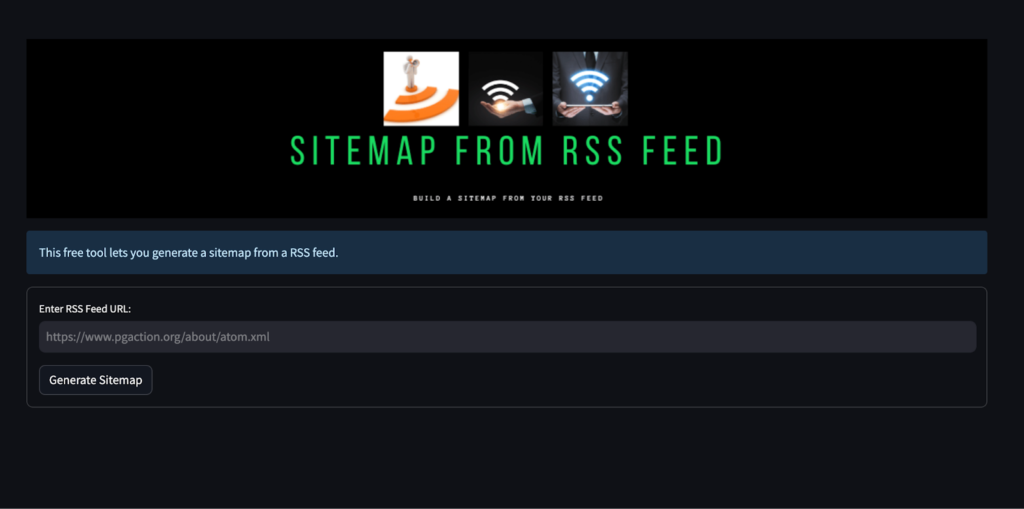
Step 2: Copying the RSS Feed Link
Once you have accessed the tool, the next step is to copy the link of the RSS feed that you want to use for building the sitemap. Make sure you have the RSS feed link readily available.
Step 3: Pasting the RSS Feed Link
In the tool’s interface, you will find a designated URL box. Paste the copied RSS feed link into this box.
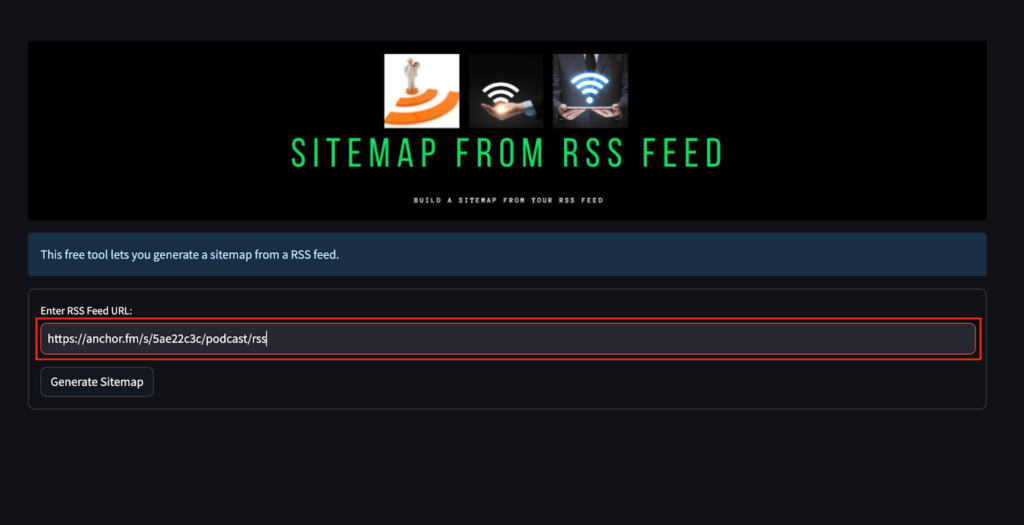
This step enables the tool to fetch the content from the RSS feed and generate a sitemap based on it.
Step 4: Generating the Sitemap
After pasting the RSS feed link, click on the “Generate Sitemap” button.
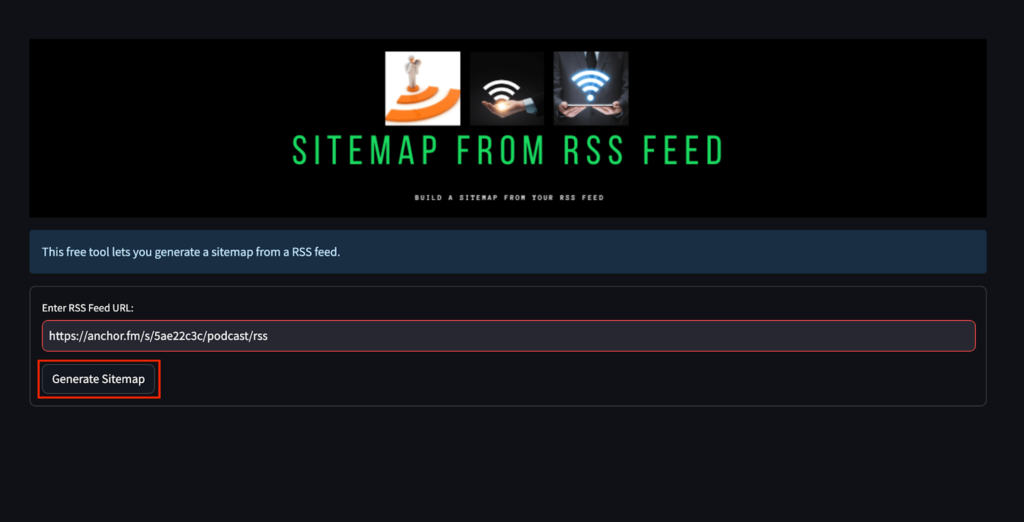
The tool will now process the provided RSS feed and generate a sitemap. Please note that the time required for processing may vary depending on the size of the RSS feed and the tool’s processing capabilities.
Step 5: Copying the Sitemap
Once the sitemap generation process is complete, the tool will display the generated sitemap. To use this sitemap, click on the “Copy” button.
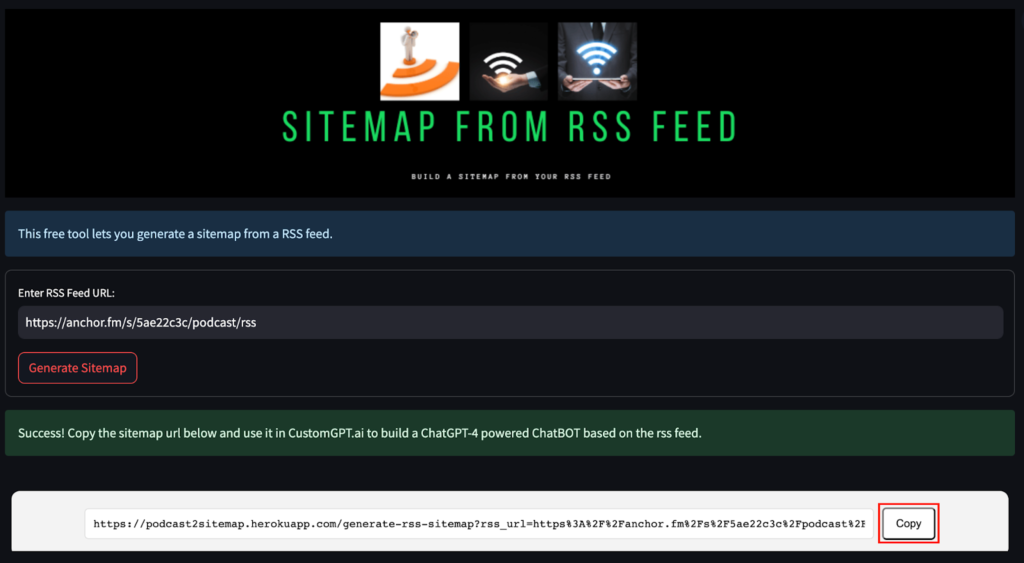
This action will copy the sitemap to your clipboard.
Step 6: Pasting the Sitemap
The final step involves pasting the copied sitemap into your CustomGPT chatbot or any other relevant location.

CustomGPT.ai setup lists the URL sitemap option as 1 of 3 Web ingestion options before importing RSS-derived URLs.

CustomGPT.ai website builder accepts an RSS or sitemap URL and supports 5 connected data sources.
This step ensures that the sitemap is properly integrated into your website’s structure, allowing search engines to crawl and index your content more effectively.
Frequently Asked Questions
How do I create a sitemap for a CMS or blog that only has an RSS feed?
Stephanie Warlick said, “Check out CustomGPT.ai where you can dump all your knowledge to automate proposals, customer inquiries and the knowledge base that exists in your head so your team can execute without you.” If your CMS or blog only exposes an RSS feed, copy the RSS feed URL, paste it into an RSS-to-sitemap generator, click Generate Sitemap, and then copy the sitemap output for search indexing or chatbot import. The only required input is a valid RSS feed link.
Can you use a sitemap generated from an RSS feed to feed an AI assistant, or is it only for SEO?
Rosemary Brisco of ToTheWeb said, “CustomGPT.ai can work with your own data making it perfect for deep research. The output is naturally human-friendly.” An RSS-generated sitemap can be used for both SEO and AI ingestion. You can submit it wherever sitemap URLs are accepted for crawling, or paste it into a chatbot workflow that supports sitemap-based import. The main limitation is scope: only the URLs included in the feed-based sitemap can be discovered.
Does a sitemap generated from an RSS feed update automatically when new posts are published?
TaxWorld’s AI tax assistant handled 189,351 questions with a 97.5% success rate, which shows why current source content matters. In the documented workflow, updates are not automatic: you paste the RSS feed URL, generate the sitemap, and then copy the result. If new posts are published later, you would usually run the generator again to produce an updated sitemap.
What is the difference between an RSS feed and a sitemap?
An RSS feed is the source URL you provide to the tool. A sitemap is the XML output the tool generates from that feed so other systems can discover the listed URLs. In this workflow, the RSS feed is the input and the sitemap is the output you copy and use.
Will an RSS-generated sitemap include every page on my website?
Evan Weber said, “I just discovered CustomGPT, and I am absolutely blown away by its capabilities and affordability! This powerful platform allows you to create custom GPT-4 chatbots using your own content, transforming customer service, engagement, and operational efficiency.” An RSS-generated sitemap includes the URLs exposed by the RSS feed you use. If a page is not present in that feed, it will not appear in the generated sitemap.
Can ChatGPT create a sitemap from an RSS feed by itself?
Not in the same documented way as an RSS-to-sitemap generator. A chatbot can help draft sample sitemap XML, but the sourced workflow for a live RSS feed is to paste the feed URL into a sitemap generation tool and generate the sitemap from that feed.
Conclusion
Building a sitemap from an RSS feed is a straightforward process that can significantly benefit your website’s SEO. By following the step-by-step tutorial outlined above, you can effortlessly generate a sitemap and enhance your website’s visibility in search engine results. If you have any questions or need further assistance, please feel free to post them below. The link to the sitemap tool mentioned in this tutorial can be found in the description. Thank you for reading, and best of luck with your sitemap creation, whether you’re starting with RSS or using a podcast sitemap tutorial. For more free sitemap tools, see this blog post. For more information about sitemaps and how they can be used, click here.
Related Resources
If you’re comparing ways to generate a sitemap, these guides cover two practical alternatives.
- Website Scraping Sitemap Guide — Learn how to build a sitemap by scraping a website’s pages when an RSS feed isn’t available or complete.
- Google Results Sitemap Guide — See how to create a sitemap from Google search results to uncover indexed pages and expand your coverage.