What Is an AI Chatbot? Definition, Examples, and How It Works
An AI chatbot is an intelligent program that understands and generates human‑like text. It uses natural language processing (NLP) and machine learning (ML) to infer intent, manage dialogue, and learn from interactions.
For the risk side of the definition, see whether AI chatbots can make mistakes and what businesses should do about it.
Modern AI chatbots automate tasks, deliver personalized support, and integrate with business workflows in real time. In this article, we’ll walk you through what AI chatbots are, how they work, how to build one, and where to use them.
TL;DR:
- AI chatbots use NLP and ML to understand intent, manage context, and generate human‑like replies.
- Building one involves defining goals, preparing approved content sources, and grounding answers in your own knowledge base on platforms like CustomGPT.ai.
- AI chatbots power support, sales, and knowledge management by cutting costs, boosting satisfaction, and freeing teams for high‑value work.
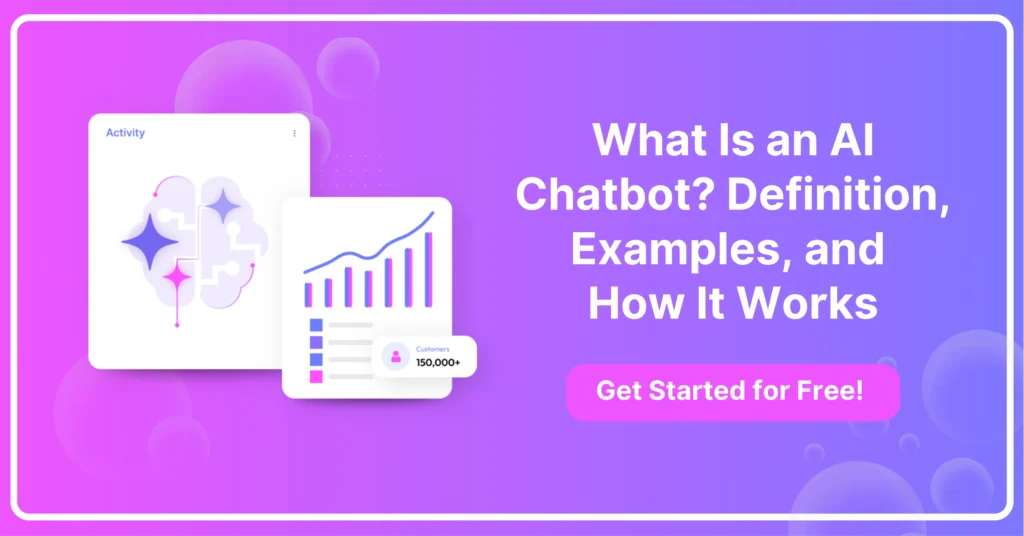
What Is an AI Chatbot?
AI chatbots are intelligent agents that converse with users using natural language. They interpret queries, manage dialogue flow, and generate context‑aware replies.
This evolution makes chatbots more than scripted responders. They are dynamic interfaces that streamline tasks, deliver personalized support, and integrate with business processes.
What Are Chatbots and How Do They Work?
AI chatbots understand and reply to user messages by combining natural language processing, machine learning, and dialogue management.
- Natural Language Understanding (NLU): The chatbot reads your words, splits them into parts, and figures out your goal.
- Machine Learning Models: It relies on smart systems (like Transformers or RNNs) trained on tons of conversations so it gets better at replying.
- Dialogue Management: It remembers what you’ve already said, follows multi‑step chats, and can pull in live data (like your order status).
Together, these components let chatbots interpret intent, manage context, and deliver accurate, coherent replies.
How Do You Make an AI Chatbot?
Building an AI chatbot involves defining goals, selecting technology, training models, and deploying the system. Whether you’re creating a simple assistant or a complex conversational agent, the process typically includes the following steps:
- Define the Purpose and Goals: Clearly identify what you want the chatbot to accomplish, such as answering FAQs, generating leads, or assisting with internal workflows. This ensures the solution is aligned with user needs and business objectives.
- Select the Right Platform or Framework: Depending on your technical expertise and requirements, choose a platform. No-code solutions like CustomGPT.ai, ManyChat, or Botpress are ideal for quick deployment. For custom solutions, frameworks like Rasa, Dialogflow, or OpenAI’s API offer greater flexibility and control.
- Design the User Journey: Plan conversation flows and common user paths. Define intents (what users want to achieve) and create possible questions, responses, and fallback messages. This stage helps the chatbot respond naturally and stay on topic.
- Integrate Natural Language Processing (NLP): Use NLP models to allow the chatbot to interpret and respond to human language. Current models such as GPT-5 and Gemini 2.5 can handle complex queries and generate intelligent responses.
- Train and Test the Bot: Feed the chatbot relevant data, such as user queries, domain-specific terms, and edge cases. Regularly test its behavior across different scenarios to identify gaps or misinterpretations.
Deploy and Monitor Performance: Launch the chatbot on your chosen platform (e.g., website, app, or messaging service). Use analytics to monitor usage, improve responses, and retrain as needed.
After training, integrate the chatbot with messaging channels and back‑end systems, monitor performance and update regularly.
What Is an AI Chatbot Used For?
AI chatbots automate interactions across industries, improving efficiency and user satisfaction.
- Customer Support: Handle FAQs, troubleshoot issues, and escalate complex cases to human agents.
- Sales & Marketing: Qualify leads, recommend products, and personalize offers based on user data.
- Internal Knowledge: Provide employees with instant access to company policies, docs, and workflows.
These use cases reduce response times, cut costs, and free teams for higher‑value work.
What Is the Best Free AI Chatbot?
Several free AI chatbots offer robust features for exploration and prototyping.
- ChatGPT Free (OpenAI): Provides strong conversational abilities and plug‑ins for basic workflows.
- Google Gemini: Uses Google’s large language models for informative, up‑to‑date answers.
- Rasa Community Edition: Open‑source framework for custom bots with full code control.
Each option balances ease of use, customization potential, and integration capabilities.
CustomGPT.ai (Premium Platform)
CustomGPT.ai empowers organizations to build AI chatbots tailored to their unique knowledge and workflows. Rather than relying on generic language models, you can ingest your own documents, databases, and web content to create agents that deliver precise, brand‑aligned answers.
With built‑in analytics and a visual builder, teams without deep ML expertise can deploy sophisticated, multi‑step conversations in days, not months.
Key Features:
- Custom Knowledge Bases: Ingest PDFs, websites, and proprietary data to power context‑aware responses.
- Semantic Search: Go beyond keyword matching. Find answers based on conceptual relevance.
- Agent Builder: Drag‑and‑drop workflow editor for designing multi‑turn dialogues and API calls.
- Analytics Dashboard: Track usage metrics, intent accuracy, and user satisfaction to drive continuous improvement.
- Security & Compliance: Role‑based access controls, encryption at rest and in transit, and SOC2/GDPR support.
Pro Tips
- Map the “happy path” first: Start by identifying your top 3–5 user journeys. Perfect these core interactions before expanding to less common or complex scenarios.
- Use conversational analytics: Analyze early chat logs to refine intents, identify user drop-offs, and prioritize improvements based on real behavior.
- Layer in escalation logic: Build smooth hand-offs to human agents for questions your bot can’t resolve, ensuring a seamless and frustration-free user experience.
- Version and A/B test flows: Introduce updates gradually, compare variants against task-completion and escalation rates, and keep the better-performing flow.
Frequently Asked Questions
What is the difference between an AI chatbot and a scripted chatbot?
An AI chatbot understands varied wording, remembers context, and generates answers from knowledge sources. A scripted chatbot follows preset rules or decision trees. Use AI for open-ended customer questions, and use scripted bots when every option and next step can be mapped in advance.
Where can you interact with an AI chatbot?
You can use an AI chatbot on a website widget, live chat, AI search bar, messaging apps like Slack or WhatsApp, voice tools, or through an API inside another product. The best channel depends on whether it serves customers, employees, or app users.
Can an AI chatbot use spreadsheet data to answer questions or calculate prices?
Yes. An AI chatbot can use spreadsheet data for lookups and simple calculations, such as plan pricing or quantity-based totals. Use an API instead when pricing depends on live inventory, discounts, taxes, shipping, or customer-specific rules.
How reliable are AI chatbots, and how can you improve accuracy?
AI chatbots are most reliable when they answer from approved sources and can say when they are unsure. Accuracy improves by grounding answers in trusted content, requiring citations, reviewing failed chats, and limiting the bot to tasks it is designed to handle.
Can an AI chatbot answer product questions from spec sheets and instruction manuals?
Yes. If spec sheets and manuals are uploaded as knowledge sources, an AI chatbot can answer questions about features, setup, compatibility, troubleshooting, and error codes. Results are best when the documents are current, complete, and easy to read.
What is an example of an AI chatbot?
A common example is a website assistant that answers customer questions, recommends help articles or products, and hands complex issues to a human. Internal HR, IT, and knowledge-base assistants are also common AI chatbot examples.
What is a simple first AI chatbot project for a small business?
A website FAQ bot is usually the best first project. Start with 10 to 20 common questions, ground answers in existing content, and route unclear cases to a human. Review missed questions each week before expanding.
Final Verdict
AI chatbots are changing how businesses support customers, assist employees, and scale expertise without adding unnecessary complexity.
Want to see how that works for your own use case? Open the CustomGPT.ai demo, tell it what you want to achieve, and use the answer to map the path from idea to deployment.