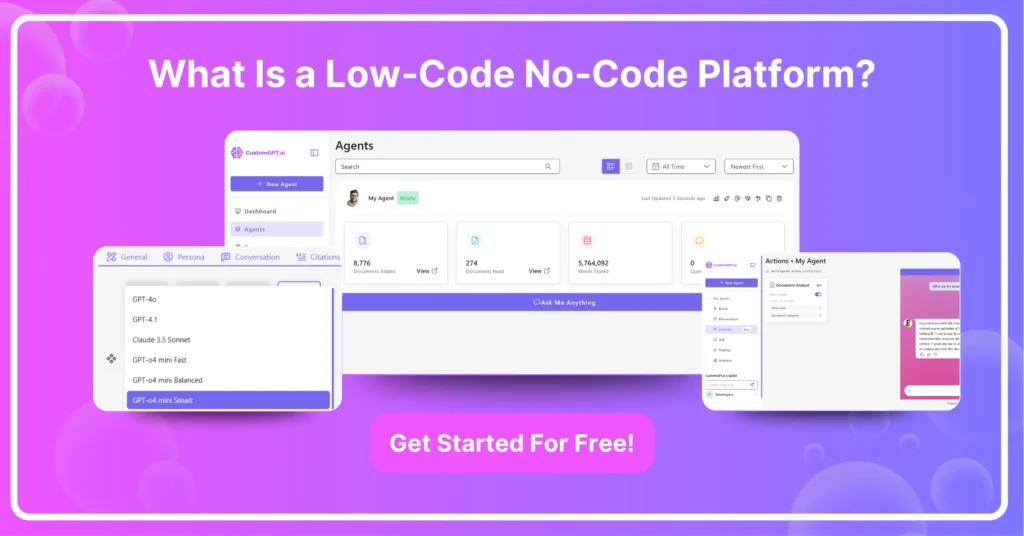
What Is a Low‑Code No‑Code Platform?
A low‑code/no‑code platform is a visual development environment that lets you build custom applications with minimal or zero hand‑coding. It accelerates delivery by using drag‑and‑drop components, prebuilt templates, and configurable workflows.
These platforms empower both professional developers and non‑technical users to deliver solutions fast without the usual software development overhead.
TL;DR
- Low‑code/no‑code platforms use visual builders to create apps with minimal or no coding.
- No‑code empowers business users; low‑code adds custom code extensibility for developers.
- Top small‑biz no‑code tools: Bubble, Glide, and CustomGPT.ai.
- In 2025, leaders are Bubble for web, Adalo for mobile, and CustomGPT.ai for AI‑driven apps.
- Key trends: AI‑assisted development, enterprise citizen development programs, and true cross‑platform support.
What Is a Low Code Platform?
A low‑code platform is a visual development environment where you build applications by assembling drag‑and‑drop components, prebuilt modules, and simple logic flows instead of writing every line of code.
It still lets you inject custom scripts or APIs when you need advanced functionality, speeding up development while retaining flexibility.
- CustomGPT.ai: AI‑driven chatbot builder with low‑code hooks for custom scripts and webhooks, perfect for embedding intelligent assistants.
- OutSystems: Enterprise‑grade full‑stack visual development with AI‑assisted coding and built‑in DevOps.
- Mendix: Model‑driven rapid application development, collaborative tools, and multi‑channel deployment.
- Microsoft Power Apps: Seamlessly integrates with Microsoft 365, offering hundreds of connectors plus support for custom code.
- Appian: Combines low‑code development with case management and business process automation at scale.
- Zoho Creator: Affordable drag‑and‑drop builder with Deluge scripting and built‑in analytics.
What Is a No Code Platform?
No‑code platforms, regardless of technical background, let you create apps entirely through visual tools, drag‑and‑drop editors, and configuration settings – no programming required.
- CustomGPT.ai: Launch AI chat assistants by defining intents and responses without writing any code.
- Bubble: Design web apps with drag‑and‑drop UI elements, database management, and workflow automation.
- Glide: Turn spreadsheets into mobile and web apps in minutes, ideal for inventory tracking or event registration.
Key Features of Low‑Code vs. No‑Code Platforms
While both low‑code and no‑code platforms accelerate development, they cater to different skill levels and use cases.
- Customization Depth: Low‑code gives you access to custom code hooks; no‑code keeps you within the visual paradigm.
- Target Users: Low‑code is designed for professional developers seeking efficiency; no‑code empowers business users and citizen developers.
- Integration Flexibility: Low‑code offers SDKs, RESTful APIs, and webhooks; no‑code relies on built‑in connectors and marketplace integrations.
- Scalability: Low‑code platforms generally support larger, more complex applications; no‑code excels for lightweight tools and prototypes.
- Code Extensibility: Low‑code lets you inject custom scripts or APIs when visual components fall short; no‑code keeps you wholly within the GUI.
- Application Scale: Low‑code scales to complex, enterprise‑grade systems; no‑code is best suited for prototypes, internal tools, and simple customer‑facing apps.
| Feature | Low‑Code | No‑Code |
| Customization Depth | Gives you access to custom code hooks | Keeps you within the visual paradigm |
| Code Extensibility | Lets you inject custom scripts or APIs when visual components fall short | Keeps you wholly within the GUI |
| Target Users | Designed for professional developers seeking efficiency | Empowers business users and citizen developers |
| Integration Flexibility | Offers SDKs, RESTful APIs, and webhooks | Relies on built‑in connectors and marketplace integrations |
| Scalability | Generally supports larger, more complex applications | Excels for lightweight tools and prototypes |
| Application Scale | Scales to complex, enterprise‑grade systems | Best suited for prototypes, internal tools, and simple customer‑facing apps |
Recommended No‑Code Platforms for Small Business
If you’re a small business owner or solo founder, these no‑code tools can help you get off the ground quickly.
You can leverage prebuilt templates, drag‑and‑drop workflows, and built‑in integrations with payment gateways, email services, and CRMs to prototype customer‑facing apps. You can also automate key processes, and manage data and all this without upfront development costs.
What Is The Best No‑Code Platform In 2025?
In 2025, a few players stand out thanks to their feature depth, community, and ecosystem.
- CustomGPT.ai: Emerges as the go‑to for AI‑centric projects, letting you build sophisticated conversational agents in minutes. CustomGT.ai is built for non‑coders to give them direct access to GPT‑style capabilities.
- Bubble: Continues to lead for complex web applications with a mature plugin marketplace and performance enhancements.
- Adalo: Tops the list for mobile‑first solutions, offering native builds and UI customization that rival hand‑coded apps.
What Is The Most Affordable No‑Code Platform Solution?
Budget‑conscious teams can explore these pocket‑friendly options without sacrificing core functionality:
- CustomGPT.ai: Top choice at $99/month for AI chatbots, with webhooks, analytics, and a generous request quota.
- Glide Free Tier: Up to 500 rows, custom domains, and basic integrations at no cost—perfect for prototypes.
- AppGyver (SAP Build): Completely free for small teams, offering logic flows, data resources, and native app packaging.
Trends in Low‑Code/No‑Code Adoption
Low‑code and no‑code platforms are moving beyond simple prototypes to power mission‑critical systems.
- AI‑Powered Builders: Platforms now suggest components, generate code snippets, and optimize workflows via integrated AI copilots.
- Enterprise Citizen Development: Large firms are rolling out governed no‑code programs that let non‑IT staff safely build and deploy tools.
- Cross‑Platform Expansion: Solutions are extending support across web, iOS, Android, and even IoT interfaces for seamless multi‑channel apps.
Pro Tip: Start with a clear data model and user flow before diving into any low‑code or no‑code tool—planning up front saves you from refactoring later.
By leveraging a secure, centralized AI knowledge platform, you can seamlessly integrate insights from low‑code/no‑code projects into your broader enterprise ecosystem—giving you the speed of no‑code alongside the governance and security your organization demands.
FAQs
Frequently Asked Questions
Can one no-code platform handle websites, mobile apps, and AI assistants together?
Usually, teams use different tools based on use case. The article’s 2025 examples position Bubble for web apps, Adalo for mobile apps, and CustomGPT.ai for AI-driven apps. Low-code capabilities (like API and script extensibility) can help connect these tools when you need one workflow across systems.
Can you extend a no-code build with custom functionality as requirements grow?
Yes—this is where low-code differs from pure no-code. No-code is ideal when you want minimal or zero hand-coding, while low-code keeps visual development but also allows custom scripts or API integrations for advanced needs.
How is low-code different from no-code for complex projects?
No-code is best when speed and simplicity matter most. Low-code is better when complexity increases, because it still uses visual builders but allows custom scripts and deeper API-based integrations. In short: no-code for fast delivery, low-code for flexibility at scale.
What platform features matter most for AI-powered no-code apps?
Look for a visual builder, prebuilt components, configurable workflows, and integration options (especially APIs/webhooks). For AI-specific use cases, the article highlights CustomGPT.ai as an AI-driven chatbot builder with low-code hooks for custom scripts and integrations.
What are the biggest low-code/no-code trends in 2025?
The key trends highlighted are AI-assisted development, enterprise citizen development programs, and true cross-platform support. These trends point to broader adoption by both business teams and developers.
When should a startup use no-code first instead of hiring a full development team?
No-code is a strong first step when a startup needs to build quickly with minimal engineering overhead. The article emphasizes faster delivery through visual builders, templates, and workflows, which helps teams validate ideas before committing to heavier custom development.
Why might technical expertise still matter in low-code/no-code projects?
Even with visual builders, technical input helps when you need advanced functionality. Low-code platforms explicitly support custom scripts and API integrations, so developers can step in for complex logic or system connections while non-technical users still handle much of the build.
Conclusion
Low‑code/no‑code platforms empower both business users and developers to rapidly build, customize, and scale applications using visual tools, prebuilt modules, and optional code hooks.
Integrating these solutions into a secure, centralized AI knowledge platform ensures streamlined workflows, robust integrations, enterprise‑grade governance, and actionable insights to fuel continuous innovation.
Ready to supercharge your app development with AI? Sign up for CustomGPT.ai today and start building your chatbot in minutes—no code required!