

How To Build Sitemaps From Large-Scale Website Crawling
Welcome to our detailed tutorial on using our powerful Sitemap tool that lets you generate sitemaps using website crawling. This tool allows you to analyze large websites and create comprehensive sitemaps. In this tutorial, we will guide you through the process of generating an extensive sitemap using our tool.
Key Features and Benefits:
Our Sitemap Generation tool stands out due to its exceptional features and benefits, including for teams building sitemaps from website scraping:
- Increased Scalability: Unlike our previous sitemap tools, this advanced version enables you to generate much larger sitemaps and analyze more extensive websites efficiently.
Step-by-Step Guide:
Let’s explore the step-by-step process of generating a comprehensive sitemap using our advanced tool, including when building a sitemap from Google results:
- Accessing the Sitemap Generation Tool:
- Start by navigating to the Sitemap tool.
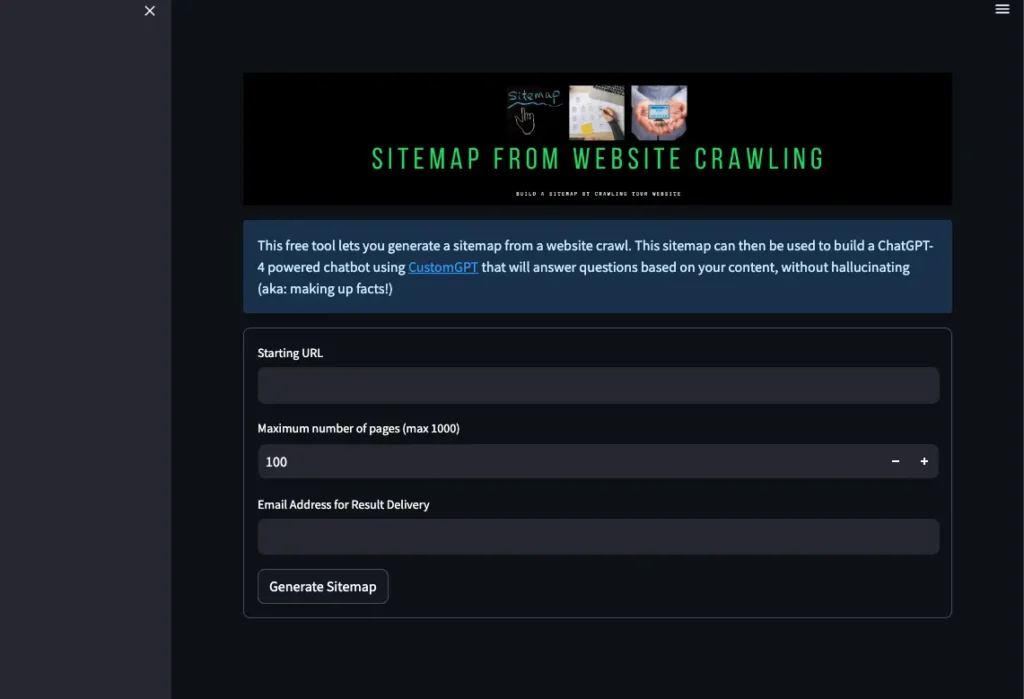
- Ensure that you have the URL of the website you want to analyze readily available.
- Website URL and Maximum Page Selection:
- Paste the URL of the target website into the designated field.
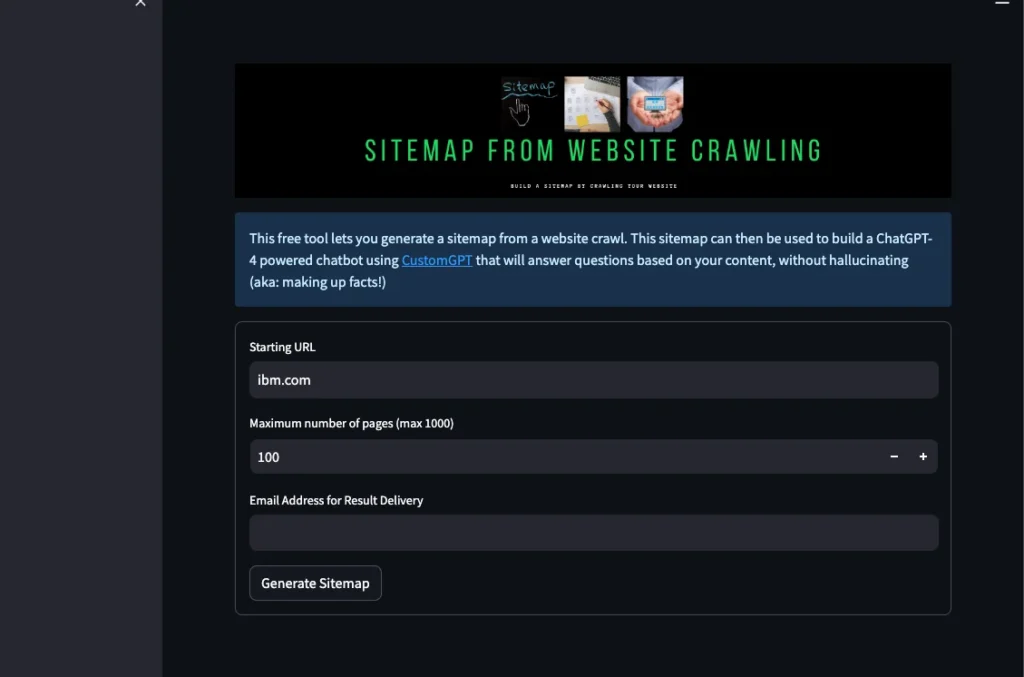
- Next, specify the maximum number of pages you want to include in the sitemap. The tool allows a maximum of 1000 pages.
- Email Address Submission:
- Enter your email address to receive access to the full sitemap generated by the tool.
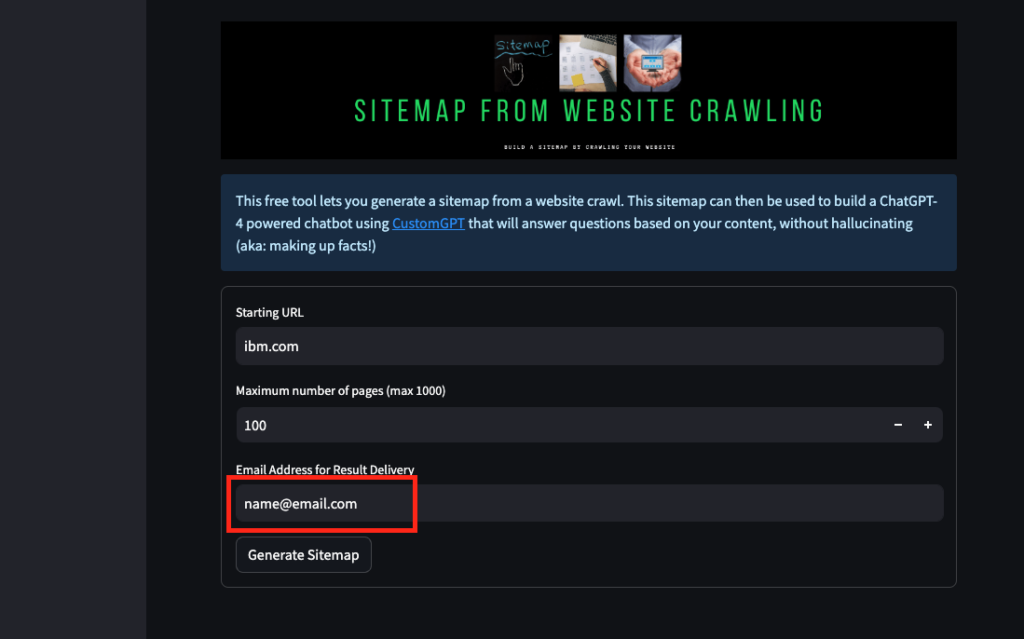
- Submit the email address to initiate the website scanning process.
- Monitoring the Process:
- Depending on the size of the website or the number of pages being scanned, the process may take a while.
- Keep an eye on your inbox for an email containing the link to the complete sitemap.
- Check both your inbox and spam folder to ensure you don’t miss the email.
- Utilizing the Sitemap:
- Once you receive the email with the sitemap link, copy the link to the sitemap.
- Paste the sitemap link into your CustomGPT chatbot or any other desired application.
Congratulations! You have successfully generated a comprehensive sitemap using our advanced Website Crawling tool. This powerful tool allows you to analyze large websites and create detailed sitemaps for efficient data extraction. If you have any questions or require further assistance, please feel free to leave a comment below, and we will be delighted to assist you. Thank you for reading, and take care!
Frequently Asked Questions
How do you access the website crawling tool for larger sites?
If you need the larger-site option, open the Sitemap tool, paste the website URL, choose the maximum number of pages to scan, and submit your email to receive the sitemap link. This version is built for website crawling and for generating larger, more comprehensive sitemaps than the previous tool. Sara Canaday described the appeal this way: “For the past year, I’ve been using CustomGPT.ai as a specialized AI-powered leadership resource for my VIP clients. One that draws directly from my years of experience, research, and proven leadership strategies. What drew me in? Its simplicity, reasonable cost, and constant feature updates.”
What is the maximum page limit for the large-site sitemap tool?
You can include up to 1,000 pages in one generated sitemap. When you paste the target URL into the tool, choose the maximum number of pages you want scanned based on your analysis requirements before starting the crawl.
Can you add metadata to a generated sitemap, such as vehicle specs or product attributes?
A generated sitemap is primarily a crawl-based list of URLs. If you want an assistant to answer with vehicle specs, product attributes, or other detailed facts, those details should also exist in the source content you load, such as website pages, CSV files, PDFs, JSON, or XML. Evan Weber described the value of using your own content this way: “I just discovered CustomGPT, and I am absolutely blown away by its capabilities and affordability! This powerful platform allows you to create custom GPT-4 chatbots using your own content, transforming customer service, engagement, and operational efficiency.”
How can you keep old or irrelevant pages out of a large crawl?
Use the URL that best matches the part of the site you want analyzed, then set an appropriate maximum page count before submitting the crawl. Because the sitemap is generated from what the tool scans, narrowing the starting URL and page limit is the clearest way to keep the output focused on the content you actually want to use.
Does a generated sitemap update automatically when your website changes?
No. The generated sitemap reflects the pages that were scanned when you ran the crawl. If your website changes later, run the tool again to generate an updated sitemap and receive a new link by email. Chicago Public Schools handled 13,495 HR queries with a 91% AI success rate and saved 600+ hours in the first year, which is a useful reminder that high-volume assistants depend on well-maintained source material.
Can crawl-generated sitemaps support one AI assistant across multiple websites?
Yes. The platform supports multi-source knowledge ingestion, so one assistant can use content from more than one website. A practical setup is to generate a sitemap for each website you want included, then load those sources together only when the sites belong in the same answer experience. Dr. Michael Levin captured the low-friction setup this way: “Omg finally, I can retire! A high-school student made this chat-bot trained on our papers and presentations”
For a large website, is crawling better than using an existing XML sitemap?
Use website crawling when you need to generate a sitemap directly from the site itself. Use an existing XML sitemap when you already have that file and want to work from it as a source, since XML is a supported format. For large websites, crawling is the better fit when the goal is to generate a more comprehensive sitemap from the live site.
Related Resources
If you’re planning how users will explore the content behind your sitemap, this guide adds helpful context.
- Site Search Guide — See how CustomGPT.ai powers site search experiences that make large websites easier to navigate and surface relevant content quickly.


