

Get answers from your business information with easy, 1-click integrations.
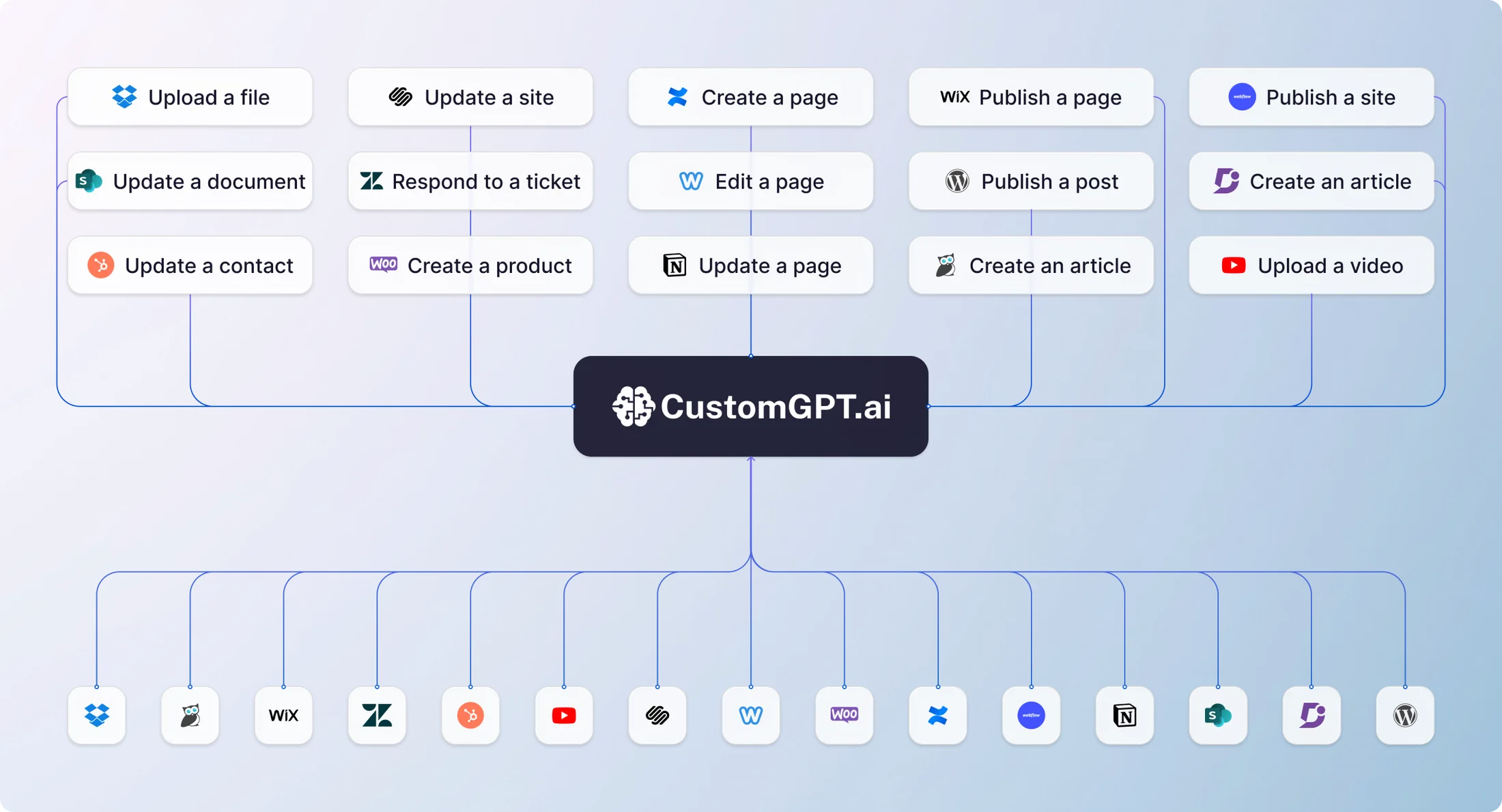
Build AI agents that can answer questions from your information in Google Drive, Sharepoint, YouTube and 100+ sources. All with no-code, 1-click integrations.
Integrations news
The Google Drive and SharePoint integrations are here for all customers!
Join our CEO, Alden Do Rosario, as he walks through integrating your Google Drive with CustomGPT.ai.
Integrations
Bring all your content together
Integrations
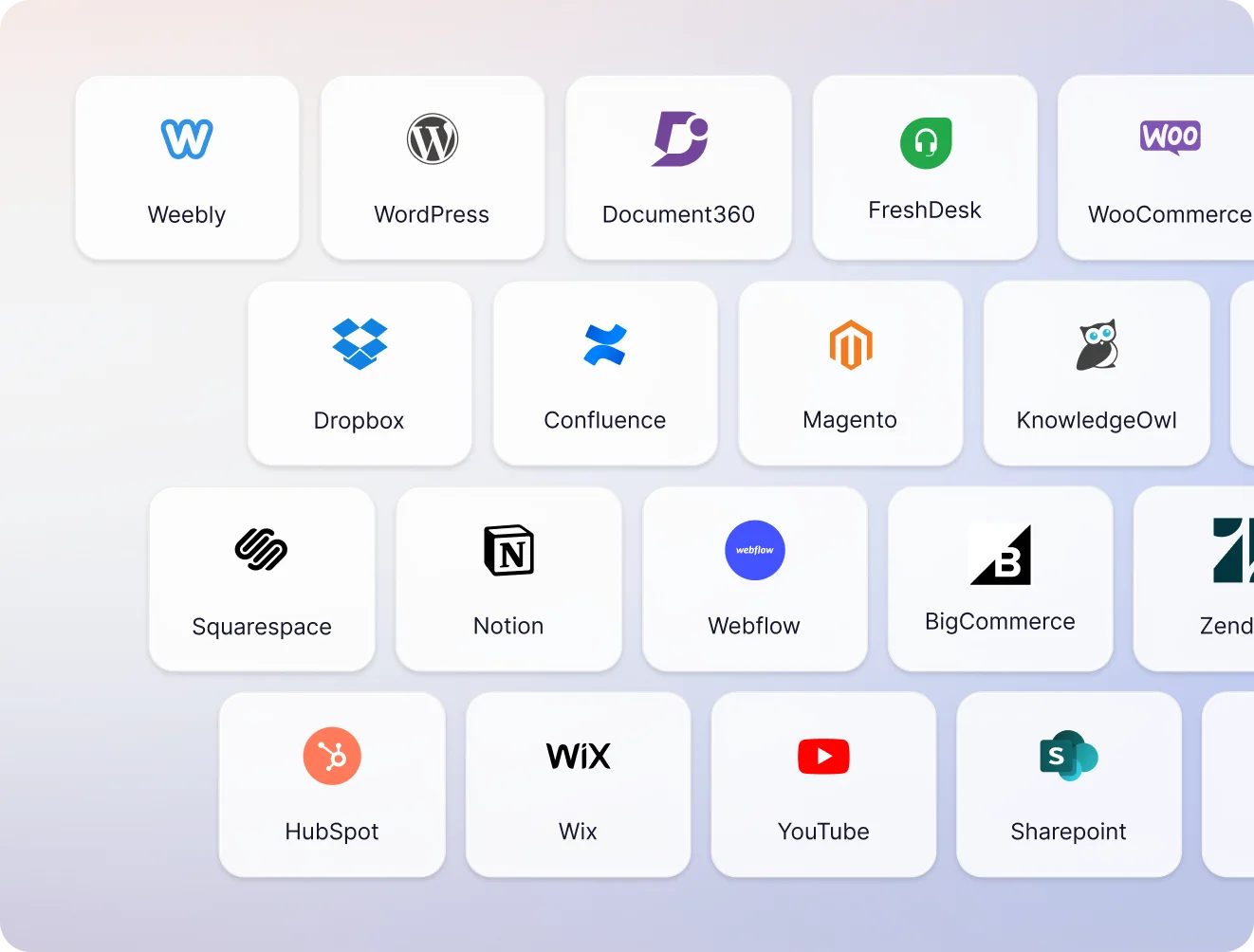
Integrate with your existing platforms
-
 Website
-
 Files
Files
-
 Zapier
-
 Google Drive
-
 OneDrive
-
 BigCommerce
-
 Dropbox
-
 Confluence
-
 Wix
Wix
-
 Squarespace
-
 Webflow
-
 SharePoint
-
 Zendesk
-
 Weebly
-
 WordPress
-
 Document360
-
 HubSpot
-
 WooCommerce
-
 Notion
-
 KnowledgeOwl
-
 YouTube
-
 Framer
-
 Freshdesk
-
 Shopify
-
 Magento
-
 ReadMe
-
 GitBook
-
 RSS Feed
-
 Web Search
-
 URL List
-
 API
API
-
 Protected Data
-
 Podcast
-
 Vimeo
Vimeo
-
 LinkedIn
Can’t find your favorite platform here? Please let us know
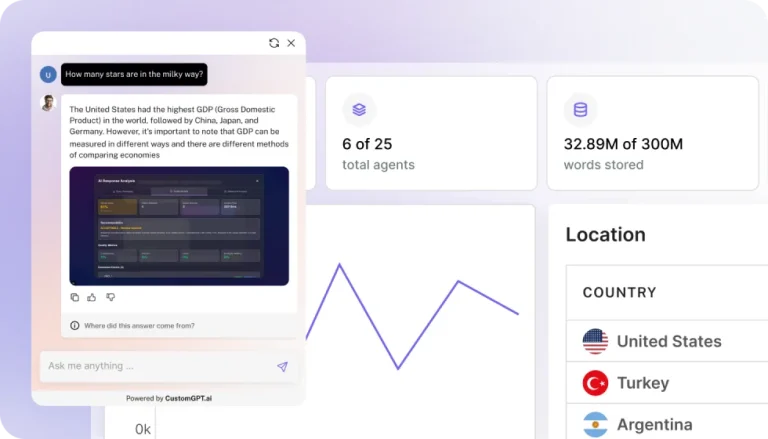
Launch fully-integrated custom AI agents
Increase efficiency, drive revenue, and delight customers with instant answers from your information
Walkthrough
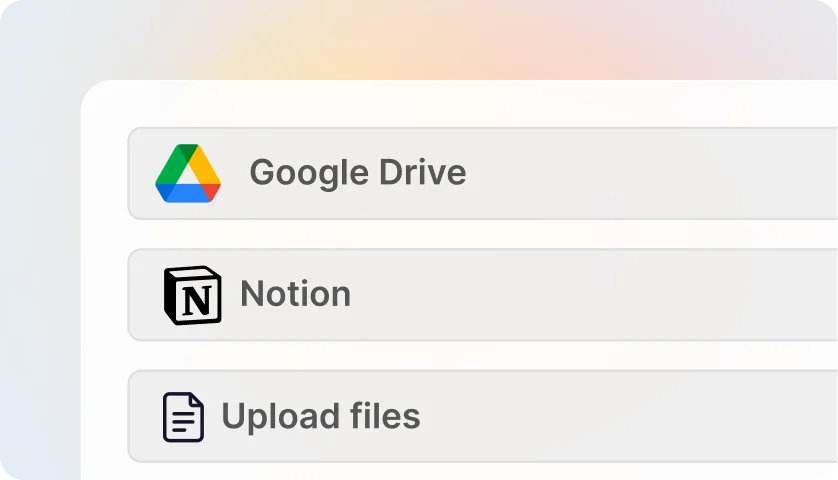
How to build an agent using any data source
Frequently Asked Questions
How does CustomGPT.ai use my data to build a custom ChatGPT-type chatbot?
CustomGPT.ai uses your data to build a custom chatbot by ingesting the information you provide into our system. This information can include your company’s public content like websites, knowledge bases, helpdesks, YouTube videos, and podcasts but also private content like business and product information documents including PDF, Microsoft Office documents, Google Docs, customer data, and other relevant content.
Our secure and privacy-preserving cloud platform then ingests this content and uses this information to respond to queries with ChatGPT.
The result is a Custom ChatGPT-style bot that can have a deep understanding of your business and customers, allowing it to provide personalized and accurate responses, without hallucinations, to a wide range of inquiries. This bot can then be embedded into your website, used as a LiveChat or integrated into your systems via the API.
How can I provide my content and data to CustomGPT.ai?
You can provide your business content and data to CustomGPT.ai in various ways, using the CustomGPT.ai interface for your project.
You can provide the sitemap of your website or create a custom sitemap, using which CustomGPT.ai can index the entire content of your website and refresh it periodically to check for any new content.
You can also upload ALL your documents like PDF file, Microsoft Office documents, Google Docs, etc. The platform supports 1400+ document formats including audio formats and podcasts.
New: You can now also mix-and-match and add data from multiple sources to create a “source of truth” with your chatbot.
What types of data and information can I use to train my CustomGPT.ai chatbot?
CustomGPT.ai is designed to work with a wide range of data and information, including text-based data such as website content, customer inquiries, product descriptions, FAQs, and more. We support 1400+ document formats including PDF files, Microsoft Office docs, Google docs and more that can be ingested into the chatbot. We have now added support for YouTube / Vimeo videos and audio/podcasts.
You can also add other business-specific information from multiple sources to your chatbot. You can even ingest data via Zapier from your various apps and tools.
The more data you provide, the more accurate and effective your CustomGPT.ai chatbot will be in delivering the results you need for your business.
Can I build the bot with PDF or Microsoft Office or Google Docs files I have?
Yes. You can upload your documents in 1,400+ formats including PDFs, Microsoft Office docs, and Google Docs.
We also support YouTube/Vimeo videos and audio/podcast files. We support the most extensive suite of document formats in the industry.
Can CustomGPT.ai read and understand tables in PDF files?
CustomGPT.ai does read the text from the tables (in PDF and Excel/CSV files). However, do note: ChatGPT (and CustomGPT.ai) is quite bad at analytics and math. So if your use case is related to counting and analytics, CustomGPT.ai might not be a good choice.
However, anything related to searching for content in the tables and then creating text responses based off that, should work remarkably well.
Can I upload various file formats like .pdf, .xls, and others for CustomGPT.ai to analyze?
Yes, CustomGPT.ai supports 1400 file formats including PDF, Microsoft Office documents, Google Docs, Text files, and Audio/Video files.
Do you have a Zapier App?
Yes – we now have a full bidirectional Zapier app. You can send data from your apps and tools to your chatbot. And also query your chatbot from various Zapier integrations like Slack and SMS. See more details here: https://customgpt.ai/chatgpt-zapier/
How long does it take CustomGPT.ai to ingest my data?
On average, it takes a few minutes to fully index your data.
The exact time it takes will depend on the amount and type of data. File processing is quick (seconds). Website crawling could take longer (minutes or hours depending on the speed and size of your website). Most small business bots build in less than 5 mins.
Is CustomGPT.ai secure and privacy-compliant?
Yes. Your data is fully encrypted and files are stored only when you choose to. Files are encrypted in transit, and encrypted at rest. We use secure vendors like AWS and Stripe. See our full list of security principles.
Moreover, your chatbot is fully-self contained, which means it does not share ANY data with other chatbots, even within your own account.
And by default, your chatbot is private, which means only authorized users can query your chatbot. We understand the importance of your data security and privacy and are fully committed to ensure that the chatbot and your data are secure, confidential and private.
Update: And as of March 1st 2023, OpenAI has confirmed that they do not use your data for training purposes. Since we use the ChatGPT API, no parts of your data will be used for training purposes by OpenAI.
Does OpenAI use my data for training purposes?
As of March 1st 2023, OpenAI has now clarified that they do NOT use data from API calls in their training. And as we use the ChatGPT API, your data and queries are NOT used in any of their ML training.
Can CustomGPT.ai be integrated with email or SMS services?
Yes – using the Zapier app or the API. Please see: https://docs.customgpt.ai/reference/quickstart-guide – you can easily connect it to Google Mail or Twilio SMS or 5000+ other integrations.
Can I upload documents using the CustomGPT.ai platform?
Yes, you can upload documents using the CustomGPT.ai platform. Simply go to your CustomGPT.ai dashboard and upload the documents to build your custom chatbots in minutes. We support 1400+ document formats and the platform is built to process multi-gigabytes of documents. However, each file cannot exceed 100 MB at this time. If your file is larger than that, we suggest using an online file splitter to break it up into smaller files.
Can I train CustomGPT.ai with both a sitemap and documents?
Yes, CustomGPT.ai now supports multi-source data integration, allowing you to train the chatbot with both a sitemap and documents. To do this, simply add your sitemap and upload the desired documents to your project. CustomGPT.ai will then consolidate the data from all the sources and provide context-aware answers based on the combined knowledge.
How can I add multiple sitemaps or PDF documents to an existing project?
To add multiple sitemaps or PDF documents to an existing project, simply go to your project settings and use the “Data” tab. You can then select the type of content you want to add (Sitemap, Upload, etc.) and provide the necessary information. CustomGPT.ai will integrate the new data sources with the existing content, enhancing the chatbot’s knowledge base.
How can I use both my website and uploaded documents as content sources for CustomGPT.ai?
To use both your website and uploaded documents as content sources, start by adding your website’s sitemap to your project. Next, upload the desired documents, such as PDFs, Word files, or Google Docs, using the “Data” tab in the project settings. CustomGPT.ai will then combine the content from your website and documents to create a comprehensive knowledge base for the chatbot.
Can CustomGPT.ai ingest both PDFs and web pages in a single project?
Yes, CustomGPT.ai is designed to ingest and integrate multiple content types, including PDFs and web pages, within a single project. Simply add the web pages by providing the sitemap and upload the desired PDF documents using the “Data” tab. CustomGPT.ai will consolidate the data, allowing the chatbot to provide context-aware responses based on the combined information.
Can I add a list of webpages to my chatbot project?
Yes – now you can. Simply use this free tool to create a new sitemap from your list of web pages and add that sitemap to your project. This feature lets you add content from any Internet page. For example: You can add discussions and reviews from around the Internet to your chatbot. You could even add competitor pages or authoritative documents to make your chatbot smarter.
Can I add the results from Google searches into the chatbot?
Yes – this is a common feature requested by researchers and SEOs. You can do this in two ways:
Build a custom list of URLs using this free tool and then add the sitemap to your project.
Use this free tool and give it a list of search queries. The tool will then build a sitemap based on the list of search results based on those queries. Add the sitemap to your project.
What is the Google Drive integration feature in CustomGPT.ai?
The Google Drive integration feature in CustomGPT.ai allows you to use files from Google Drive as source material for your AI agent.
What is the maximum file size I can upload using Google Drive integration?
Our system accepts files of up to 500 MB. Files exceeding this size will not be processed.
How do I connect my Google Drive to CustomGPT.ai?
Follow this user guide to connect your Google Drive to CustomGPT.ai.
What types of files from Google Drive can be used with CustomGPT.ai?
CustomGPT.ai supports 1400+ formats including PDFs, Microsoft Office documents, and Google Docs. CustomGPT.ai has the industry’s largest document format support.
Are there Google Drive file types that are not supported by CustomGPT.ai?
The following file types are currently not supported: Google Forms, Google My Maps, and Google Sites.
Does Google Drive integration support the auto-sync feature?
Yes, Google Drive integration supports the auto-sync feature. You can find all the details in this user guide.
How does the auto-sync functionality work with Google Drive?
The auto-sync functionality updates the bot’s knowledge on any file update, creation, or deletion in Google Drive.
How often does CustomGPT.ai sync with Google Drive?
CustomGPT.ai syncs with Google Drive once per day.
What happens if I delete a file in Google Drive? Will it be removed from CustomGPT.ai as well?
If auto-sync is on, yes, the file will be removed from CustomGPT.ai as well.
What permissions does CustomGPT.ai require to access my Google Drive?
CustomGPT.ai requires the following permissions to access your Google Drive:
- See and download files.
- See information about files.
Can I select specific folders in Google Drive to sync with CustomGPT.ai?
Yes, you can select specific folders using Google’s file selector.
How do I revoke CustomGPT.ai’s access to my Google Drive?
Follow Google’s instructions to revoke access: Google Support.
Can I use multiple Google Drive accounts with CustomGPT.ai?
Yes, you can use multiple Google Drive accounts with CustomGPT.ai.
On which plans is Google Drive integration available?
Google Drive integration is available on our Standard plan and the above. Auto-sync for Google Drive integration is available on our Enterprise plans.
What is the maximum file size I can upload using Google Drive connector?
Our system accepts files of up to 450 MB. Files exceeding this size will not be processed.
How do I connect my YouTube channel to CustomGPT.ai?
To connect your YouTube channel to CustomGPT.ai, simply select YouTube as the integration option within the platform. Then, paste the link to your YouTube channel.
What types of YouTube videos can be transcribed and used to train the chatbot?
Any videos from your YouTube channel can be transcribed and used to train the chatbot.
How does CustomGPT.ai ensure the privacy and security of my YouTube content?
CustomGPT.ai is built on strong privacy principles, ensuring that any information uploaded to a bot remains within that bot’s environment and is not shared with other bots, even those in the same account. For more details, please visit our security principles at CustomGPT.ai Security.
Can I edit the transcriptions before they are used to train the chatbot?
No, the transcription process is fully automated and done in the background. This ensures a seamless and efficient integration of your video content into the chatbot’s knowledge base.
How frequently are new videos from my YouTube channel transcribed and added to the chatbot?
The frequency of transcription depends on your auto-sync settings. Auto-sync is a premium feature that allows new videos to be transcribed and added to the chatbot’s knowledge base automatically, ensuring that the chatbot is always up-to-date.
What happens if a video uploaded to CustomGPT.ai is deleted?
If you have auto-sync enabled, the deleted video will also be removed from CustomGPT.ai.
Can I disconnect my YouTube channel from CustomGPT.ai at any time?
Yes, you can disconnect your YouTube channel from CustomGPT.ai at any time.
Can I use YouTube videos from other channels, not just my own, to train the chatbot?
Yes, you can use YouTube videos from other channels to train the chatbot.
What happens if my YouTube channel is private or has restricted access?
If your YouTube channel is private or has restricted access, CustomGPT.ai will not be able to retrieve and transcribe the videos.
How do I know which videos have been successfully transcribed and added to the chatbot?
You can check the status of your transcriptions on your project’s Pages screen within CustomGPT.ai. This screen provides a comprehensive overview of all the videos that have been successfully transcribed and added to the chatbot’s knowledge base.
What is the new Zendesk integration feature about?
The new Zendesk integration feature is about leveraging the power of Zendesk’s help center to enhance the capabilities of your CustomGPT.ai chatbot. By using Zendesk as a source for your bot, you can provide instant, accurate, and comprehensive assistance to your users, drawing from the wealth of information in your Zendesk help center.
How does the Zendesk integration feature work?
The Zendesk integration feature works by connecting your Zendesk help center with your CustomGPT.ai chatbot. Once the connection is established, the chatbot fetches pages from your Zendesk help center, which allows it to provide more accurate and helpful responses to user queries.
What are the benefits of using the Zendesk integration feature?
Firstly, it allows your users to get instant help from your chatbot, which now has access to the entire knowledge base of your Zendesk help center. This not only improves the user experience but also reduces the workload on your human customer service agents. Secondly, it allows you to leverage the comprehensive and often underutilized knowledge in your Zendesk help center, thereby increasing the return on your investment in Zendesk.
How can customers access the Zendesk integration feature?
Customers can access the Zendesk integration feature either during the project creation process or via the Data tab after the project has been created.
What makes the Zendesk integration feature different from similar features in the market?
The Zendesk integration feature stands out in the market due to its ability to bring together a wealth of business knowledge with easy-to-integrate, no-code chatbots.
How can the Zendesk integration feature help in improving customer service?
The Zendesk integration feature can significantly improve customer service by providing fast and accurate help to end-users at a fraction of the cost of human agents.
Can the Zendesk integration feature be customized according to individual customer needs?
While the Zendesk integration feature itself cannot be customized, the chatbots that use it can be.
How secure is the data when using the Zendesk integration feature?
At CustomGPT.ai, we prioritize privacy and security. Any information uploaded to a bot remains within that bot’s environment and is not shared with other bots, even those in the same account. For more information, please visit our security principles at https://customgpt.ai/security/.
What is the Protected Data Ingestion feature?
The Protected Data Ingestion feature is a specialized service offered by CustomGPT.ai that enables the crawling and ingestion of data from websites protected by authentication mechanisms. This feature is designed to help businesses access and utilize data that is otherwise restricted due to login requirements, making it possible to build chatbots that can interact with and provide insights from this protected data.
How does the Protected Data Ingestion feature work?
The Protected Data Ingestion feature works through a collaborative process where our engineers work closely with your team to develop a custom solution tailored to your specific needs. This involves understanding your authentication methods and integrating them into our system to ensure seamless data access and ingestion. The goal is to create a solution that works efficiently for your company, allowing your chatbot to access and utilize protected data as needed.
Which types of authentication methods are supported by the Protected Data Ingestion feature?
The Protected Data Ingestion feature is highly customizable, and our team will work to support any authentication method you have in place. Whether it’s basic authentication, OAuth, SAML, or any other form of login protection, we will strive to develop a solution that meets your requirements and ensures secure access to your protected data.
Is the Protected Data Ingestion feature available for all customers?
No, the Protected Data Ingestion feature is an enterprise-only offering.
How can enterprise customers request the Protected Data Ingestion feature?
Enterprise customers interested in the Protected Data Ingestion feature can request it by contacting our sales team. Please visit https://customgpt.ai/enterprise-solutions-customgpt/ to get in touch with our sales representatives and discuss your requirements.
How does CustomGPT.ai ensure the privacy of the data accessed through the Protected Data Ingestion feature?
CustomGPT.ai is built on strong privacy principles, ensuring that any information uploaded to a bot remains within that bot’s environment and is not shared with other bots, even those within the same account. For more details on our security principles, please visit https://customgpt.ai/security/.
Additionally, your data will not be incorporated into OpenAI training sets. For more information, please see OpenAI’s announcement and data usage policy at https://openai.com/policies/api-data-usage-policies.
What are the benefits of using the Protected Data Ingestion feature for enterprise customers?
The primary benefit of using the Protected Data Ingestion feature is the ability to build chatbots that can access and utilize data protected by authentication mechanisms in an automated way.
How long does it take to set up the Protected Data Ingestion feature for a new customer?
The setup time for the Protected Data Ingestion feature varies depending on the complexity of your system and the specific authentication methods in place. Our team will work with you to understand your requirements and develop a timeline that ensures a smooth and efficient implementation.
How does the Protected Data Ingestion feature integrate with existing CustomGPT.ai functionalities?
Once set up, the Protected Data Ingestion feature will function similarly to the Sitemap feature, allowing your chatbot to access and utilize the ingested data seamlessly.
Can the Protected Data Ingestion feature be used to access data from multiple protected websites?
Yes, the Protected Data Ingestion feature can be used to access data from multiple protected websites. However, if the authentication methods differ between these websites, separate solutions will likely be required to handle each unique authentication process.
How does the Protected Data Ingestion feature handle updates or changes in the authentication methods of the target websites?
The handling of updates or changes in the authentication methods of target websites depends on the specific case. Our team will work with you to ensure that any changes are addressed promptly and that the custom solution remains functional and secure.